3URJUDP &KDQJH
Changing a Password
14 AFP-300/AFP-400 Programming PN 50259:C1 06/19/97
&KDQJLQ J D 3DVVZRUG
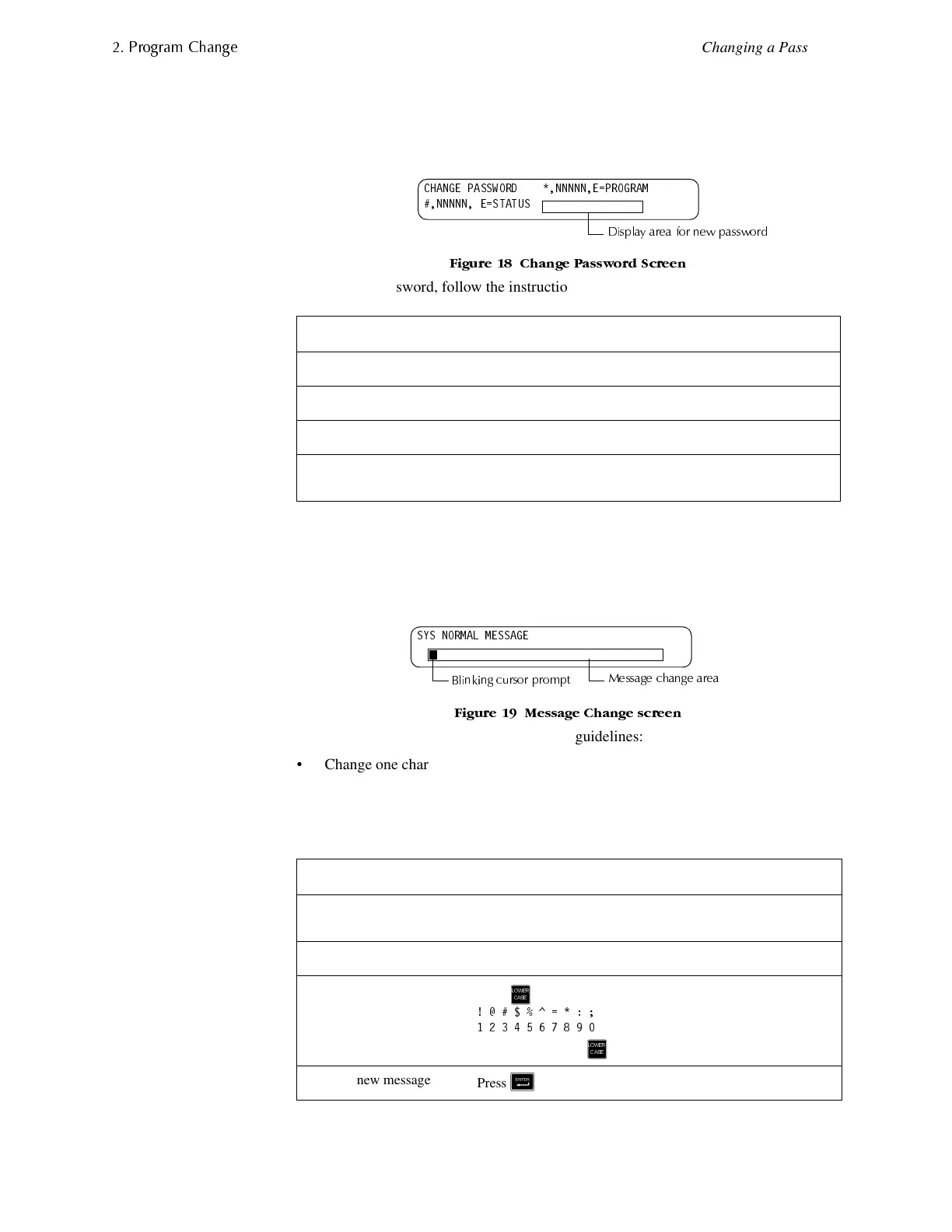
Password Change lets you customize a high-level or low-level password. From the
Program Change screen, press <3> to display the screen, then follow the instructions in
Table 14.
)LJXUH &KDQJH 3DVVZRUG 6FUHHQ
To change a password, follow the instructions in Table 14:
Table 14 Changing a Password
&KDQJLQJWKH6\VWHP0HVVDJH
The Message option lets you change the 40-character All Systems Normal message.
From the Program Change screen, press <4> to display the Message Change screen:
)LJXUH 0HVVDJH &KDQJH VFUHHQ
To change the system message, follow these guidelines:
• Change one character at a time, indicated by the blinking cursor on the second line
of the display.
• Enter up to 40 characters maximum.
Table 15 contains instructions for entering characters in the Message Change screen:
Table 15 Changing System Message
To... Press... Then...
Change the Program password.
+
type the new Program password.
Change the Status password.
,
type the new Status password.
Save the password.
&
the Password Change screen appears.
Leave the edit screen without
changing a password.
<Backspace>
or <Esc>
the Password Change screen appears.
To... Do this...
Change a blinking
character
Type a character from the keypad.
Move to the next character
Press
*
Enter additional characters
(!@#$%^=*:;)
Press then press a number key as follows:
#A
For example, press then press <7> to enter a “=” character.
Save the new message
Press
&
&+$1*( 3$66:25' 11111( 352*5$0
11111 ( 67$786
'LVSOD\ DUHD IRU QHZ SDVVZRUG
6<6 1250$/ 0(66$*(
0HVVDJH FKDQJH DUHD
%OLQNLQJ FXUVRU SURPSW
/2:(5
&$6(
/2:(5
&$6(


 To Next Page
 Loading...










