6WDWXV &KDQJH
Detector Sensitivity
22 AFP-300/AFP-400 Programming PN 50259:C1 06/19/97
'HWHFWRU6HQVLWLYLW\
2YHUYLHZ
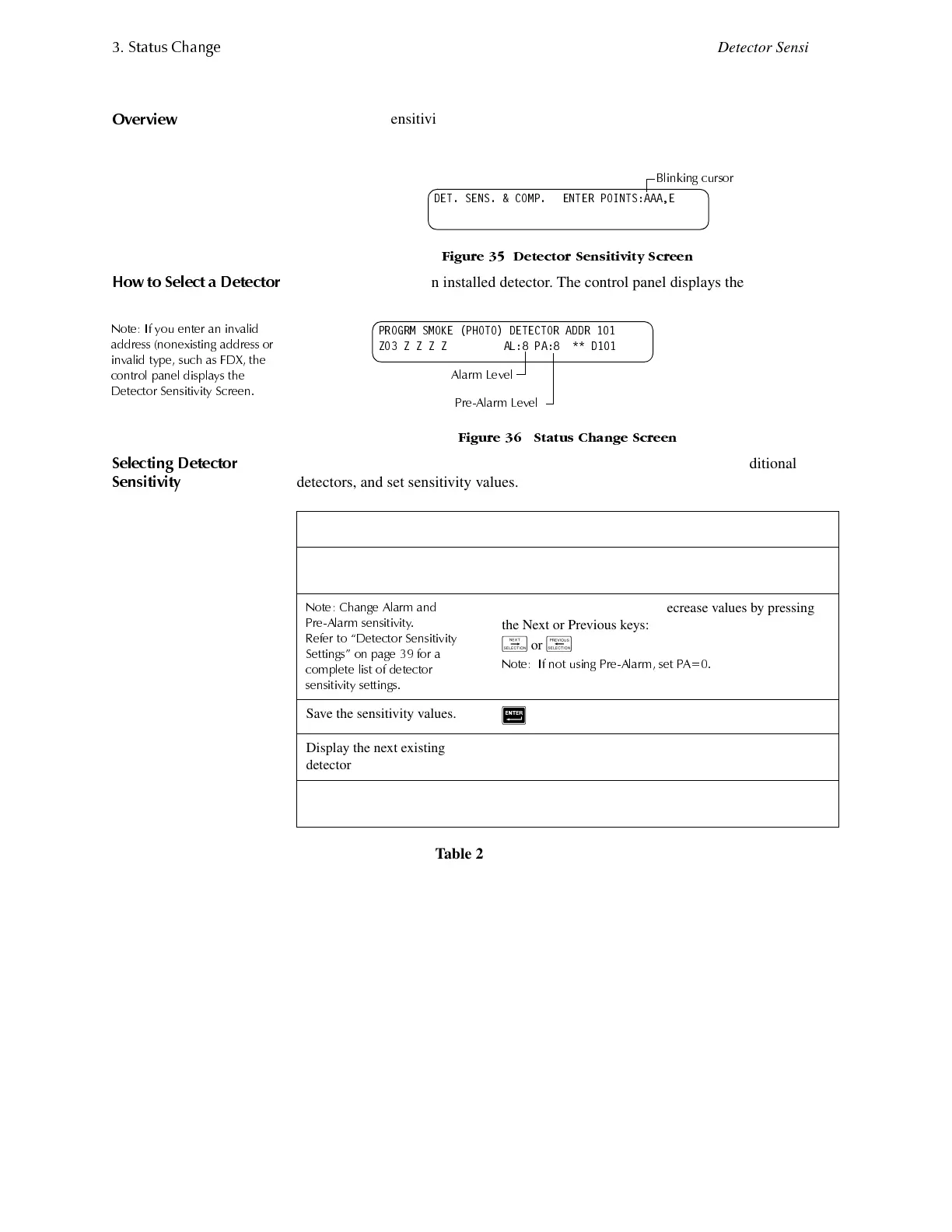
The Detector Sensitivity option lets you change the Alarm and Pre-Alarm (sensitivity)
level for an installed detector. From the Status Change screen, press <2> to display the
Detector Sensitivity screen:
)LJXUH 'HWHFWRU 6HQVLWLYLW\ 6FUHHQ
+RZ WR 6HOHFW D 'HWHFWRU
Enter the address of an installed detector. The control panel displays the following
screen:
)LJXUH 6WDWXV &KDQJH 6FUHHQ
6HOHFWLQJ 'HWHFWRU
6HQVLWLYLW\
Use the instructions in Table 21 to change detector sensitivity, display additional
detectors, and set sensitivity values.
Table 21 Selecting Detector Sensitivities
'(7 6(16 &203 (17(5 32,176$$$(
%OLQNLQJ FXUVRU
352*50 602.( 3+272 '(7(&725 $''5
=2 = = = = $/ 3 $ '
$ODUP /HYHO
3UH$ODUP /HYHO
To... Type or Press...
Display detector information
on the screen.
The detector address, then press
5
.
1RWH &KDQJH $ODUP DQG
3UH$ODUP VHQVLWLYLW\
5HIHU WR ´'HWHFWRU 6HQVLWL YLW\
6HWWLQJVµ RQ SDJH IRU D
FRPSOHWH OLVW RI GHWHFWRU
VHQVLWLYLW\ VHWWLQJV
A value (1-9) or increase or decrease values by pressing
the Next or Previous keys:
/
or
0
1RWH
,I QRW XVLQJ 3UH$ODUP VHW 3$
Save the sensitivity values.
5
Display the next existing
detector address.
/
Display the previous existing
detector address.
0
1RWH ,I \RX HQWHU DQ LQYDO LG
DGGUHVV QRQH [LVWLQJ DGG UHVV RU
LQYDOLG W\SH VX FK DV )'; WKH
FRQWURO SDQHO GLVSO D\V WKH
'HWHFWRU 6HQVL WLYLW\ 6FUHH Q


 To Next Page
 Loading...










