,QWURGXFWLRQ
Choosing a Programming Method
4 AFP-300/AFP-400 Programming PN 50259:C1 06/19/97
&KRRVLQJD3URJUDPPLQJ0HWKRG
The AFP-300/AFP-400 provides two methods for field-programming the control panel:
using the Autoprogram feature or the Veri•Fire™ Programming Utility. Table 5 lists the
benefits of each method:
Table 5 Field-Programming Options
9HUL)LUH 2II/LQH 3URJUDPPLQJ 8WLOLW\
1RWH )RU GHWDLOHG LQVWDOODWLRQ
RSHUDWLRQV LQVWUXFWLRQV UHIHU WR
WKH 9HUL)LUH 3URGXFWLRQ
,QVWDOODWLRQ 'RFXPHQW RU WKH
9HUL)LUH RQOLQH KHOS ILOH
The Veri•Fire Off-Line Programming Utility lets you upload or download programs
between a personal computer and the control panel. To use Veri•Fire, follow the steps in
Table 6:
Table 6 PC-to-Control Panel Transfer Connections
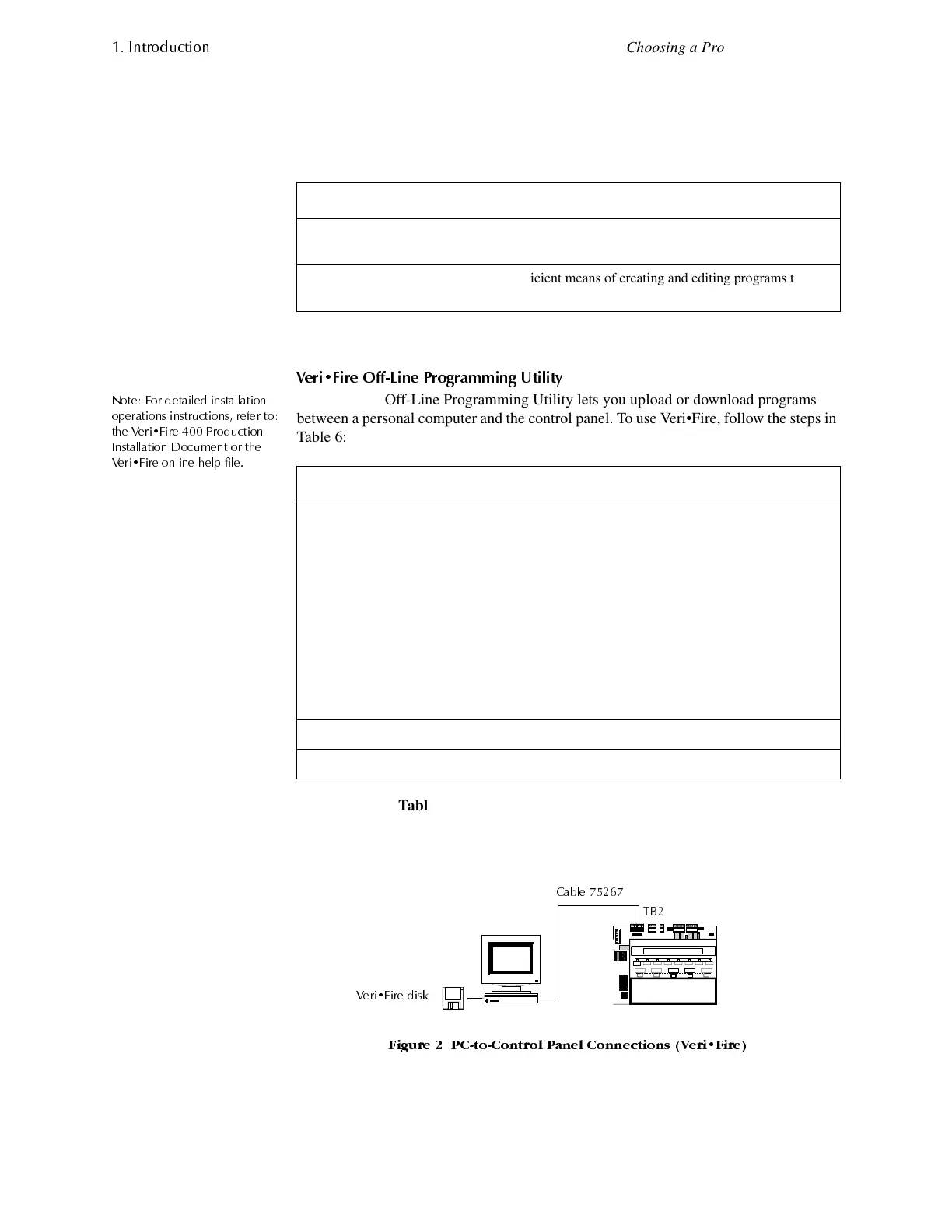
Figure 2 shows typical connections between a PC and the control panel using
Veri•Fire 400:
)LJXUH 3&WR&RQWURO 3DQHO &RQQHFWLRQV 9HUL)LUH
This programming method... is most suitable for...
Autoprogram Speed and convenience of putting the control panel on
line quickly; and changing programming information.
Veri•Fire 400™ Efficient means of creating and editing programs that
require a lot of data entry.
Step Action
1 Connect a PC-compatible computer to the EIA-232 port on the control panel:
• Connect the supplied cable (P/N 75267) to the PC COM port (COM1–COM4).
• Connect the other end of the cable to terminal TB2 (PC/Terminal) on the
control panel (depending on the type of connection) as follows:
2 Load the Veri•Fire software into the PC.
3 Run the Veri• Fire Off Line Programming Utility.
TB2 (PC/Terminal) Direct Wire Connections Modem Connections
TX Black Green
RX Green Black
REF Red Red
&DEOH
7%
9HUL)LUH GLVN



 To Next Page
 Loading...









