MX40 Pro LED Display Controller User Manual
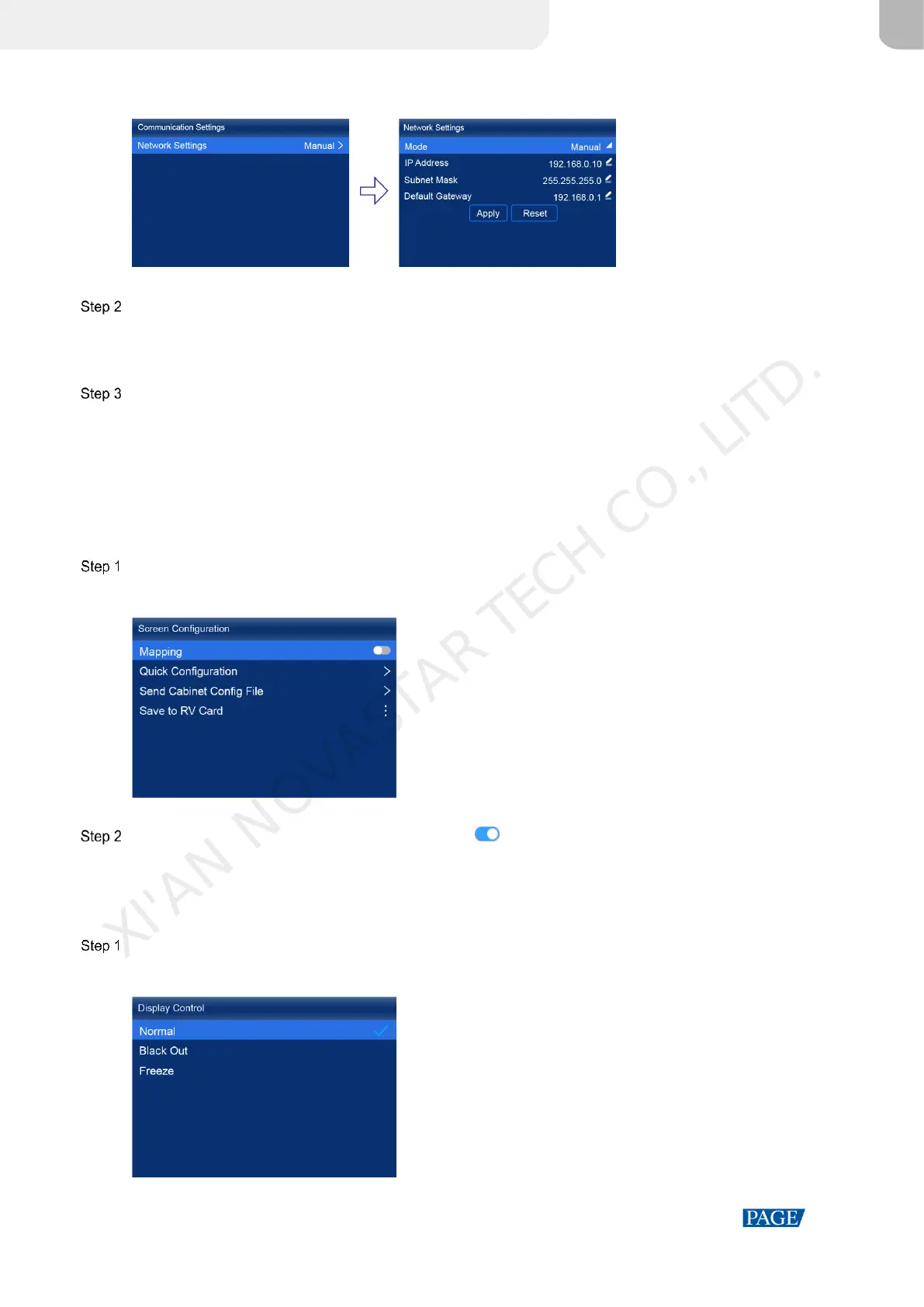
Figure 7-3 Network settings
Choose Mode and then select a mode from the drop-down options.
Manual: Manually set a static IP address for the device.
Auto: The device automatically obtains an IP address.
If the manual mode is selected, set an IP Address, Subnet Mask and Default Gateway and select Apply. If the
automatic mode is selected, this step is not required.
If you want to reset the IP address to the default, select Reset.
7.4 Enable Mapping
After the Mapping function is enabled, cabinets can display some information, such as the Ethernet port number and
receiving card number, allowing users to easily obtain the locations and connection topology of receiving cards.
On the main menu screen, choose Screen Configuration > Mapping.
Figure 7-4 Mapping
Enable the Mapping function by toggling on this switch .
7.5 Control Display Status
Set the display loaded by the controller to a black screen or frozen status.
On the main menu screen, choose Display Control.
Figure 7-5 Display control
XI'AN NOVASTAR TECH CO., LITD.



 To Next Page