TFTN 085-199 Installation and Operation Manual
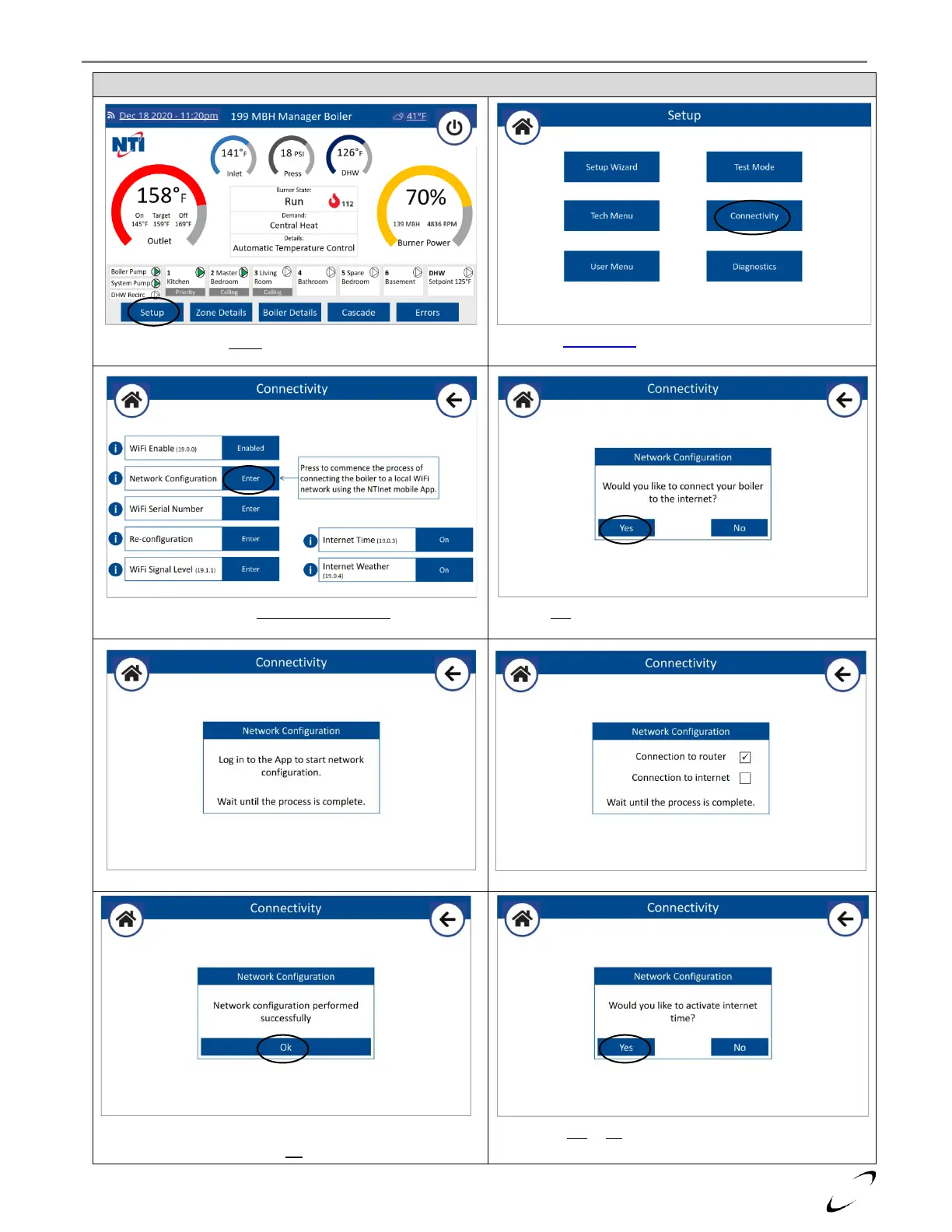
Figure 17-3 Starting the Connection Procedure at the Boiler
Select Setup from the home screen
Select Connectivity from the Setup menu
Press Enter to start the Network Configuration
Select Yes to connect the boiler to the internet.
When this popup appears, the “NTI net” app will prompt
you to Join “Remote Gw Thermo”; see Figure 16-13
Upon confirming a WiFi network (Figure 16-13 step 4), the
display shows the progress of the connection
The boiler will advise when the connection to the local WiFi
network is complete. Press OK to proceed.
Choose Yes or No to using Internet Time and Weather.
The boiler is not connected to the local WiFi Network.


 To Next Page