32
Note: If the brush width has not been set, see ‘Setting the width adjustment’ on page 28 before proceeding.
After preparing the oor (see previous section), we are now ready to set the controls to suit the cleaning conditions.
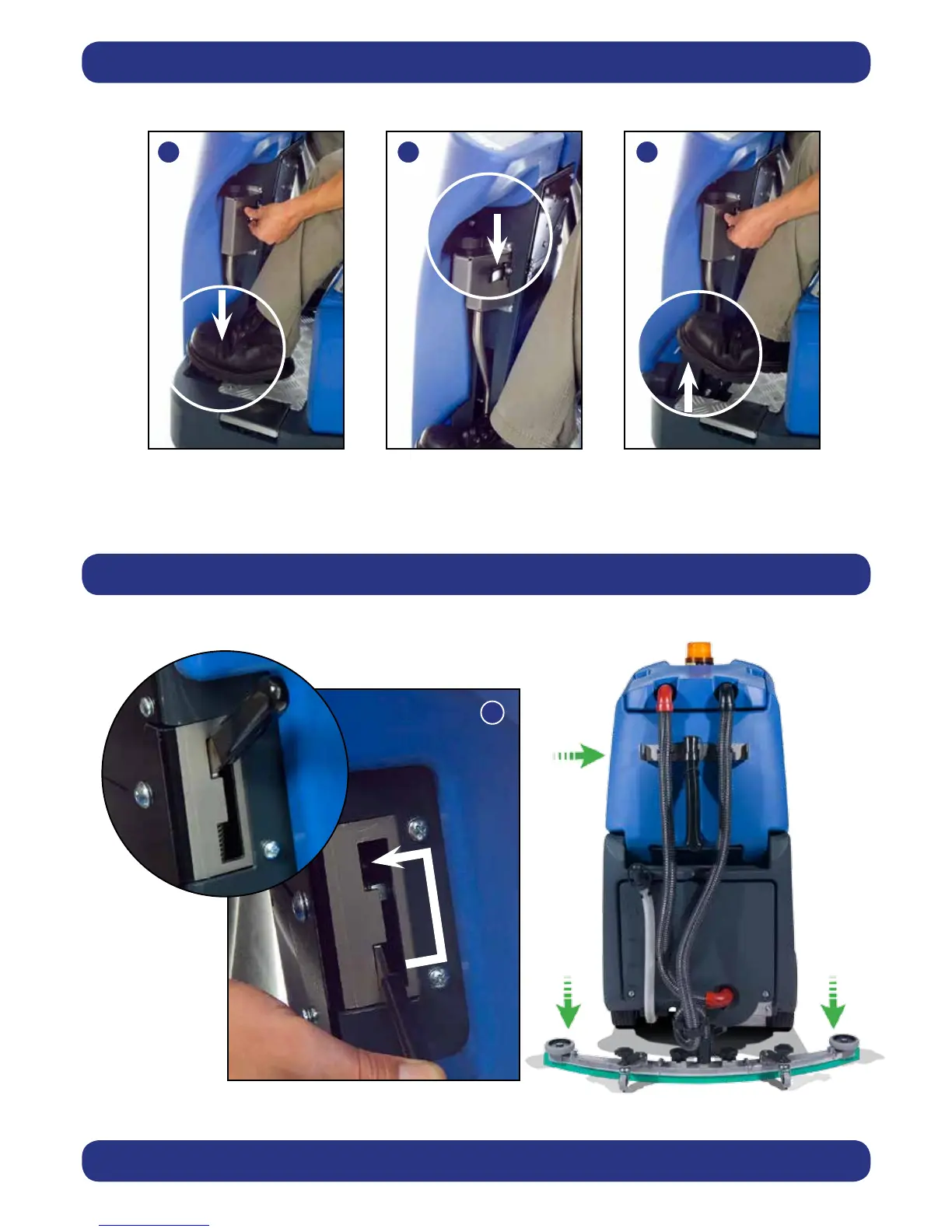
Before any settings can be applied, ensure the brush deck is lowered.
While depressing left-hand foot pedal (see Fig.28), press down the release lever (see Fig.29) and gently release the foot
pedal to lower the brush deck (see Fig.30).
Lower the oor-tool by moving the release lever to the upper position (Fig.31).
Machine Set-Up
Lowering the Brush Deck
Lowering the Floor-tool





 To Next Page