34
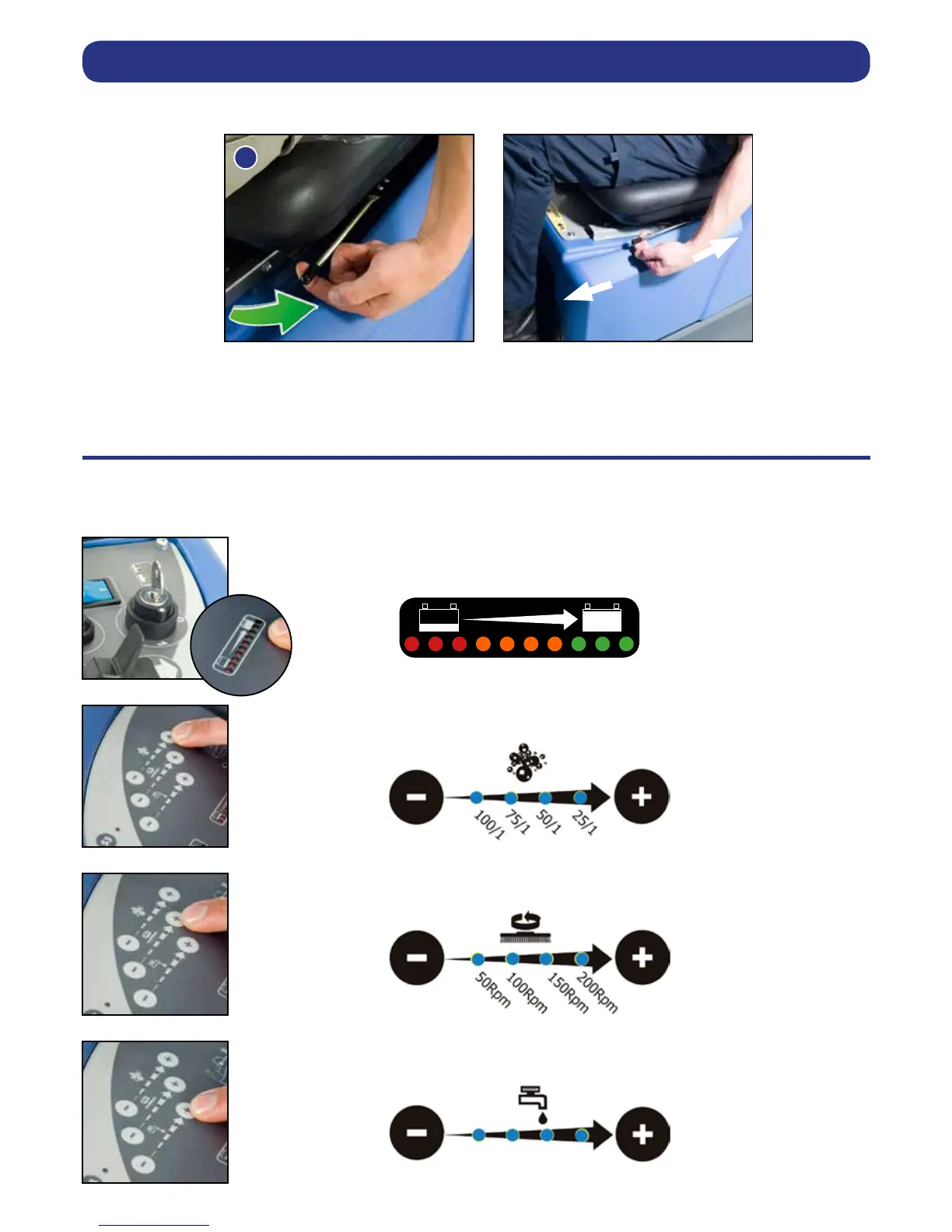
Sitting in the driving position, adjust the seat forwards or backwards as necessary by using the lever found on the
left-hand side (see Fig.32).
Note: The seat is tted with a pressure sensor that disables the machine until an operator is seated.
Insert key into main control (on / off) and turn quarter-turn clockwise to position (1) ‘ON’.
The battery charge level meter will illuminate.
Set automatic Chemical Dosing Mix as required, depending on oor type and level of soiling.
Set desired Brush Speed as required, depending on oor type and level of soiling.
Set Water Flow Rate as required, depending on oor type and level of soiling.
Adjusting the Seat
Setting the Cleaning Controls





 To Next Page