6
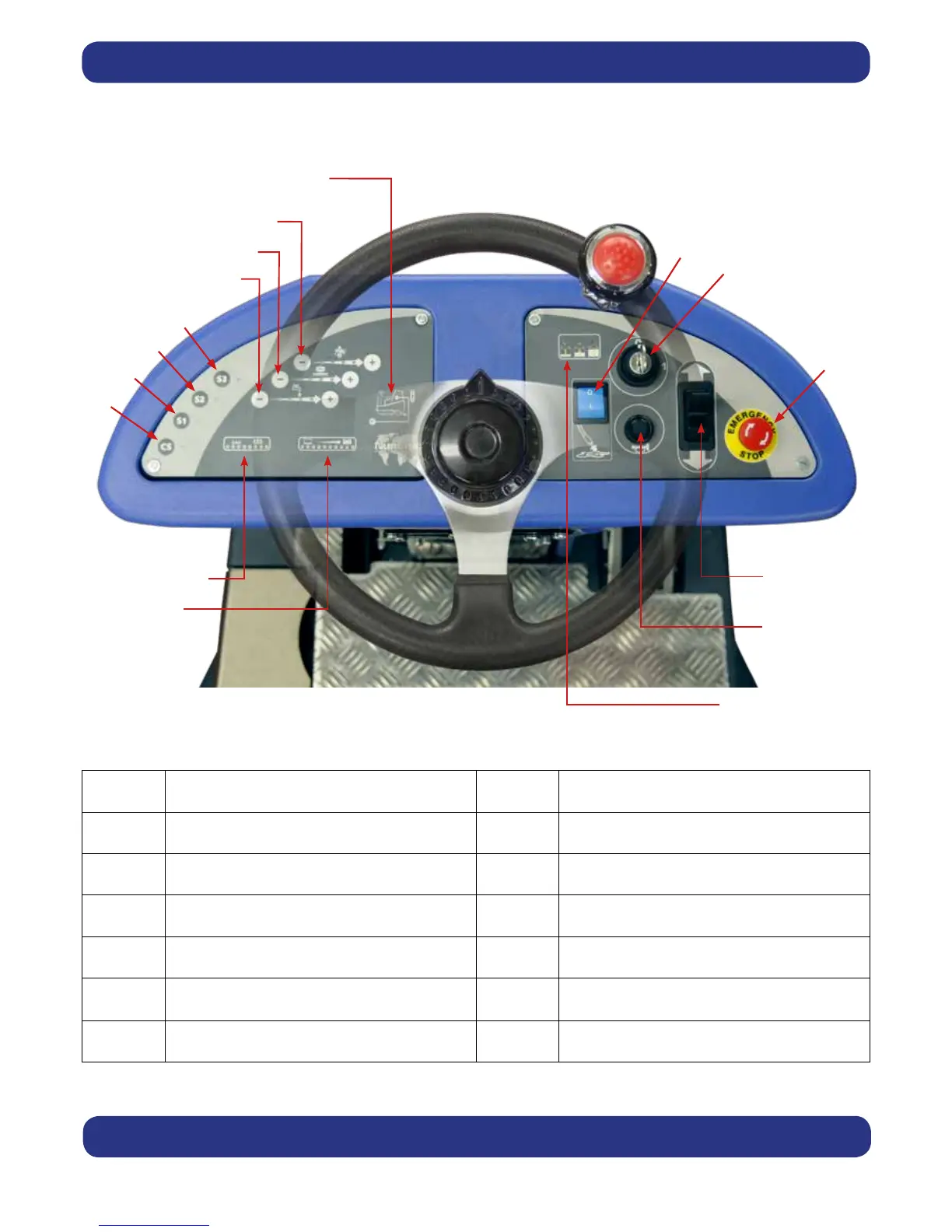
Control Panel Overview
For full easy to follow instructions on control panel set up and use, see machine operation page 34 / 36 / 38.
1 Battery Charge Level Meter 10 Waste-water ‘Full’ Indicator
2 Brush Pressure / Load Indicator 11 Off Aisle Vacuum Button
3 Clean Speed Button 12 Main control On / Off key
4 / 5 / 6 Operator Pre-set Buttons 13 Emergency Stop Button
7 Water Flow Rate Indicator 14 Forward / Reverse Switch
8 Brush Speed Indicator 15 Horn Button
9 Chemical Mix Indicator 16 Charger status light
9
10
1
2
3
4
5
6
7
8
11
12
13
14
15
16





 To Next Page