- 20 -
2. LIVE VIEW
The live view displays each channel at 30 frames per second in NTSC video type.
2.1 FULL SCREEN DISPLAY
Select any camera for full screen display by pressing the number button of the desired camera.
2.2 AUTOMATIC SEQUENCE
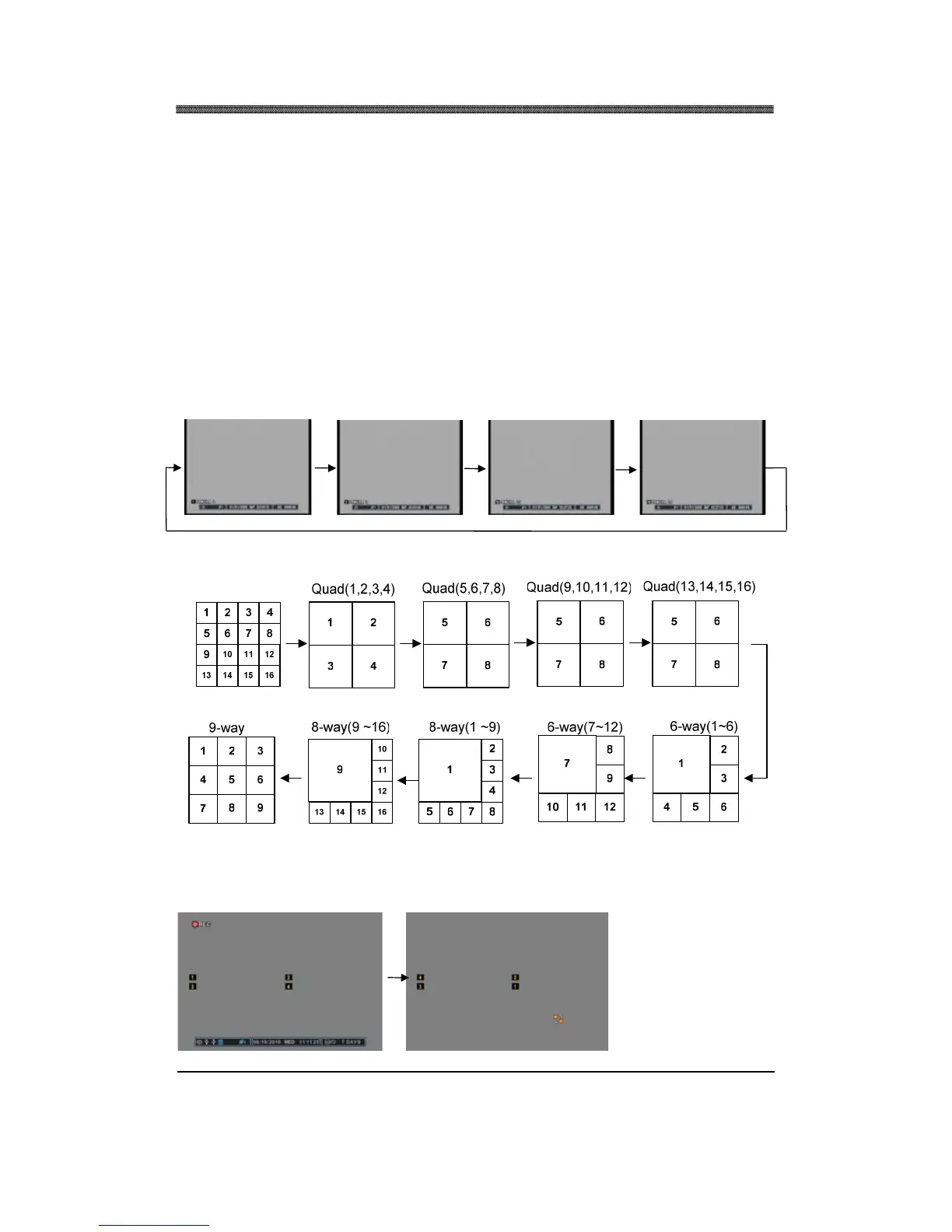
Please refer to Section IV. Setup (Sequential Setup) for selecting and activating the automatic
sequence modes. Press and hold the DISPLAY button for 2 second to activate the sequence mode.
Pressing the display mode will change the display mode to the single channel display initially, and
continue to sequence through all the channels in full screen mode. The following illustrations
demonstrate sample display sequence.
Single Channel view mode automatic sequence
Multi Channel view mode automatic sequence
2.3 DISPLAY RELOCATION
Press the Display
Relocation button.
Located the icon at
the desired position,
and then press the
desired number of
camera.



 To Next Page