- 44 -
2. CAMERA
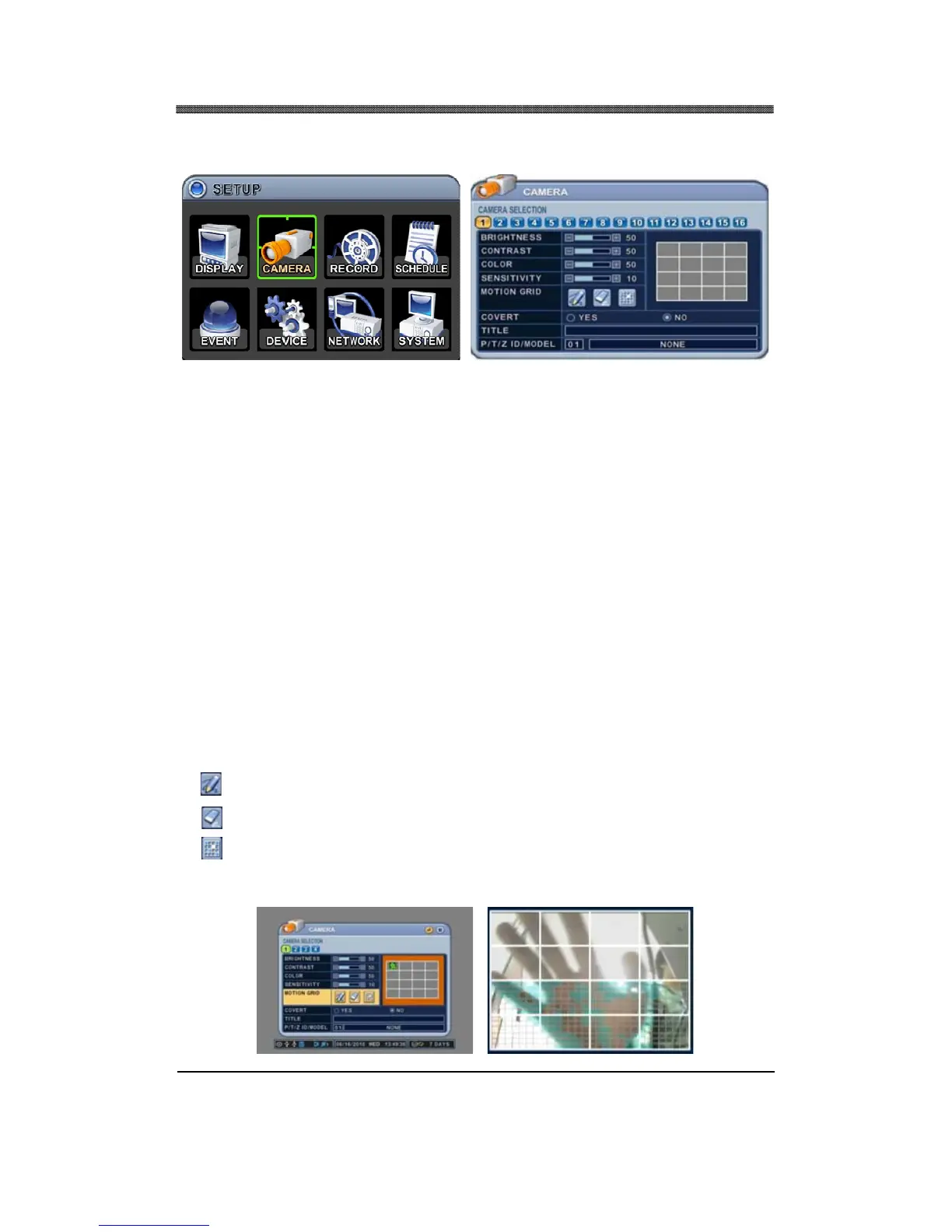
CAMERA menu allows the user to customize the display parameters of each channel, such as the
brightness, contrast, color, sensitivity, motion grid, channel title and the PTZ camera associated.
2.1.1 CAMERA SELECTION
Select the camera that needs to be modified or adjusted.
2.1.2 BRIGHTNESS
Adjust the brightness using – or + button. The default value is 50%.
2.1.3 CONTRAST
Adjust the contrast using – or + button. The default value is 50%.
2.1.4 COLOR
Adjust the color using – or + button. The default value is 50%.
2.1.5 SENSITIVITY
Use [–] or [+] button to adjust the motion sensitivity level. The necessary sensitivity can be
immediately determined by observing the green tracking of the movement inside the motion grids as
pictured below. Sensitivity level 1 is the lowest setting and level 20 is the highest setting. The default
sensitivity level is 10.
2.1.6 MOTION GRID
Select the motion grid options from the following available options:
• : Activate all grid
• : deactivate all grid
•
: Motion grid area
Activate or deactivate each grid by selecting the motion grid area button. All active areas have smaller
grid background and all inactive areas have plain background as shown below.



 To Next Page