- 41 -
IV. SETUP
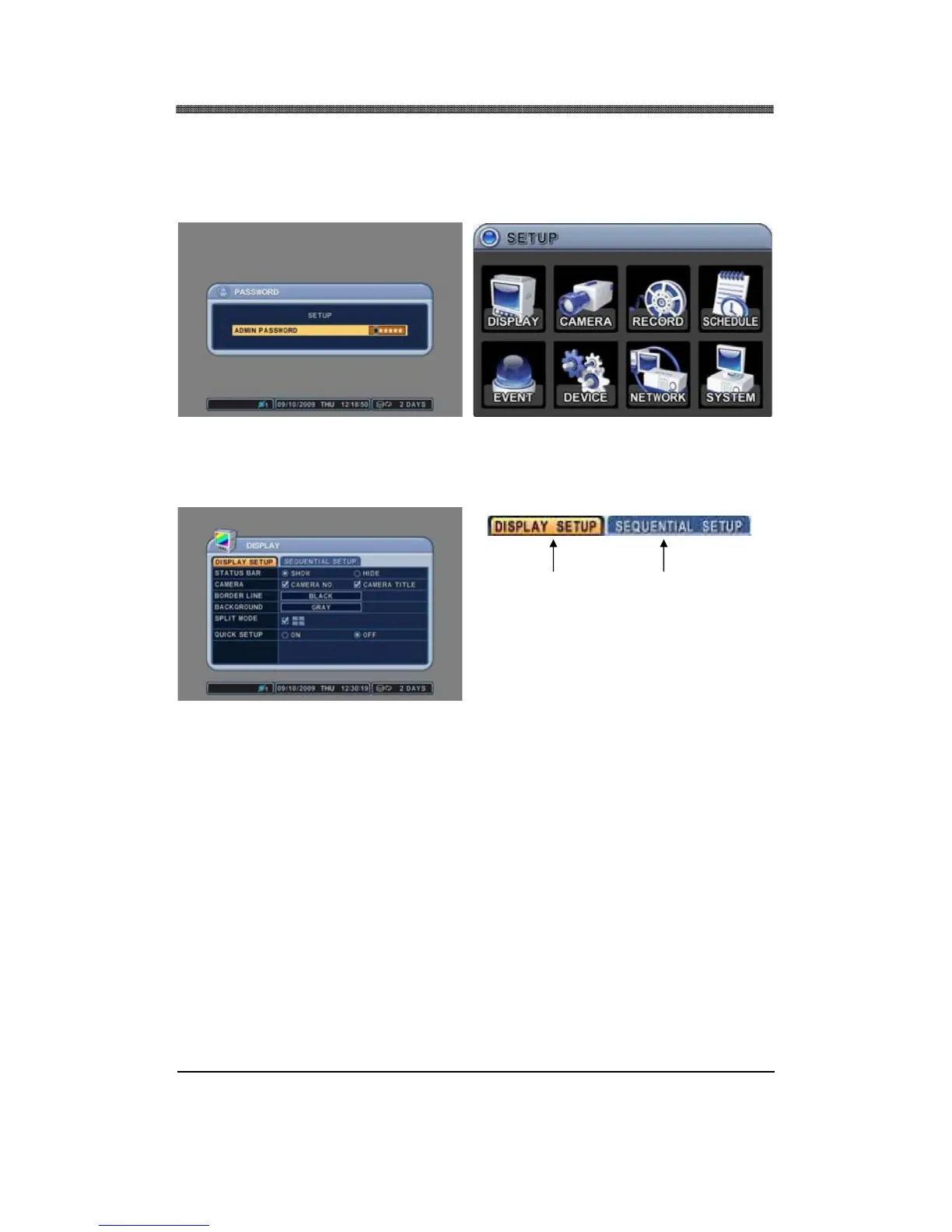
Press the MENU button to access the main menu (SETUP) for the advanced settings of the DVR. The
Factory Default password is “000000” (6 zeros). The menu will display the following categories:
Directional buttons are used to navigate through all the main categories and their submenus. ENTER
button is used to access and save the settings and exit out of the submenus. The [–] and [+] buttons
are used to select available options. CANCEL button is used to revert back to previous settings and
exiting the submenus without saving any changes.
LEFT or RIGHT buttons are used to move on tab menu, and selected tab is in orange color.
Selected Not selected


 To Next Page