- 72 -
6.1 SEARCH
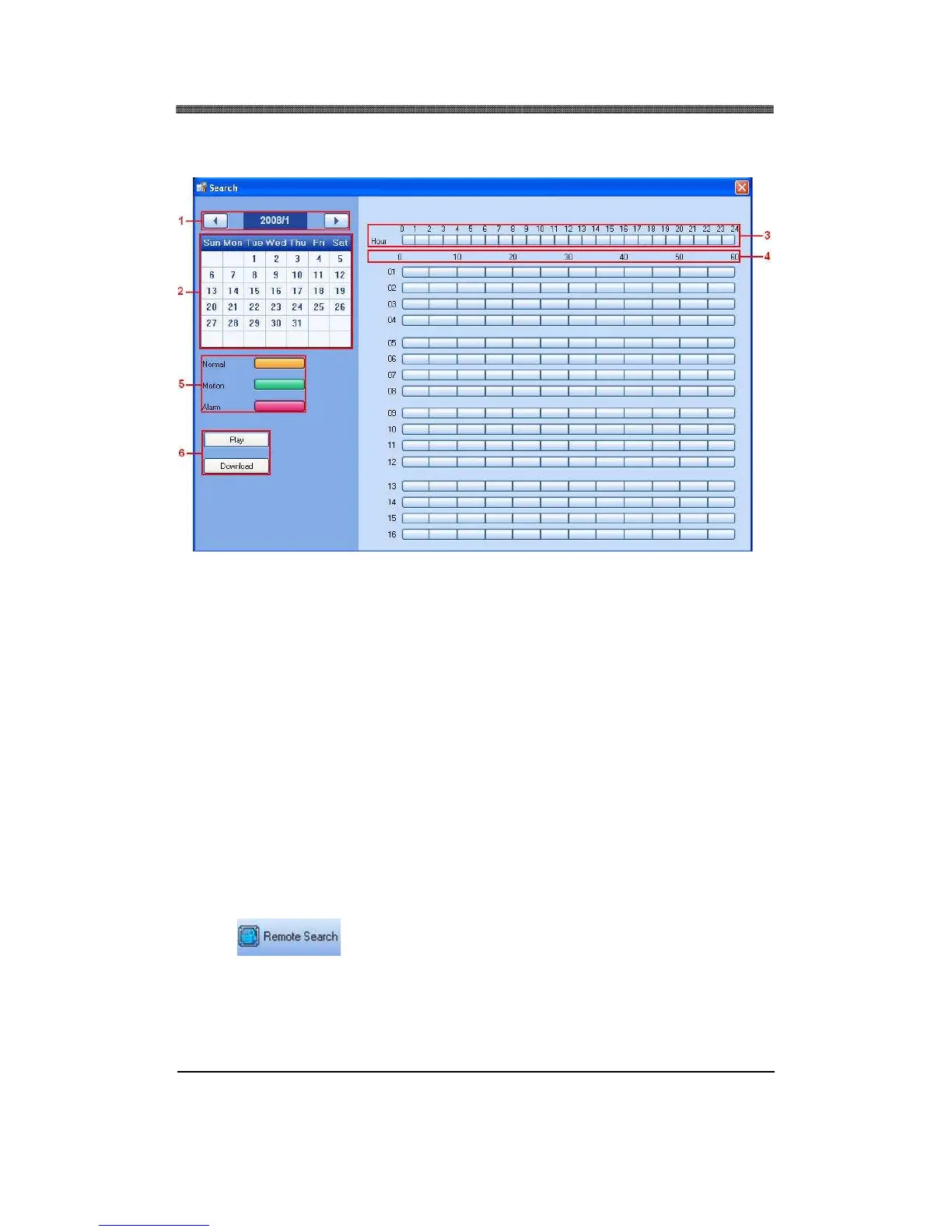
1. Year and Month
2. Days
3. Hour
4. Minute
5. Recorded Video Category.
Displays different types of recording for each hour and minute slot:
• Yellow: Normal Recording
• Green: Motion Recording
• Red: Alarm Recording.
6. Play and Download
• Play: Start live playback.
• Download the videos into the Hard Drive. By default, the files are saved in “C:\Program
Files\CMS Lite\Download”.
6.2 REMOTE SEARCH
Click on the Remote Search Icon.



 To Next Page