NVIDIA 3D VISION USER GUIDE
Setting Your Own Shortcut Keys
To configure a game in real-time you must be familiar with the
keyboard shortcut keys. You can use the default setting or you can
change the shortcut keys to suit your particular liking.
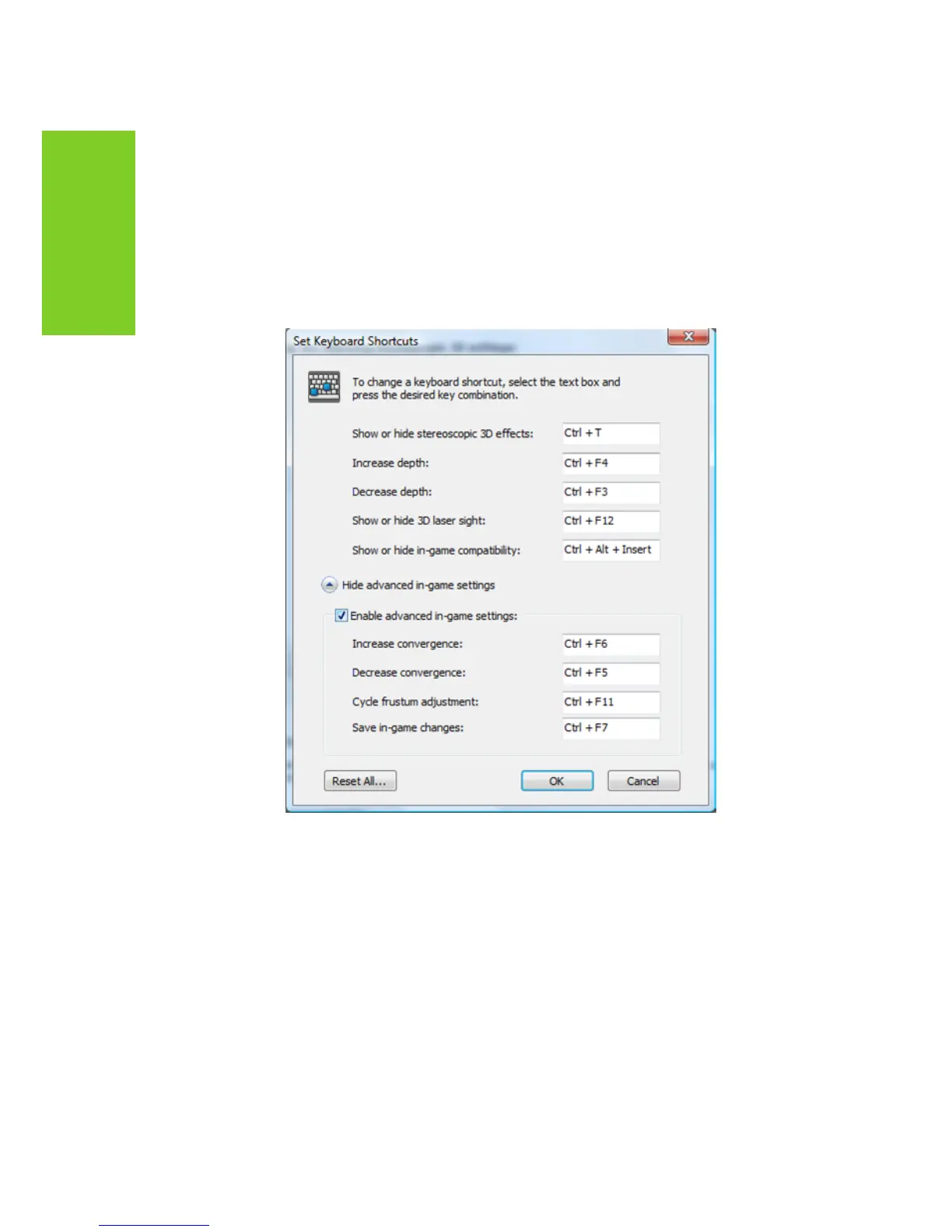
To see the default keyboard shortcut key settings, go to the NVIDIA
Control Panel and select the Set up stereoscopic 3D task in the left
window pane. Click on the click on the Set Keyboard Shortcuts button.
See Table 1 on page 31 for more information on the shortcuts.
To change a shortcut key combination, select an action and click
in the adjacent box displaying the shortcut. Press your desired key
combination. The keystrokes are displayed in the box. Click OK to
save your settings and exit the menu. The driver saves the settings
in the registry.
Shown with default values



 To Next Page