Nytech DC-7200 Capturing Pictures
English - 19
Capturing Pictures
Quick Guide
1. Power the Nytech DC-7200 on in Recording mode by pressing and
holding the Power button [1] for approx. 1 second.
2. Point the camera at the subject and check the composition of your
picture on the display [12].
3. If necessary, press the Zoom button [4] to zoom in (T - Tele) or
zoom out (W - Wide) on the subject.
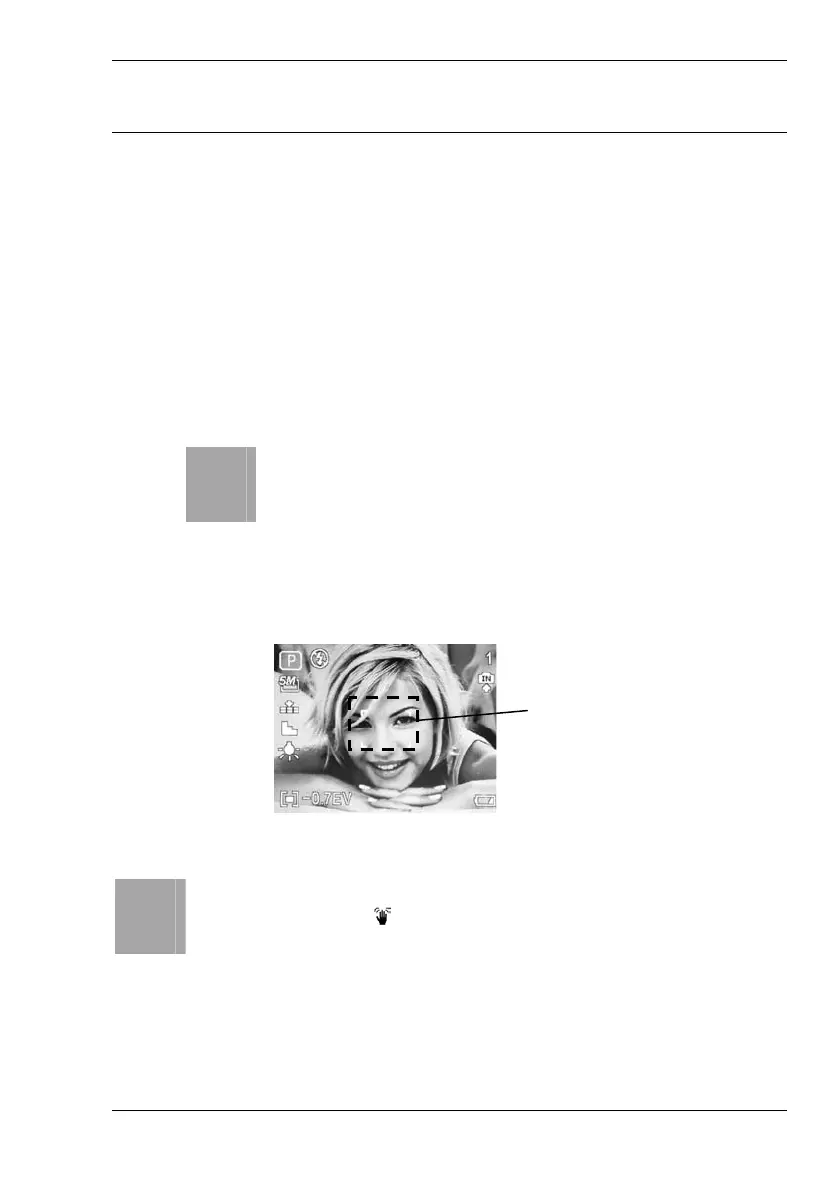
4. Press the shutter button [3] halfway down. This will enable the auto-
focus.
i
The Nytech DC-7200 will try to focus the area contained
within the focus area. This will depend on the lighting
conditions and the distance to the subject. If the camera
has focused the picture successfully, the focus frame will
turn green, a double beep will be heard and the power
indicator [7] will light red (flash enabled) or green (flash
disabled).
5. Now press the shutter button fully down to take the picture. A
shutter sound can be heard.
i
If the exposure time is too long (subject very dark) the shaky
image warning icon
will appear on the display. In this case it is
recommended that you use a tripod to stabilise the camera.
Read the chapters from page 32 to learn how to use preset programmes.
Focus area



 To Next Page