Nytech DC-7200 Capturing Pictures
32 - English
Record Programmes
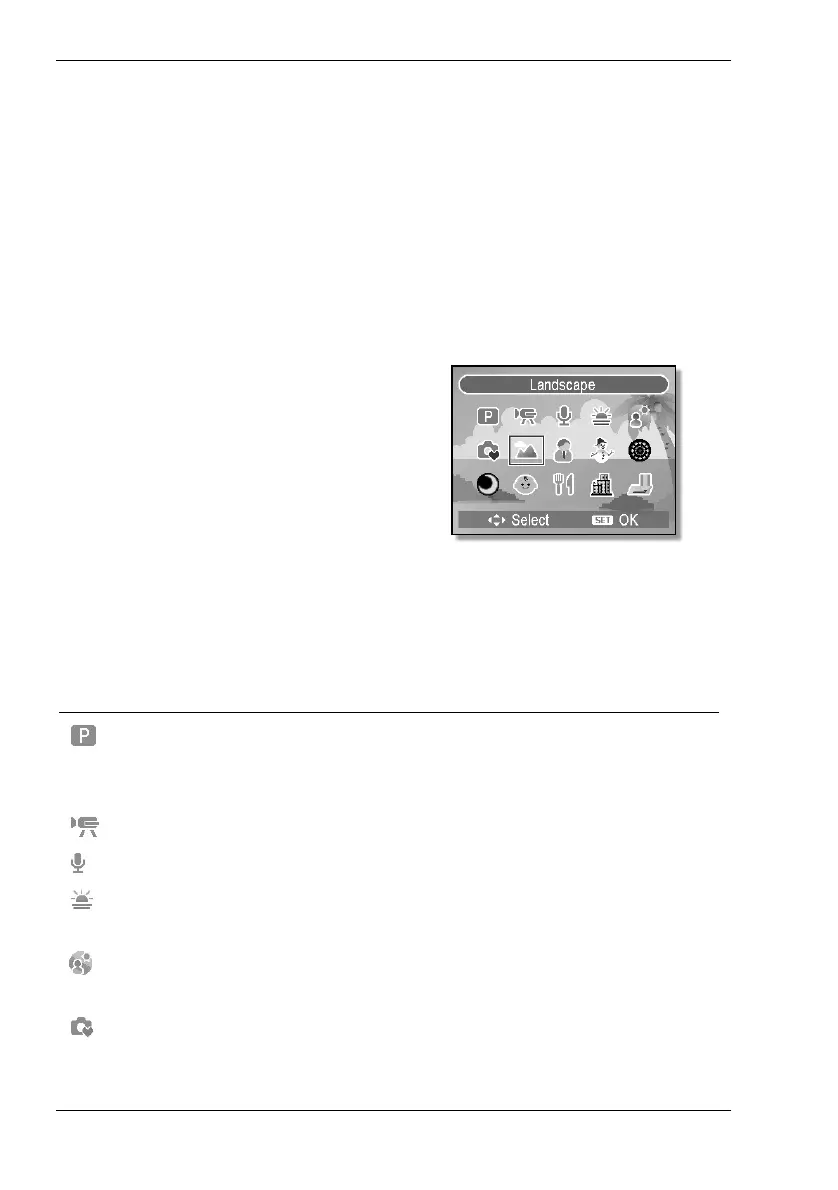
The record programmes give quick and easy access to preset shooting
parameters for different photography conditions. Furthermore, here you can
also access the video and voice recording features.
How to use the record programmes:
1. Power the camera on in Record mode (see page 13 - Switching the
Camera On and Off).
2. Press the camera mode button [10] to open the Program menu
(see figure).
3. Press c,d,e or f on the
four-way button to select the
desired scene mode and then
press the Set button [8] to
confirm the selection.
When enabling a record programme, the corresponding icon will be
displayed on the LCD (see page
16 – item 1).
You can choose from the following preset programmes:
Icon Description
Program The camera will adjust automatically to the
shooting conditions and performs the required
settings.
Video To record video clips.
Voice REC To record voice (dictaphone).
Sunset Emphasizes the red tones for capturing sunset
images.
Backlight To capture a subject with backlight by
changing the metering.
Q Mode Facilitates beginners in capturing photos (see
page 34 – Q Mode).



 To Next Page