Nytech DC-7200 Advanced Settings
52 - English
Advanced Settings
Setup Menu
The Setup menu contains basic control and functional options of your
Nytech DC-7200. You can access this menu from any of the main menus
(see page 31 – Record Menu - Setup, page 38 Video Menu – Setup and
page 47 Playback Menu - Setup).
On the following pages, we will use the access via the Record menu to go
to the Setup menu settings.
1. Power the camera on by pressing and holding the Power button [1].
2. Press the Menu button [6] to toggle to the Record menu.
3. Press e or f on the four-way button [9] to select Setup (icon
)
and then press the Set button [8] to open the Setup menu.
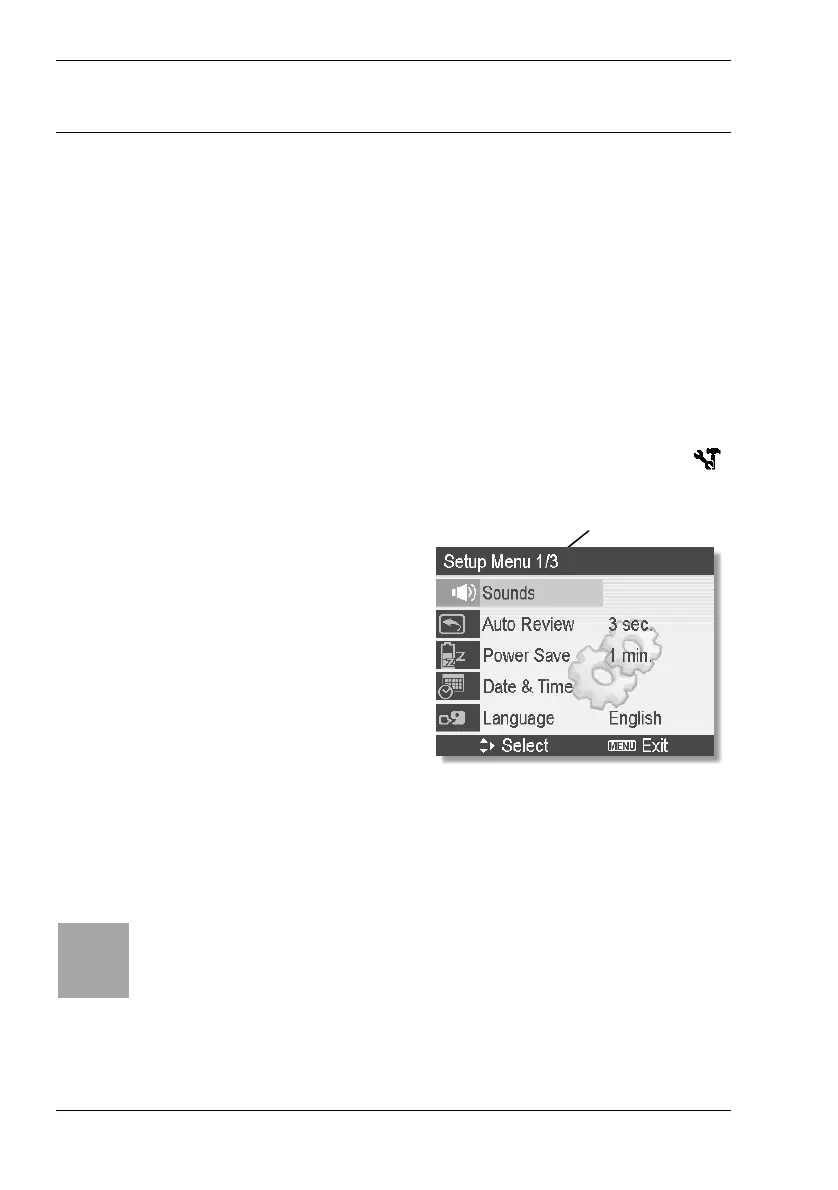
Level 1 of 3
The Setup menu consists of three
levels. Our example shows the first
level. Press c or d on the four-way
button to choose any option. When
reaching the last option, the next
menu level will appear.
4. Press the SET button [8] to select an option.
5. Press c,d,e or f on the four-way button [9] to choose or change
the different menu options. Press the SET button [8] to apply the
changes.
i
The Setup menu contains the following items: Sounds, Auto
Review, Power Save, Date & Time, Language, File No., TV Out,
USB, Start-up Image, Format, Battery Type and Reset All.
For more information about the different Setup menu items, see the
following pages.



 To Next Page