Nytech DC-7200 Capturing Pictures
English - 23
Resolution
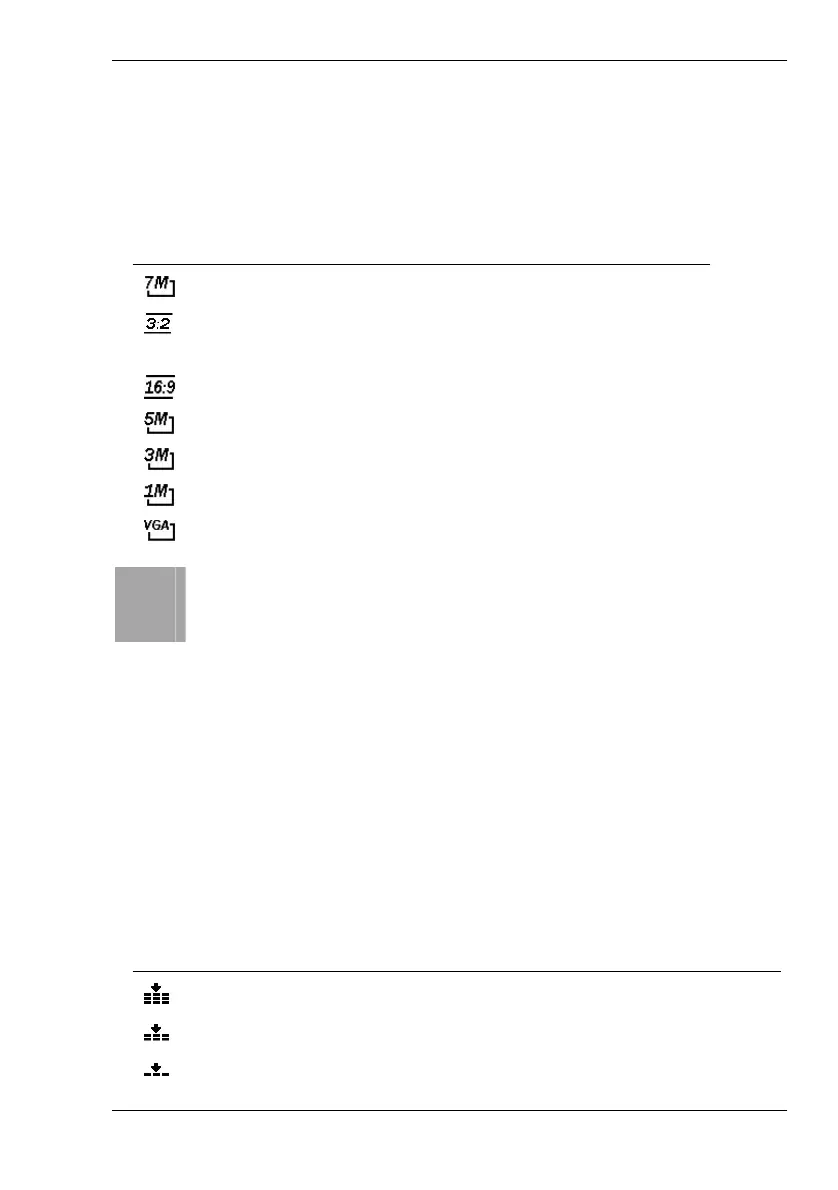
The resolution determines the picture quality. The corresponding icon from
the table will be displayed on the LCD (see page
16 – item 21). The
following settings are available:
Icon Picture size in pixel Notes
3072 x 2304 Optimum picture quality
3072 x 2048 3:2 aspect ratio (the typical
format for paper prints)
3072 x 1728 Wide-format aspect ratio
2560 x 1920 Enhanced quality
2048 x 1536 Average quality
1024 x 768 Standard PC screen
640 x 480 Suitable for e-mails
i
As a general rule: The higher the resolution, the larger the
picture size and the higher the storage size requirements. The
lower the resolution, the more pictures can be stored. Please
note that the Quality setting also influences the storage capacity
requirements.
Quality
The Quality setting determines the compression ratio of the captured photo
when saved onto the memory card. The higher the compression, the more
pictures can be stored. The corresponding icon from the table will be
displayed on the LCD (see page
16 – item 20). The following settings are
available:
Icon Compression Quality
Super Fine Very low High quality
Fine Low Normal quality (default)
Normal High Low quality



 To Next Page