228 User manual
'Remove strip'
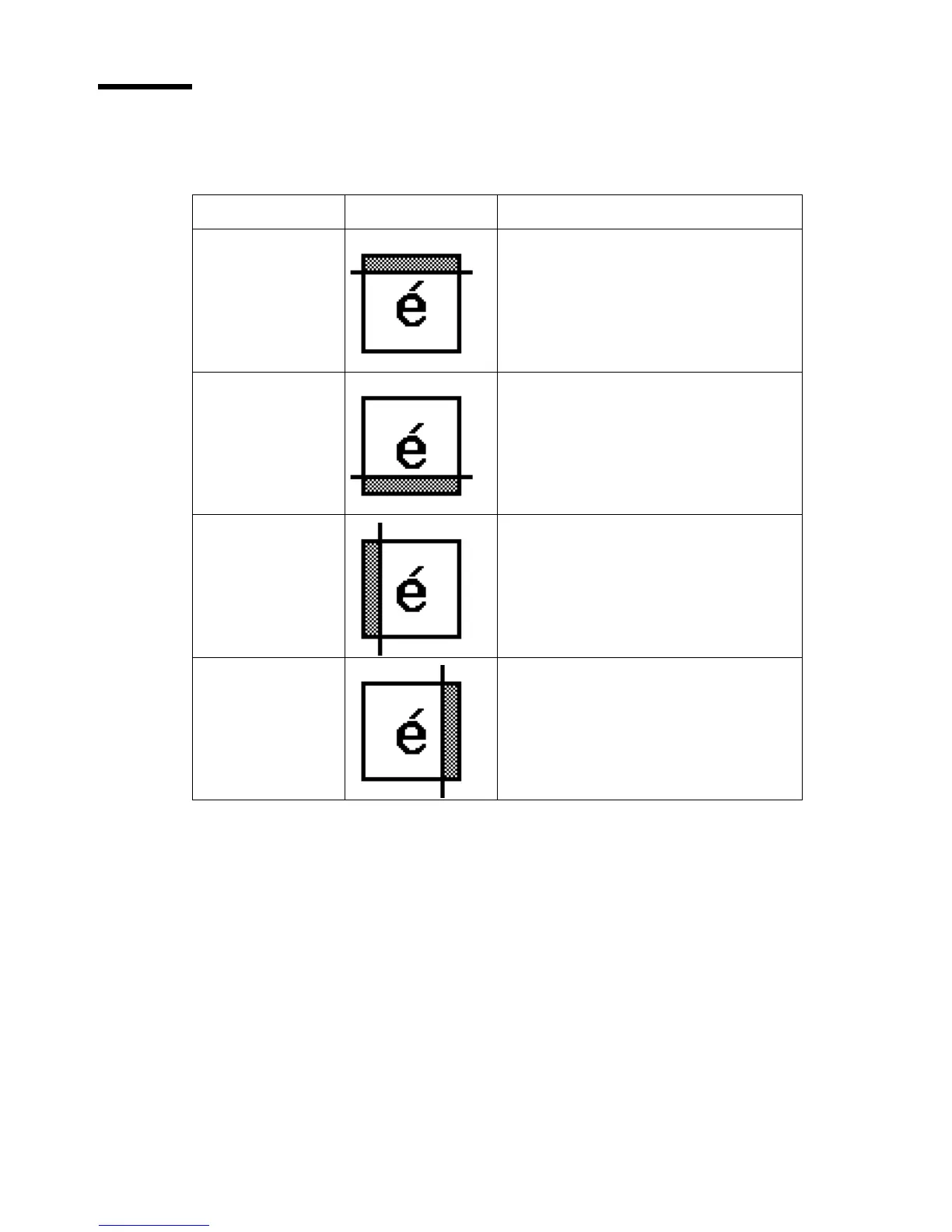
Use the 4 settings below to define the blank areas around the image.
[31] Remove strips
[31] Remove strips
Setting Icon Result
'Remove strip' -
'Leading'
Use this setting to remove a strip at
the top of the image. This action
decreases the print or file length.
Note: The top side of the image is the
side that you feed into the scanner.
'Remove strip' -
'Trailing'
Use this setting to remove a strip at
the bottom of the image. This action
decreases the print or file length.
'Remove strip' -
'Left'
Use this setting to remove a strip
from the left side of the
image/original viewed from the
face-up direction. This action
decreases the print or file width.
'Remove strip' -
'Right'
Use this setting to remove a strip
from the right side of the
image/original viewed from the
face-up direction. This action
decreases the print or file width.




 To Next Page