Maintain the Océ TDS400-CS 271
Clear media jam in the fuser section
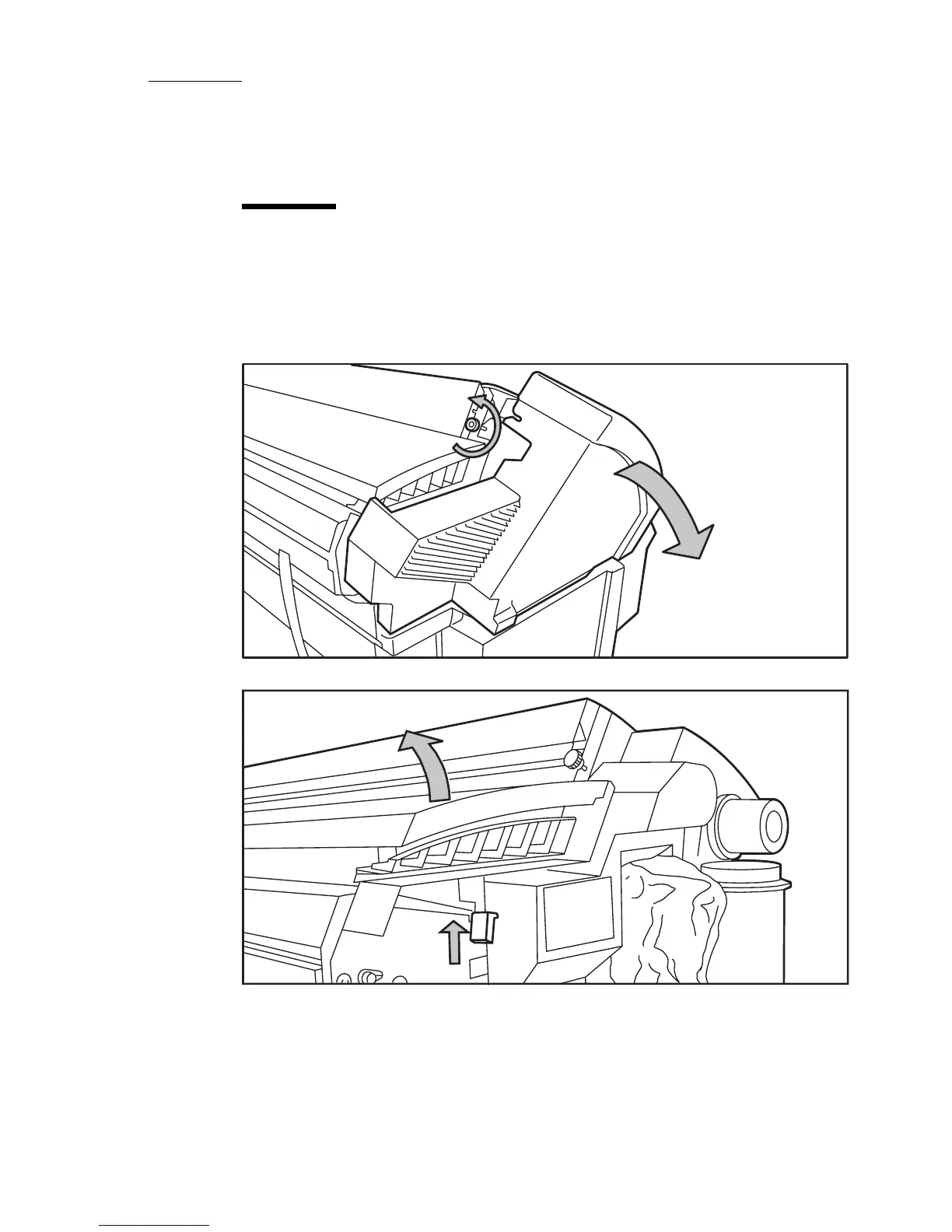
Clear the jam in the fuser section
Caution: Open the fuser only to remove the media after a media jam. Do not
remove the materials from the fuser without heat-protective gloves. The
surface of the fuser is hot.
1. Turn off the printer.
2. Loosen the screw at the left hand side of the machine and open the cover.
3. Lift the green handle.













 To Next Page