44 User manual
Overview of the Océ System Control Panel
Introduction
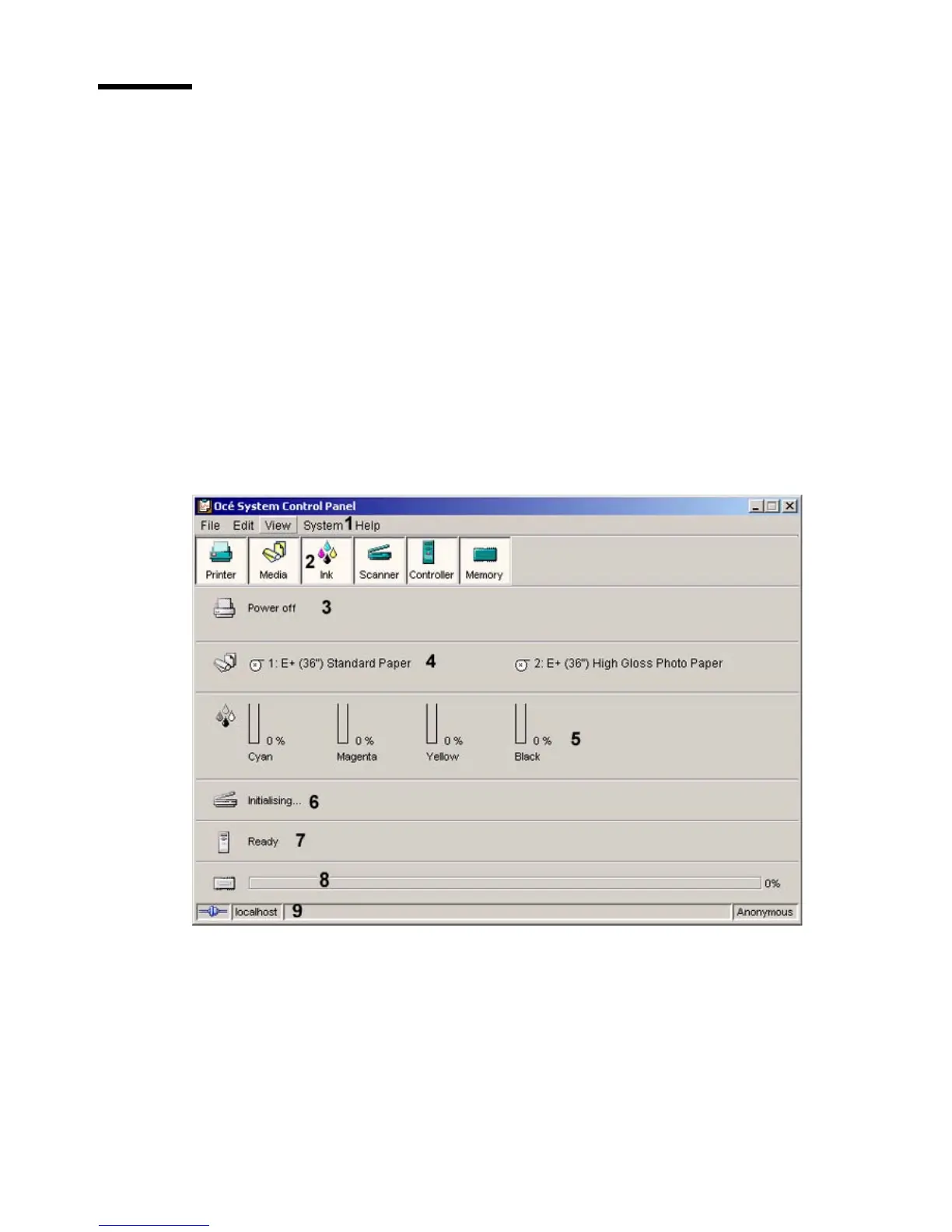
The Océ System Control Panel contains the following items.
1. The menu bar
2. The toolbar, with buttons to access the view area
3. The status of the printer
4. An overview of the loaded media types
5. The status of the scanner
6. The status of the Océ Power Logic
®
controller
7. The amount of set memory in use
8. The status bar
Illustration
[9] The structure of the Océ System Control Panel
[9] The structure of the Océ System Control Panel













 To Next Page