13 Chronology of Different Measuring Processes
48 / 92 Instruction Manual Myopia Master® (G/68100/EN Rev04 0820)
13.2 Saving an Examination Retroactively
Start the measuring operation directly.
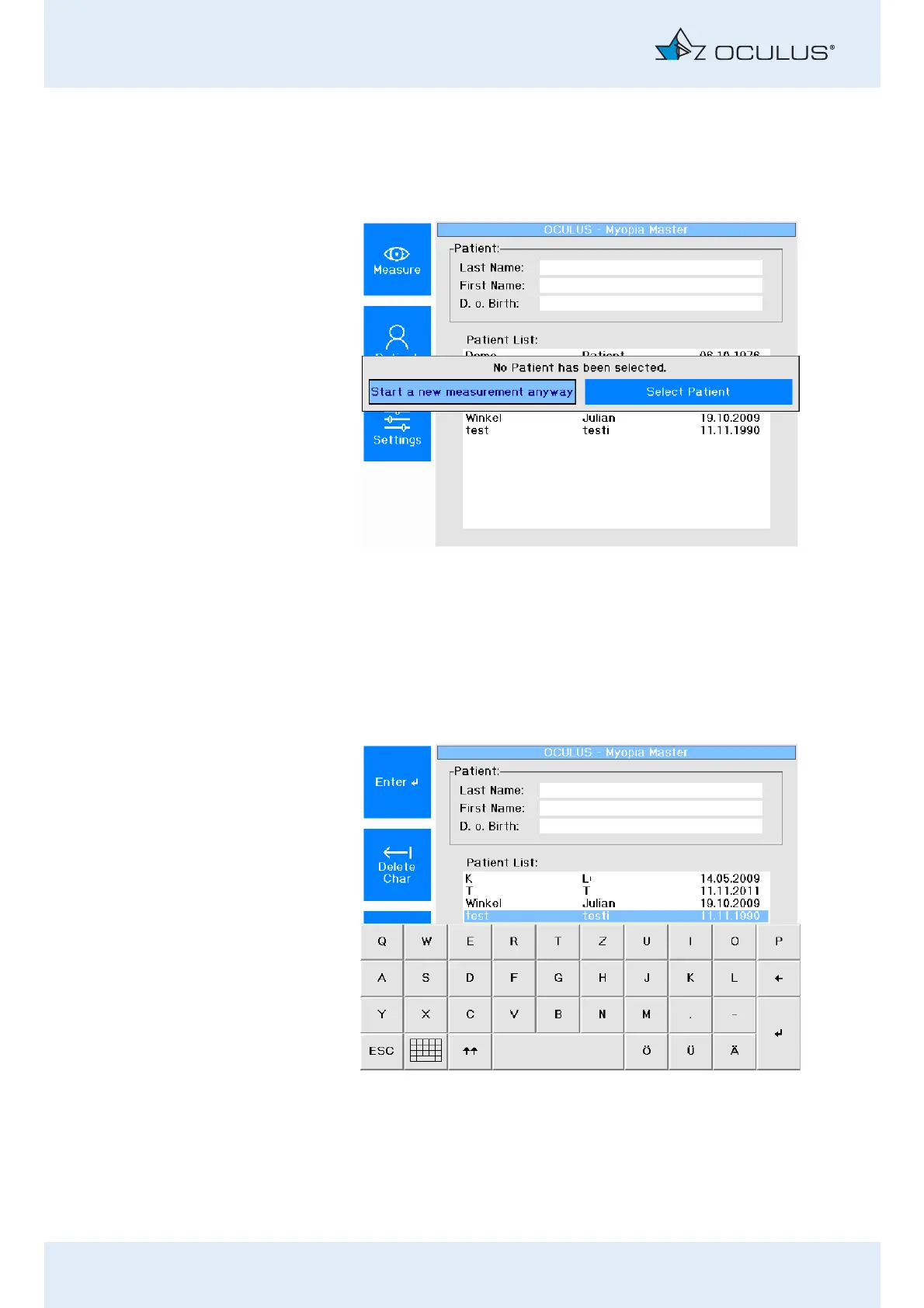
The following screen appears:
Select "Start a new measurement anyway“.
Conduct the measurement (sec. 12, page 28).
When the measuring operation has been completed, the overview
screen appears (fig. 12-5, page 32).
In the overview screen, press the button [Save to Patient].
The "Patient List" display opens.
Fig. 13-1: Start a new measurement
Fig. 13-2: Patient list



 To Next Page