15 Settings
54 / 92 Instruction Manual Myopia Master® (G/68100/EN Rev04 0820)
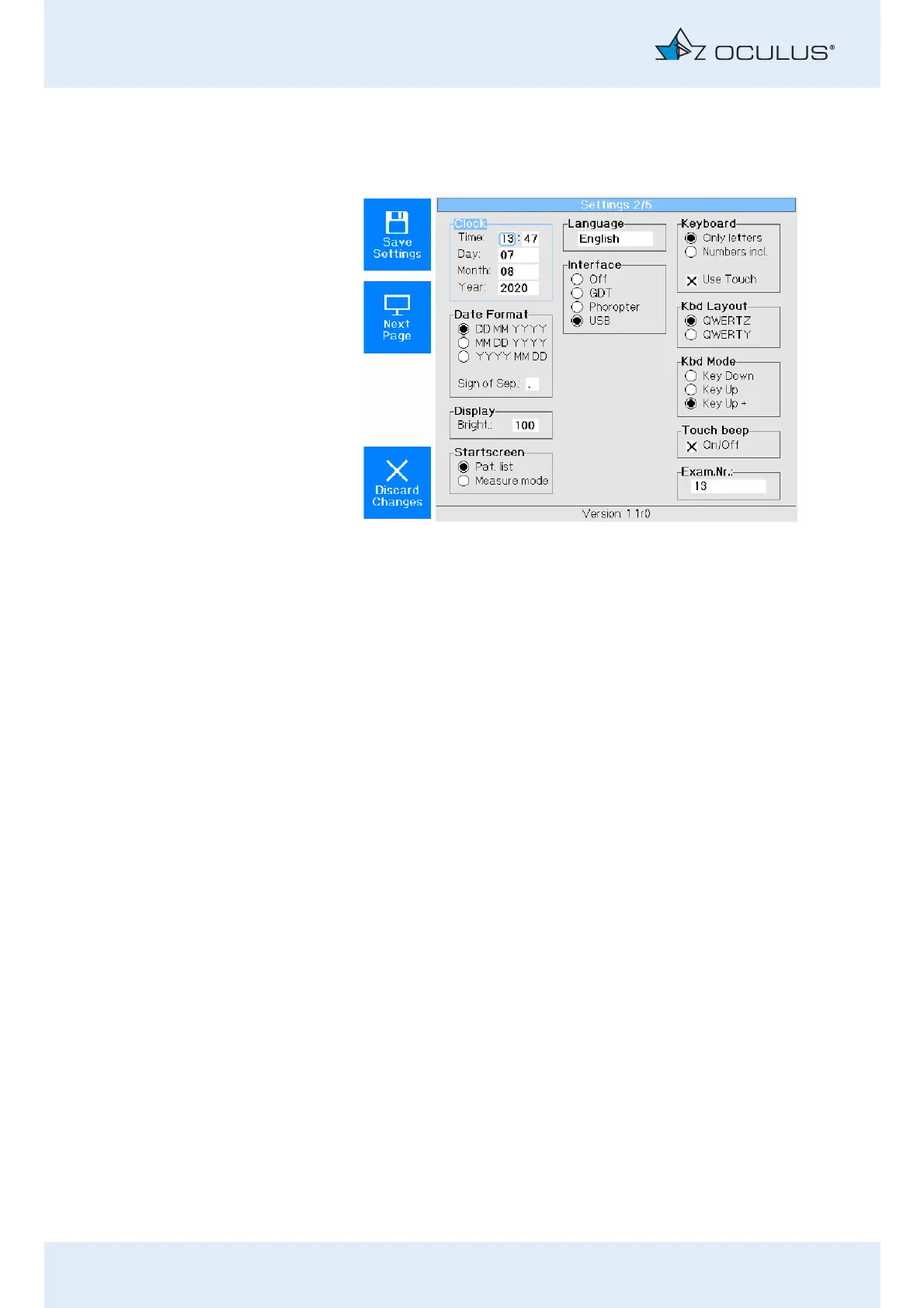
15.2 Settings 2
On the "Settings 1" screen, press the button [Next Page].
Clock - Date Format
In these two fields, you set the time and the date by turning and pressing
the rotary knob.
Display
You can adjust the brightness of the display here.
Startscreen
When the option "Measure mode" is active, you start with the measuring
operation directly after switch-on.
When the option "Pat. list" is active, you start with the patient data
management directly after switch-on.
Language
Select the on-screen language.
Fig. 15-2: Settings 2



 To Next Page