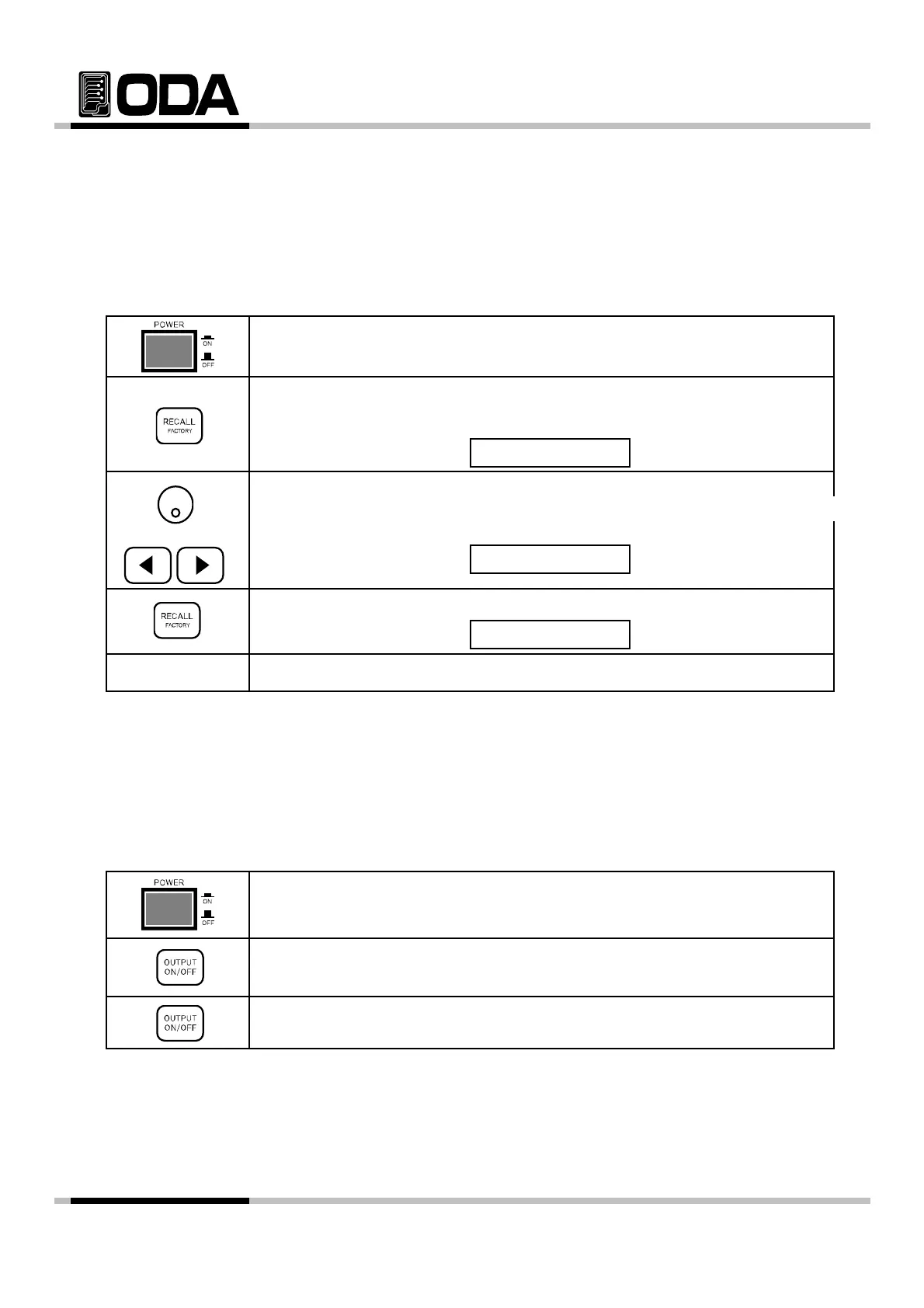
3-9. RECALL / FACTORY
You can recall the saved operating states that are total five voltage, current in
non-volatile memory. In case of this function, the mode must be in "**OUTPUT MODE**".
If the mode of power supply is output on mode, recall key is used the right move key of
cursor. Proceed as follows.
Under tracking mode if you use recall function cancelled the tracking mode
,
,
.
▌Power Switch ON
After turning on, please check "**OUTPUT OFF**" is displayed.
▌To bring back saved slots, press RECALL Key.
VFD Display Description
▌Use encorder switch or cursor key to select saved slots.
For instance, if you wish to bring back 02 slot,
ress right cursor key once,
OR or use trun the encorder switch clock-wise.
VFD Display Description
RECALL NO, 02
RECALL NO, 01
▌To save changes, press RECALL Key once.
VFD Display Description
▌After displayed "RECALL DONE", return to previous condition.
≫ Related Remote Interface Command
*RCL {1|2|3|4|5|6|7|8|10}
RECALL DONE
Refer: *RCL 4 User's Memory
3-10. OUTPUT ON/OFF
Enables or disables the power supply output. This key toggles between on and off.
At the output off mode, voltage and current output is 0V and 50mA, therefore
you can ac
uire the effect of out
ut off without remove the connected DUT. Proceed as follow
▌Power Switch ON
After turning On, please check "**OUTPUT OFF**" is displayed.
▌To allow general output, press OUTPUT ON/OFF Key once more.
▌To block again, press OUTPUT ON/OFF Key once more.
≫ Related Remote Interface Command
OUTPut[:STATe] {OFF|ON|0|1}
OUTPut[:STATe]?
Refer: Check Output condition, Method to turn it ON
OUTP? Return value "0" Check output condition
OUTP ON Allow output
- 38 -



 To Next Page