8. Option
8-1. Analog Input
Able to panel output voltage & current with ratio by inputing analog DC power supply.
Analog Voltage Input 0V ~ 10V Control (Selectable)
Analog Current Input 4mA ~ 20mA Control (Selectable)
◆ OP-AV5-V Analog Voltage Input 0V~5V
-
-
~
◆ OP-AA20-V Analog Current Input 4mA~20mA
◆ OP-AV5-A Analog Voltage Input 0V~5V
◆ OP-AV10-A Analog Voltage Input 0V~10V
◆ OP-AA20-A Analog Current Input 4mA~20mA
Analog Input instruction
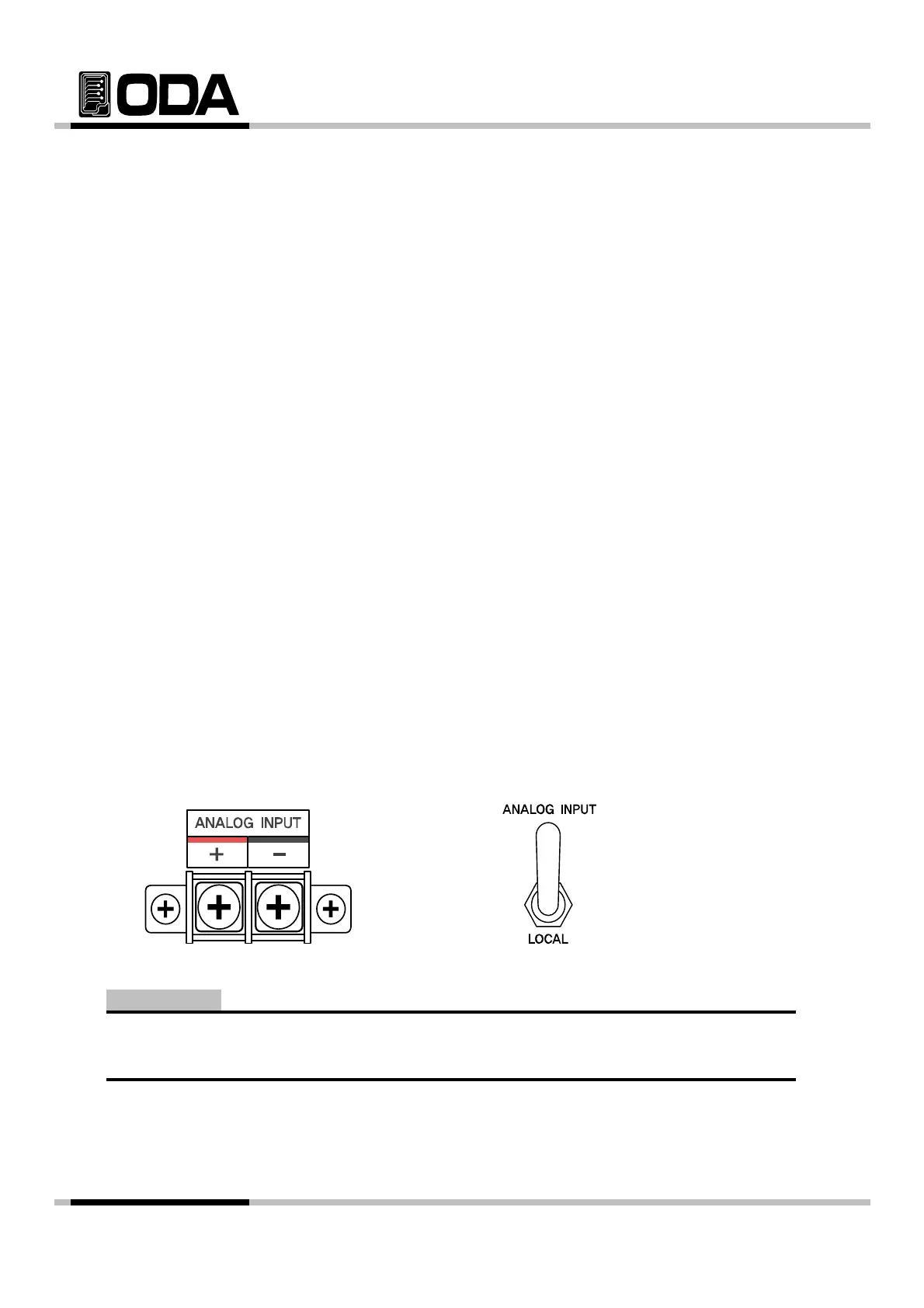
1. Connect rear 2pin terminal fitting +,-.
2. Select toggle switch analog input mode.
3. Change voltage or current.
4. Check output voltage or output current is changed with ratio.
5. Cannot change voltage or current from front panel of DC Power Supply.
When you panel equipment from Analog Input Signal voltage output can be fluctuate because of
ANALOG INPUT Toggle Switch
Note
en you pane
equ
pmen
rom
na
og
npu
gna
, vo
age ou
pu
can
e
uc
ua
e
ecause o
noises.
- 80 -



 To Next Page