5-5. CALI-RESTORE
▌Restores saved Calibration data to current system.
▌Can be used when user Calibrated with no info, or made a mistake while calibration.
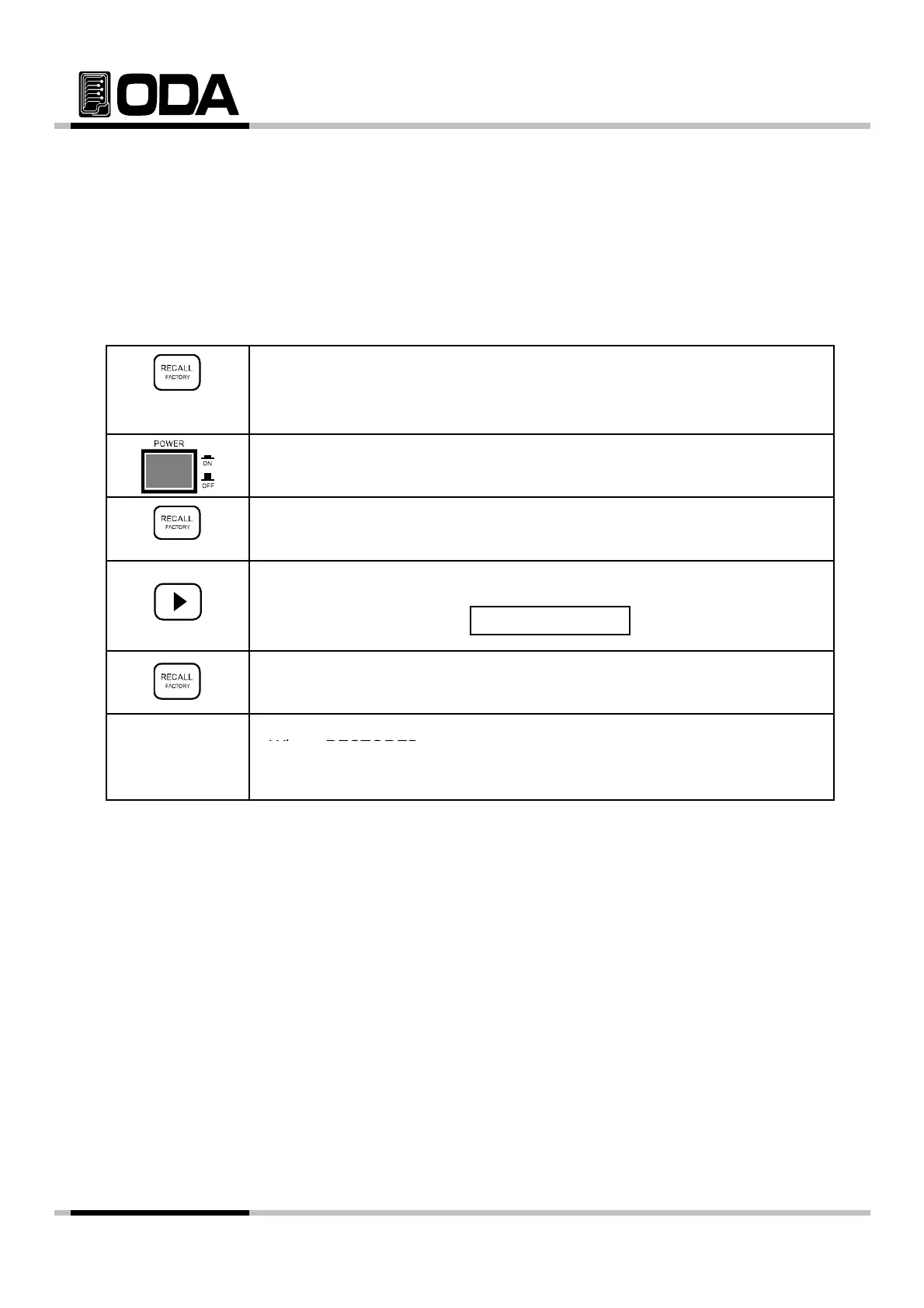
Operating CALI-RESTORE
▌Switch Power ON while holding FACTORY Key.
Holding
▌Power Switch ON
▌When "1. CYCLING CLEAR" is displayed, stop holding FACTORY Key.
▌press right cursor twice to enter Restore menu
ress r
g
cursor
w
ce
o en
er
es
ore menu.
VFD Display Description
▌To restore Calibration data, press FACTORY Key once more.
. CALI - RESTOR
▌When "RESTORED" is displayed, it is activated properly.
▌"SYSTEM RESTART" will be displayed and reset the system.
≫ Related Remote Interface Command
FACTory:CALibration REStore
Refer: FACT:CAL RES Calibration restoration
- 61 -



 To Next Page