5-4. USER-MEM CLEA
▌Command to clear user's memory up to 1~10.
▌When it is activated, previous data cannot be seen.
▌Reset description
>Voltage 0V
>Current Limit Maximum value
>OVP-Level OVP set maximum value
>OCP-Level OCP set maximum value
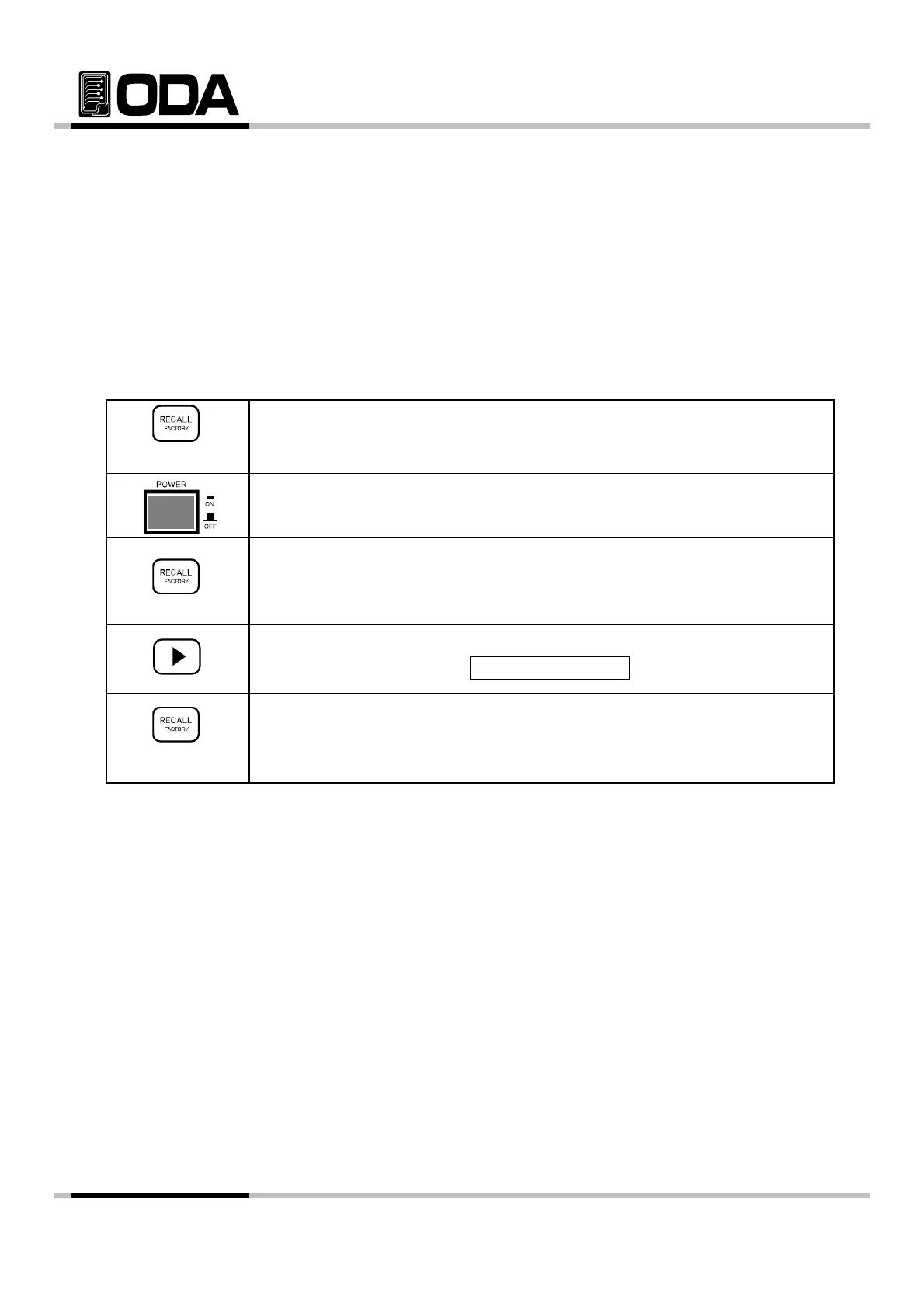
Operating USER-MEM CLEAR
▌Switch the power ON while holding FACTORY Key.
▌Power Switch ON
▌When "1. CYCLING CLEAR" displayed, stop holding FACTORY Key.
Holding
▌Press right cursor key once to enter in to user's memory.
VFD Display Description
▌To clear user's memory, press FACTORY Key once more.
"
"
is displayed it is activated properly
USER-MEM CLE
,
.
▌"SYSTEM RESTART" will be displayed, and reset the system.
≫ Related Remote Interface Command
FACTory:USER-Memory CLEar
Refer: FACT:USER-M CLE
- 60 -



 To Next Page