5-6. CALI-BACKUP
▌When forwarding, fixed data will be saved in protected non-volatile memory.
▌To assure accuracy, instrument should be calibrated within 6 months.
To be protected safely, There could be a calibration data backup.
▌When the backup is operated, previous backup description cannot be restored.
Operating CALI-BACKUP
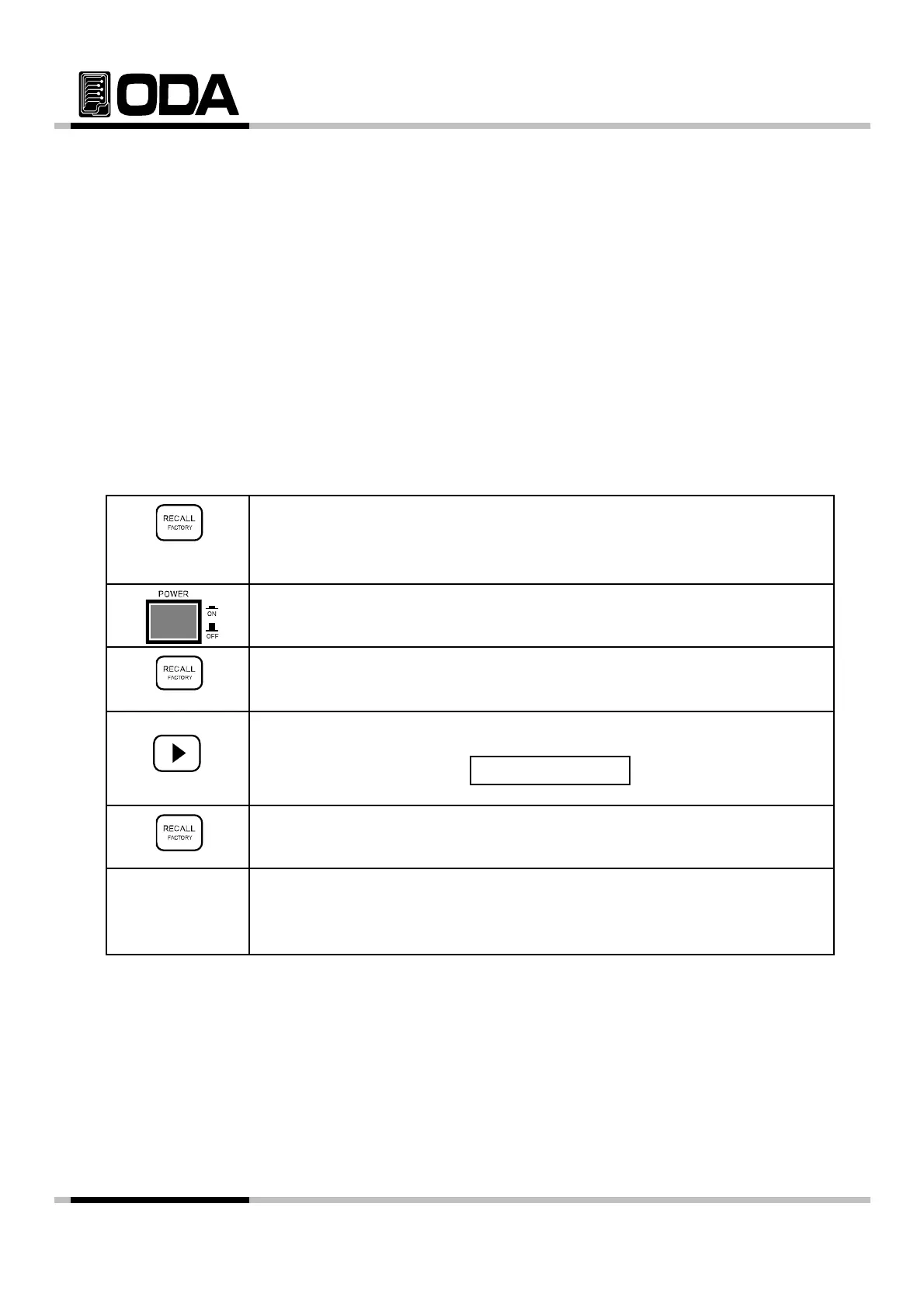
▌Switch Power ON while holding FACTORY Key.
Holding
▌Power Switch ON
▌When "1. CYCLING CLEAR" is displayed, stop holding FACTORY Key.
▌P i ht k th ti t t CALI B k
Press right cursor key three times to enter CALI-Backu
.
VFD Display Description
▌To backup calibration data, press FACTORY Key once more.
4. CALI - BACKUP
▌When "BACKUPED" is displayed, it is activated properly.
▌"SYSTEM RESTART" will be displayed and reset the system.
≫ Related Remote Interface Command
Factory:Calibration Backup
Refer: FACT:CAL BA
Calibration Back-up
- 62 -



 To Next Page