www.oes-scoreboards.com | 1.877.652.5833
4056 Blakie Rd., London ON Canada N6L 1P7
Issued: 2021-10-21
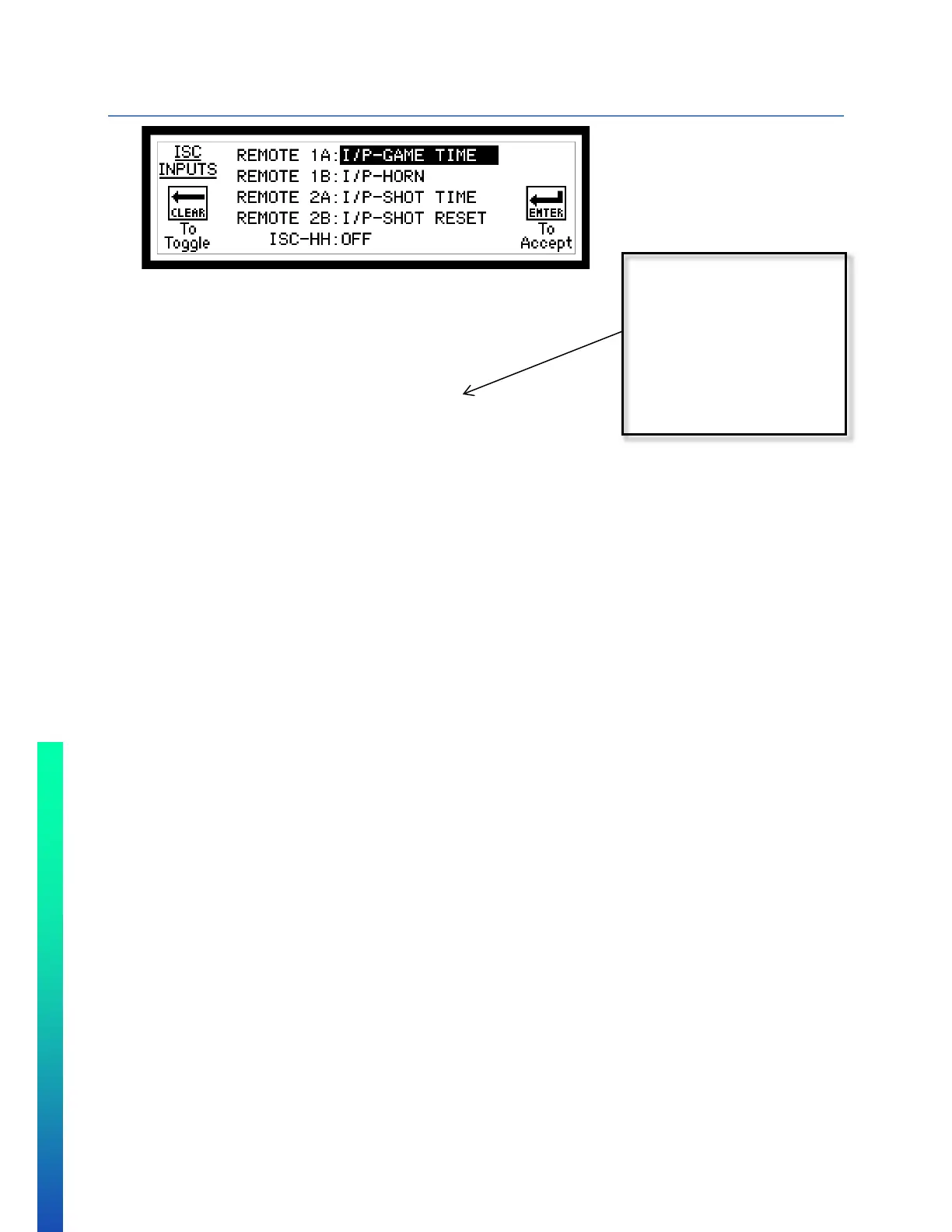
CONFIGURATION OPTION #6 – ISC INPUTS (REMOTE INPUTS)
Each remote input will control 2 different functions A and B
Follow on-screen instructions.
• Available Wired Remote functions:
o NO I/O – No remote input function.
o I/P-GAME TIME – Controls game timer.
o I/P-HORN – Sounds main game horn.
o I/P-SHOT TIME – Controls shot timer.
o I/P-SHOT RESET – Controls shot timer reset.
o I/P-SHOT RST A – Reset shot clock to “A” value.
o I/P-SHOT RST B – Reset shot clock to “B” value.
o I/P-SHOT RST C – Reset shot clock to “C” value.
o I/P-SHOT RST A/B – Toggle between reset “A” and reset “B”.
o I/P-HOME SOG – Increments Home Shots on Goal value.
o I/P-GUEST SOG – Increments Guest Shots on Goal value.
o I/P-L GOALLIGHT – Turn on goal light to the left of the operator.
o I/P-R GOALLIGHT – Turn on goal light to the right of the operator.
o I/P-ADV HOME – Controls home advantage time.
o I/P-ADV GUEST – Controls guest advantage time.
o PC TIME – Baseball Pitch Timer Start/Stop
o PC RESET - Baseball Pitch Timer Reset
o P.CNT +1 – Baseball Pitch Count +1
• ISC-HH (wireless remote)
o Available in Standard Protocol only.
o Used for time start/stop/reset and incrementing scores.
o COM1 must be set RF (See Setup Option #8).
o Available functions
OFF – Will not accept any input from ISC-HH remote
GAME – Start, stop and reset game time. Add and reset Home and Guest scores
TIMES – Start, stop and reset Game and Shot clock time.
SOG – Add and Subtract Shots On Goals total in hockey, lacrosse and soccer
SHOT CLOCK – Control shot clock functions. Start, Stop and reset shot clock timer.
ShtClk (2BTN) – Control shot clock function for 2 different reset values.
controller from running
shot clock time. A
remote needs to be
used to start and stop



 To Next Page