www.oes-scoreboards.com | 1.877.652.5833
4056 Blakie Rd., London ON Canada N6L 1P7
Issued: 2021-10-21
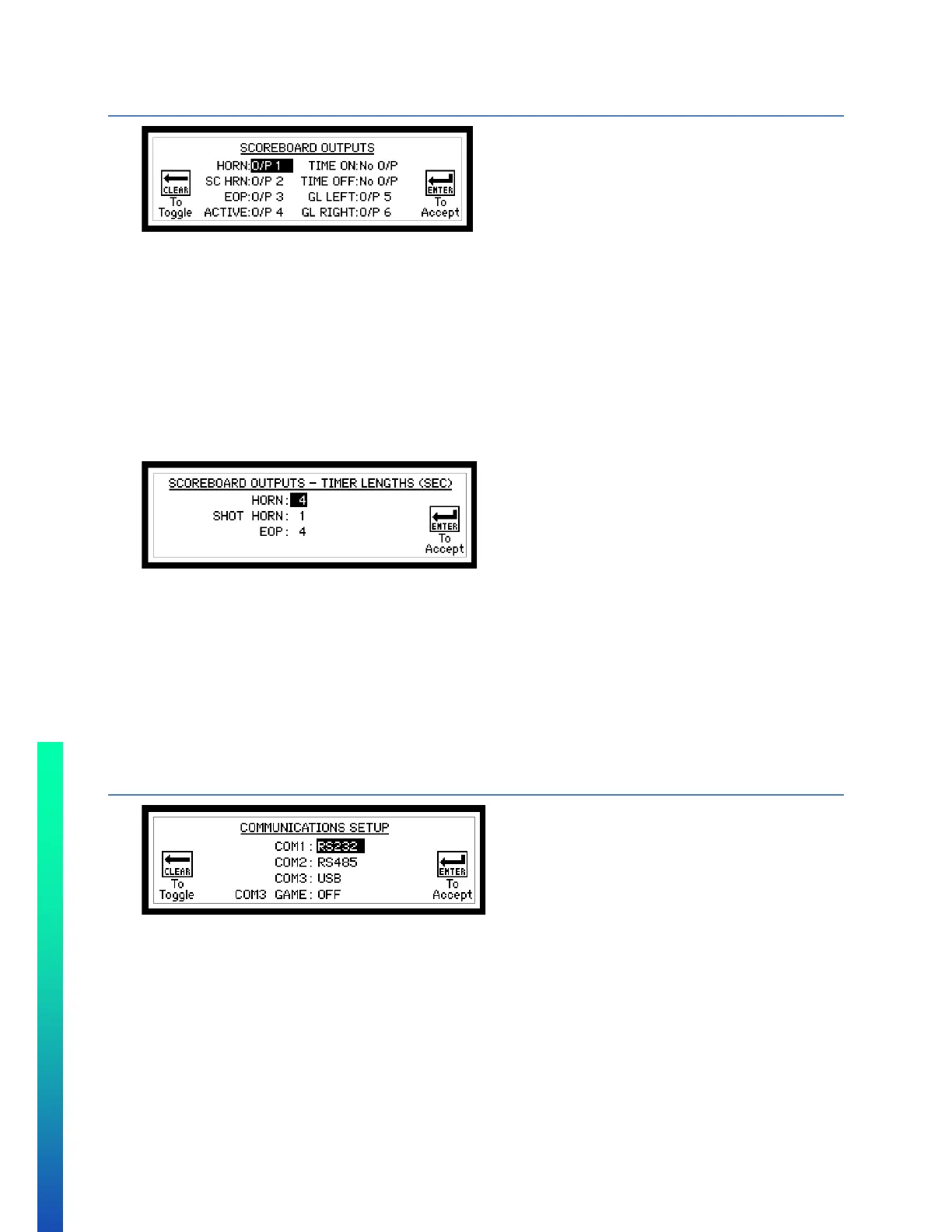
CONFIGURATION OPTION #7 – SB OUTPUTS (SCOREBOARD OUTPUTS)
Follow on-screen instructions.
• Available options are No O/P or O/P 1-4 for the following:
o HORN – Main Scoreboard Horn.
o SC HRN – Shot Clock Horn.
o EOP – End of period indicator.
o ACTIVE – System active – Output will be on if controller is communicating to scoreboard
o TIME ON – Output will be on if timer running.
o TIME OFF – Output will be on if timer stopped.
o GL LEFT – assigns the left goal light output
o GL RIGHT – assigns the right goal light output
• Anytime the Sport or Protocol is edited – default values for #7 SB OUTPUTS are set.
• After editing the outputs, the next screen appears to set output time lengths.
To set each value:
• Enter value on the numeric keypad.
• Press ENTER.
• HORN is the length of horn in seconds, when times reaches 0 or MAXIMUM UP TIME
• SHOT HORN is the length of shot horn in seconds when the shot clock counts down to 0
• EOP HORN is the length of horn in seconds (or other device assigned to the EOP output on the previous
screen).
Note that the value entered is in seconds.
For Manual Horn only, enter a value of “0”.
CONFIGURATION OPTION #8 – ISC COMM. PORTS (RECEIVE COMMUNICATION PORTS)
Follow on-screen instructions.
• COM1 – Game data port. Choose from RF, RS485 and RS232
• COM2 – Controller-Controller communications. Set to RS485, and cannot be changed.
• COM3 – Game Data or Diagnostics. Choose from USB or WIFI/ETHernet (Must be set to USB to update
controller firmware)
• COM3 GAME – if set to “ON” or “SHARED”, it sends game data out on port specified above.



 To Next Page