www.oes-scoreboards.com | 1.877.652.5833
4056 Blakie Rd., London ON Canada N6L 1P7
Issued: 2021-10-21
HOW TO SETUP ISC INPUTS?
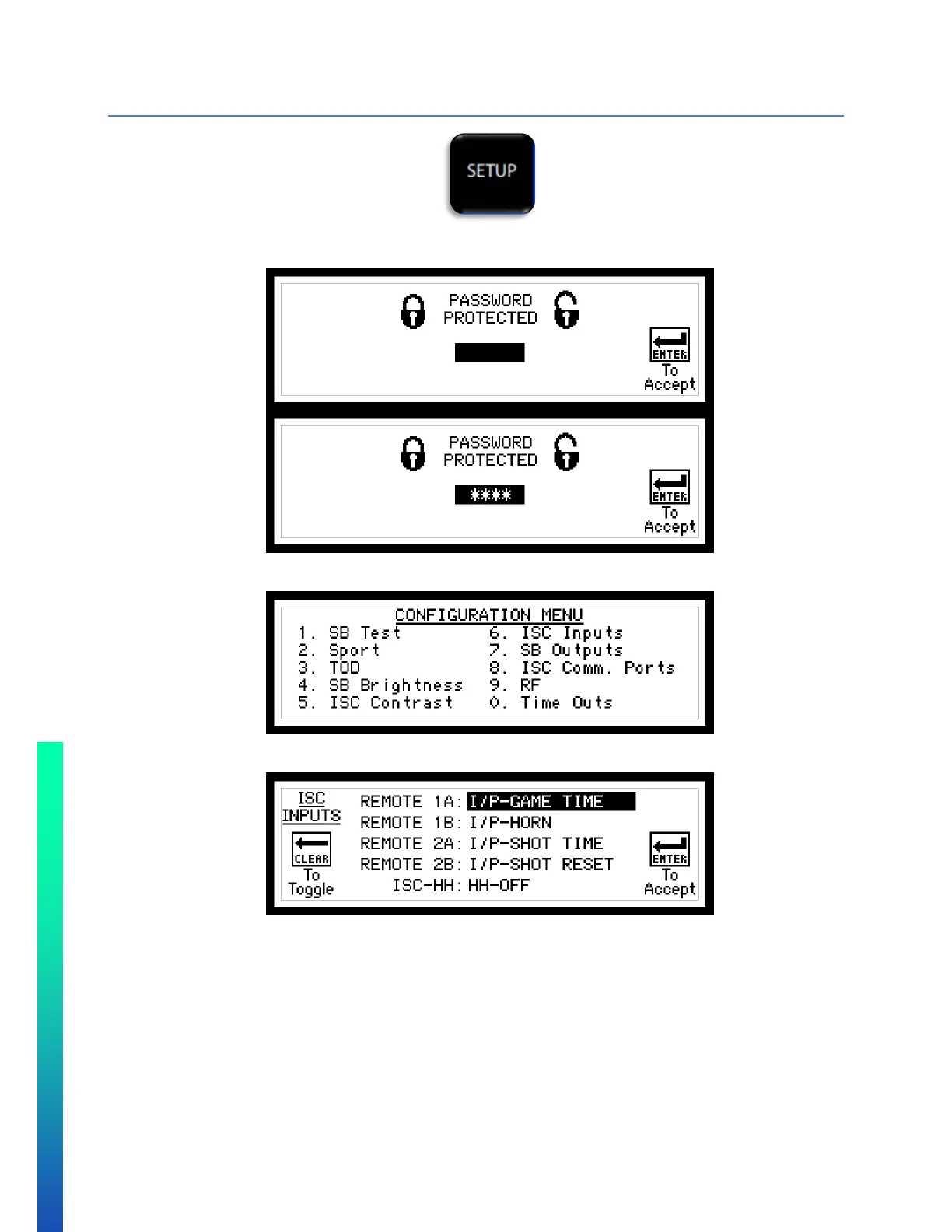
• Hold the setup button until it prompts you for a password.
• The password is “5833”, the last 4-digits of our phone number.
• Select option 6 ISC Inputs.
Remote 1A Corresponds to remote 1, button or switch A
Remote 1B Corresponds to remote 1, button or switch B
Remote 2A Corresponds to remote 2, button or switch A
Remote 2A Corresponds to remote 2, button or switch B
ISC-HH Corresponds to the type of HH (or “hand held”) controller connected to the ISC9000
See Configurations Option #6 – ISC Inputs for descriptions of all functions.



 To Next Page