www.oes-scoreboards.com | 1.877.652.5833
4056 Blakie Rd., London ON Canada N6L 1P7
Issued: 2021-10-21
Next screen
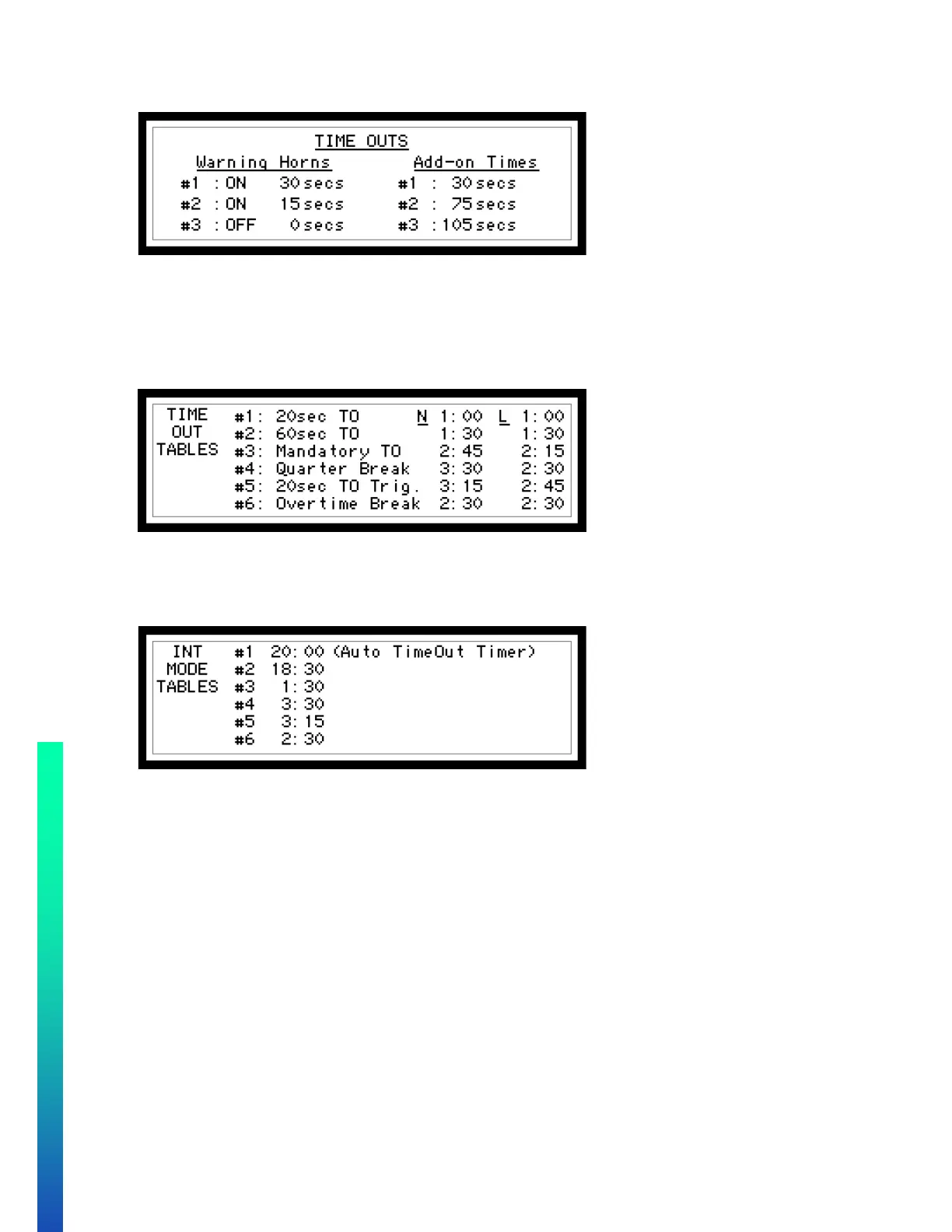
This screen will be for setting up the warning horn and the add-on times
• There is the ability to set 3 warning horns which can be turned ON of OFF. The time must be set when the
horn is desired.
• Add-on times allow you to set 3 different times which can be added to the time out time. This allows a
time out to be extended by any of the 3 values set here.
Next screen
On this screen there are 2 different columns of time. N is for a national broadcast and L is for a local broadcast.
This is where the 6 different time out lengths can be entered for the specific time out. Use the numeric keypad
and ENTER button to accept. Time fields are m:ss (m=minutes) (s=seconds).
Below is the table for INT mode.


 To Next Page