17
USER
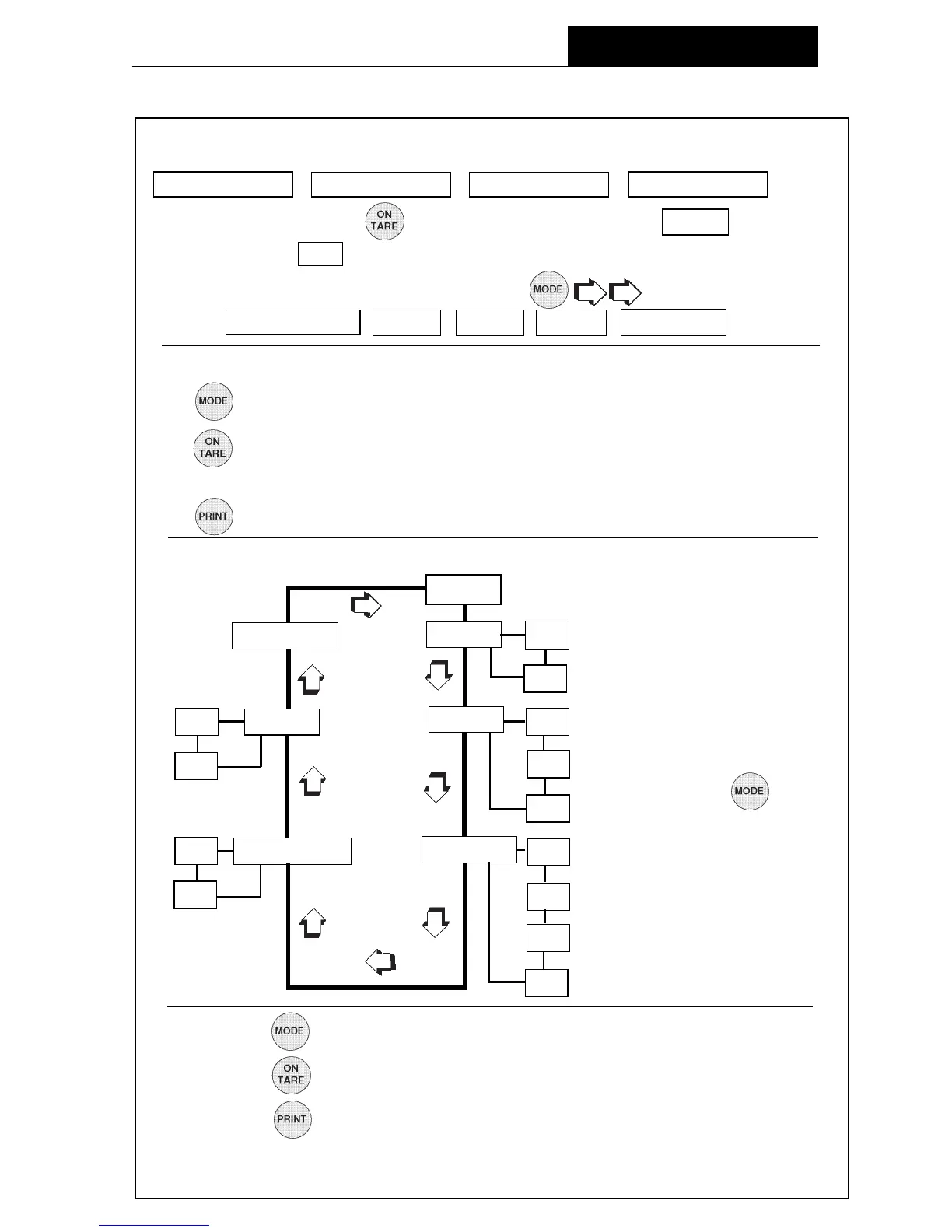
END USER RESET YES
NO
ON DUAL * AL 0
OFF 1
2
ON AUTO ZERO STABILITY 0
OFF 1
* Only on AP250D Models.
2
3
Each menu contains selections (submenus) which can be set for specific operations.
The button is used to advance though the submenu selections.
The
button enters or accepts the submenu selection and returns to the beginning
of the submenu selection.
The
button is used to backup in the submenu if a change is desired.
The following sample illustrates the
USER menu USER menu
USER menu USER menu
USER menu and submenu items
Navigating the MenusNavigating the Menus
Navigating the MenusNavigating the Menus
Navigating the Menus
There are
four menusfour menus
four menusfour menus
four menus used in the balance:
CALIBRATION USER SETUP PRINT
To enter the menusTo enter the menus
To enter the menusTo enter the menus
To enter the menus, the
button is pressed and held until MENU is displayed.
When released, CAL is displayed which is the Calibration menu.
When in the menusWhen in the menus
When in the menusWhen in the menus
When in the menus, repeated pressing of
advances through the
menus. CALIBRATION USER SETUP PRINT END
MENU
RULES: UseRULES: Use
RULES: UseRULES: Use
RULES: Use
button to advance.button to advance.
button to advance.button to advance.
button to advance.
Use Use
Use Use
Use
button to enter or accept submenu.button to enter or accept submenu.
button to enter or accept submenu.button to enter or accept submenu.
button to enter or accept submenu.
Use Use
Use Use
Use
button to backup.button to backup.
button to backup.button to backup.
button to backup.
After selections are made, always exit menus through END After selections are made, always exit menus through END
After selections are made, always exit menus through END After selections are made, always exit menus through END
After selections are made, always exit menus through END
MENU MENU
MENU MENU
MENU
to to
to to
to
store settings. store settings.
store settings. store settings.
store settings.
NOTE:NOTE:
NOTE:NOTE:
NOTE:
Each menu is constructed
in the form of a loop. Ad-
vancing from one sub-
menu item to the next by
using the button
will eventually return to
the beginning of the menu
.
<
<
<
<
<
<
>
<
<
<
<
<
>
>
<
<
<
<
OPERATION






 To Next Page