65
ListList
ListList
List
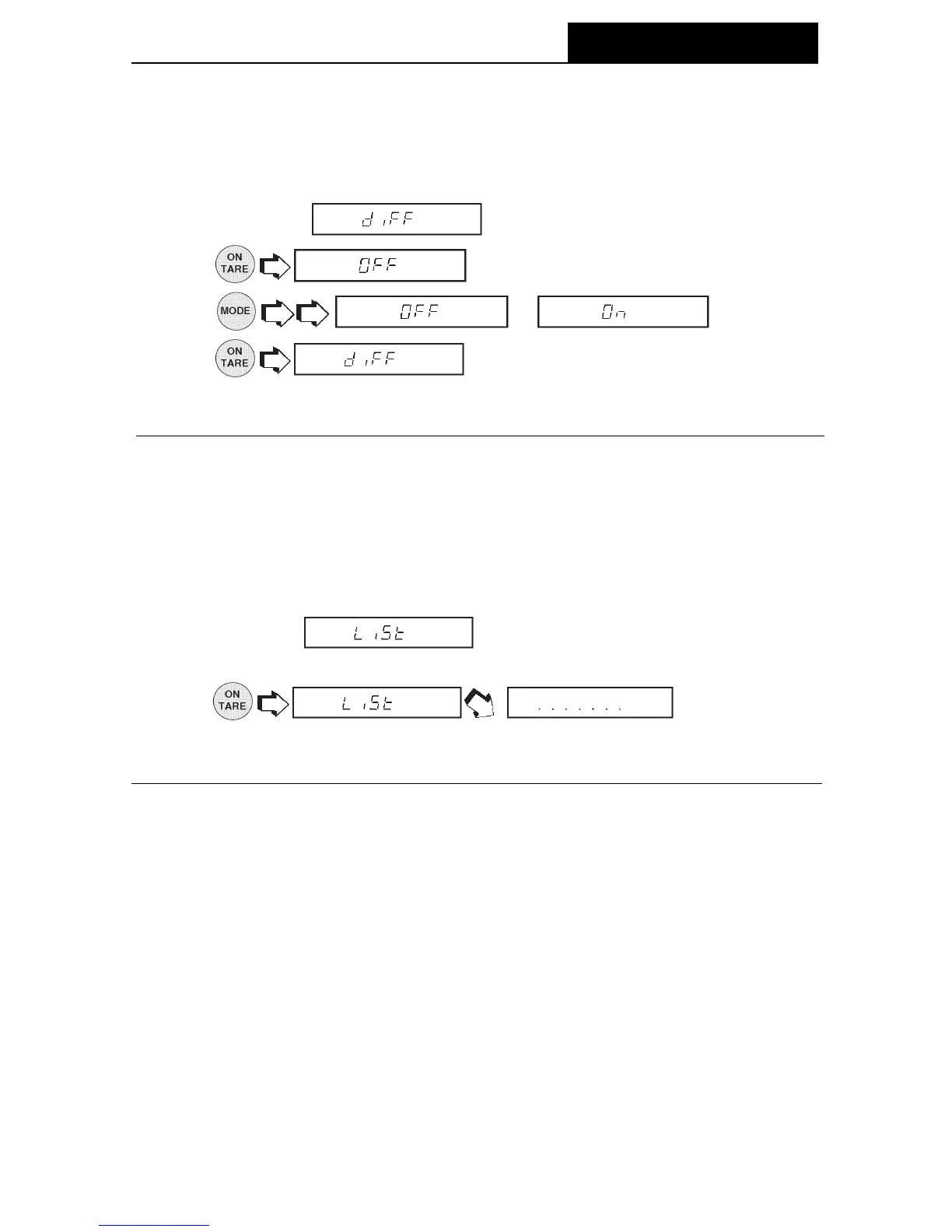
This submenu can be used to output a listing of current menu settings via the RS232
interface. When selected, all menu settings for the User, Setup and Print menus will
be output either to an external printer or computer. To use this feature, your balance
must be connected to a computer or printer.
1.Access the submenu under the Setup or Print menus.
2.
The display indi-
cates a series of dots traveling right to left when the balance is sending
information.
DifferenceDifference
DifferenceDifference
Difference
Difference data is only output to the printer when Check Weighing or Fill Guide
TM
mode
was selected.
1. Access the
submenu under the Print Options menu
2.
.
3.
or .
4.
.
MENUS






 To Next Page