59
Data BitsData Bits
Data BitsData Bits
Data Bits
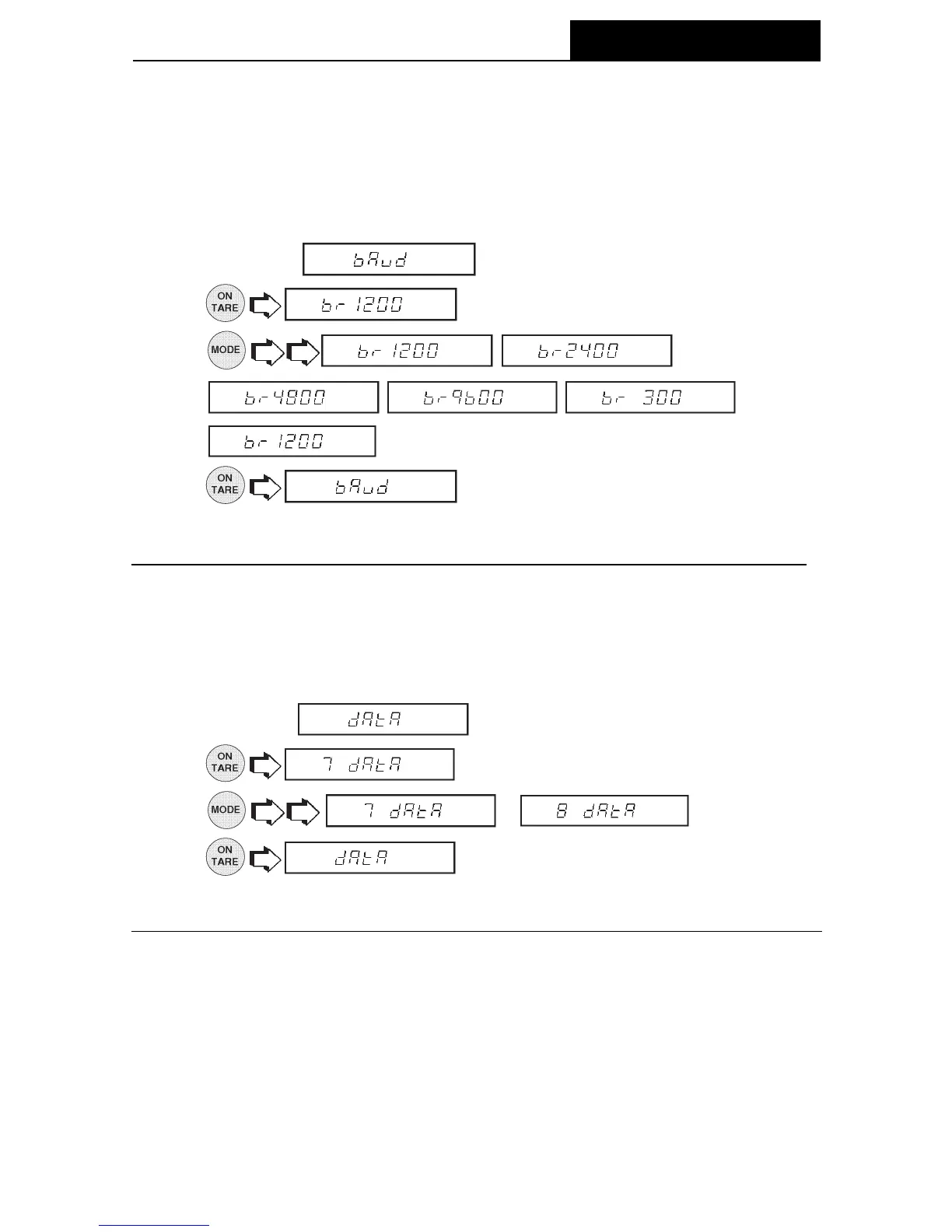
To set the number of data bits to 7 or 8:
1. Access the
submenu.
2.
.
3.
or .
4.
.
Baud RateBaud Rate
Baud RateBaud Rate
Baud Rate
This submenu is used to select the desired baud rate. There are five available baud
rates to choose from: 300, 1200, 2400, 4800 and 9600. The default setting is 2400
baud.
To view or change the baud rate:
1. Access the
submenu.
2.
.
3.
, ,
, , ,
. Normal baud rate is 2400.
4.
.
MENUS






 To Next Page