EN-31Adventurer Pro
3.7.3 Setup
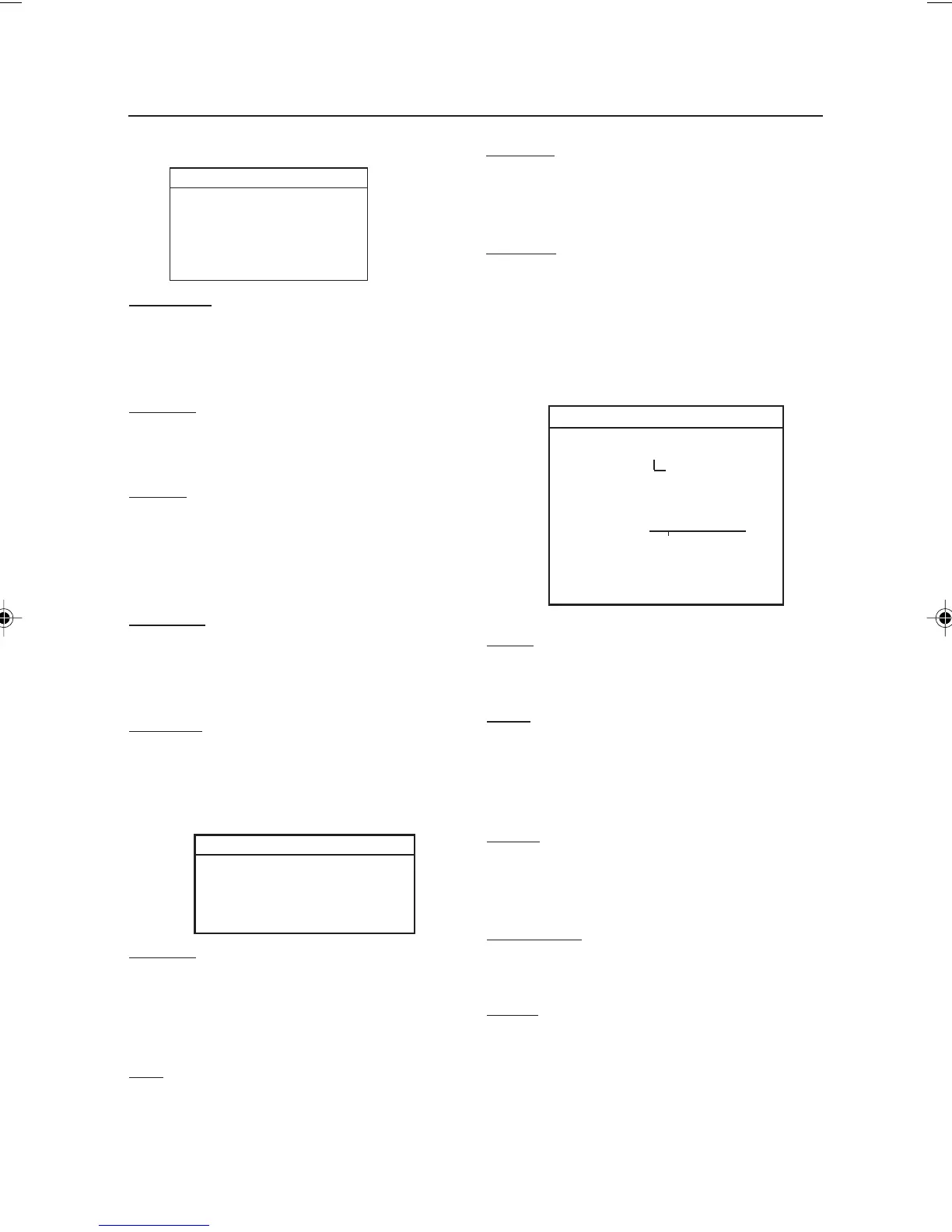
SETUP
Legal Trade On/Off
Auto Tare On/Off
Auto Off Off, 1, 2, 5 min
Back Light On/Off
End Setup
Legal Trade
When set On, the balance operates in
compliance with Weights and Measures
regulations.
Auto Tare
When set On, the balance will automatically
tare the first item placed on the pan.
Auto Off
When set to 1, 2 or 5 minutes, the balance will
turn off in the selected time interval if there has
been no activity. Set to OFF for continuous
operation.
Back Light
Used to set the display back light on or off. This
sub-menu is only included on models with
battery operation.
End Setup
Press the Yes button, to advance to the Readout
submenu. Press the
No button to return to the
LEGAL TRADE menu item.
Auto Zero
Allows setting the balance auto zero level
setting: .5, 1, 2 or 5 divisions. Balance
maintains zero until threshold is exceeded.
Filter
Allows setting the balance filter level: Low,
Medium, High. Compensates for vibration or
excessive air currents.
READOUT
Auto Zero Off, .5d, 1d, 2d, 5d
Filter Low, Medium, High
Gross Ind. G, B, Off
End Read
3.7.4 Readout
3.7.5 Mode
The Mode submenu is used to turn Application
modes On or Off.
MODE
Weigh On/Off
Count On/Off
Apw Optimize On/Off
Percent On/Off
Check Weigh On/Off
Animal Auto, Semi, Man, Off
Level sec 5,10, 15
Display Hold Off, Auto, Semi, man
Totalize On/Off
End Mode
Weigh
Use to set the Weighing Mode On or Off.
Count
Use to set the Counting Mode On or Off. If
Count is set On, APW optimize can be set On
or Off.
Percent
Allows setting the percent weighing mode On
or Off.
Check Weigh
Use to set the Check Weighing Mode On or Off.
Animal
Use to set the Animal Weighing Mode to: Auto,
Semi, Manual or Off. If set to Auto, Semi or
Manual, level (averaging period) can be set to
5, 10 or 15 seconds.
Gross Ind.
Allows setting the gross indicator to G (gross),
B (brutto) or Off.
End Read
Press the
Yes button to advance to the Mode
submenu. Press
No to return to Auto Zero.
7 page 31 to 40.pmd 3/3/2005, 9:33 AM31









 To Next Page