Adventurer ProEN-32
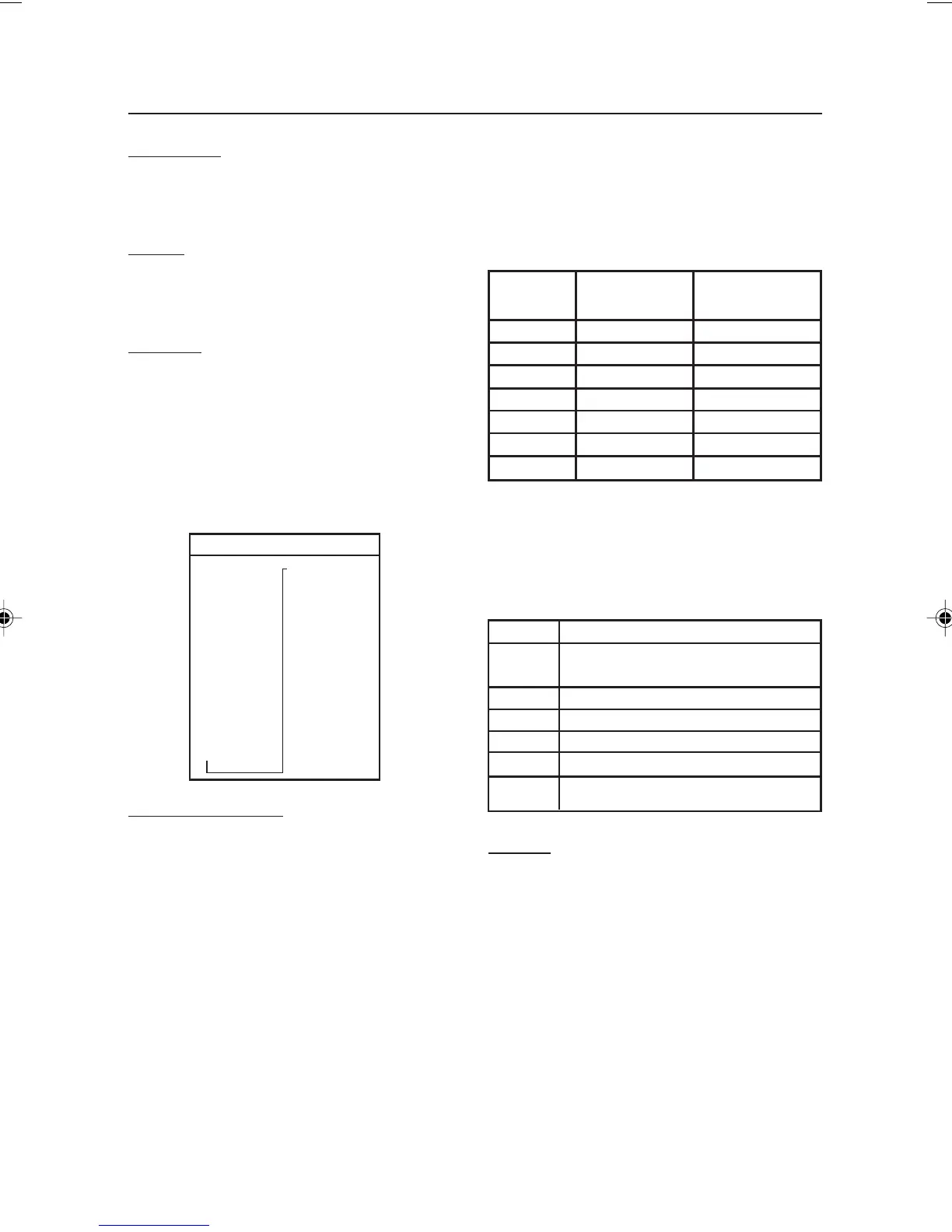
t TW On/Off
m On/Off
Tical On/Off
Baht On/Off
Meshgal On/Off
Tola On/Off
Custom On/Off
End Unit
UNIT
mg On/Off
g On/Off
kg On/Off
oz On/Off
lb On/Off
ct On/Off
dwt On/Off
ozt On/Off
GN On/Off
N On/Off
t HK On/Off
t SC On/Off
Display Hold
Use to set the Display Hold Mode to Auto, Semi-
automatic or Manual.
Totalize
Use to set the Totalize Mode to Auto, Manual or
Off.
End Mode
Press the Yes button to advance to the Unit
submenu. Press No to return to Weigh.
3.7.6 Unit
The Unit submenu is used to turn measuring
units On or Off. Available measuring units vary
by model.
Defining Custom Unit
Set Custom to ON in the Unit menu to enable
and define the Custom Unit. The custom unit is
defined by a conversion factor and a least
Significant Digit (LSD). The conversion factor
is used by the balance to convert grams to the
custom weighing unit and is defined by entering
a factor and an exponent. The factor is a value
between 0.1000000 and 1.999999 inclusive.
The exponent moves the decimal point of the
factor to the right for positive values or to the left
for negative values.
Enter the Factor, following the instructions for
Editing Limits in Section 3.5.4. Enter the
Exponent and LSD using the Yes No buttons.
Factor Exponent Conversion
(+3 to -3) Factor
.1234 3 123.4
.1234 2 12.34
.1234 1 1.234
.1234 0 .1234
.1234 -1 .01234
.1234 -2 .001234
.1234 -3 .0001234
Custom Unit = Conversion Factor x Grams.
The LSD is the value by which the displayed
weight is incremented or decremented.
LSD Result
.5 Adds one decimal place
Display counts by 5
1 Display counts by 1
2 Display counts by 2
5 Display counts by 5
10 Display counts by 10
100 Display counts by 100
End Unit
Press the Yes button to advance to the Print-1
submenu. Press
No to return to the first available
unit.
3.7.7 Print-1 and Print-2
The Print-1 submenu is used to set printing
parameters for an external printer or computer.
Print-2 contains an identical menu and is used
when the optional COM2 port is installed.
7 page 31 to 40.pmd 3/3/2005, 9:33 AM32









 To Next Page