EXPLORER BALANCES EN-27
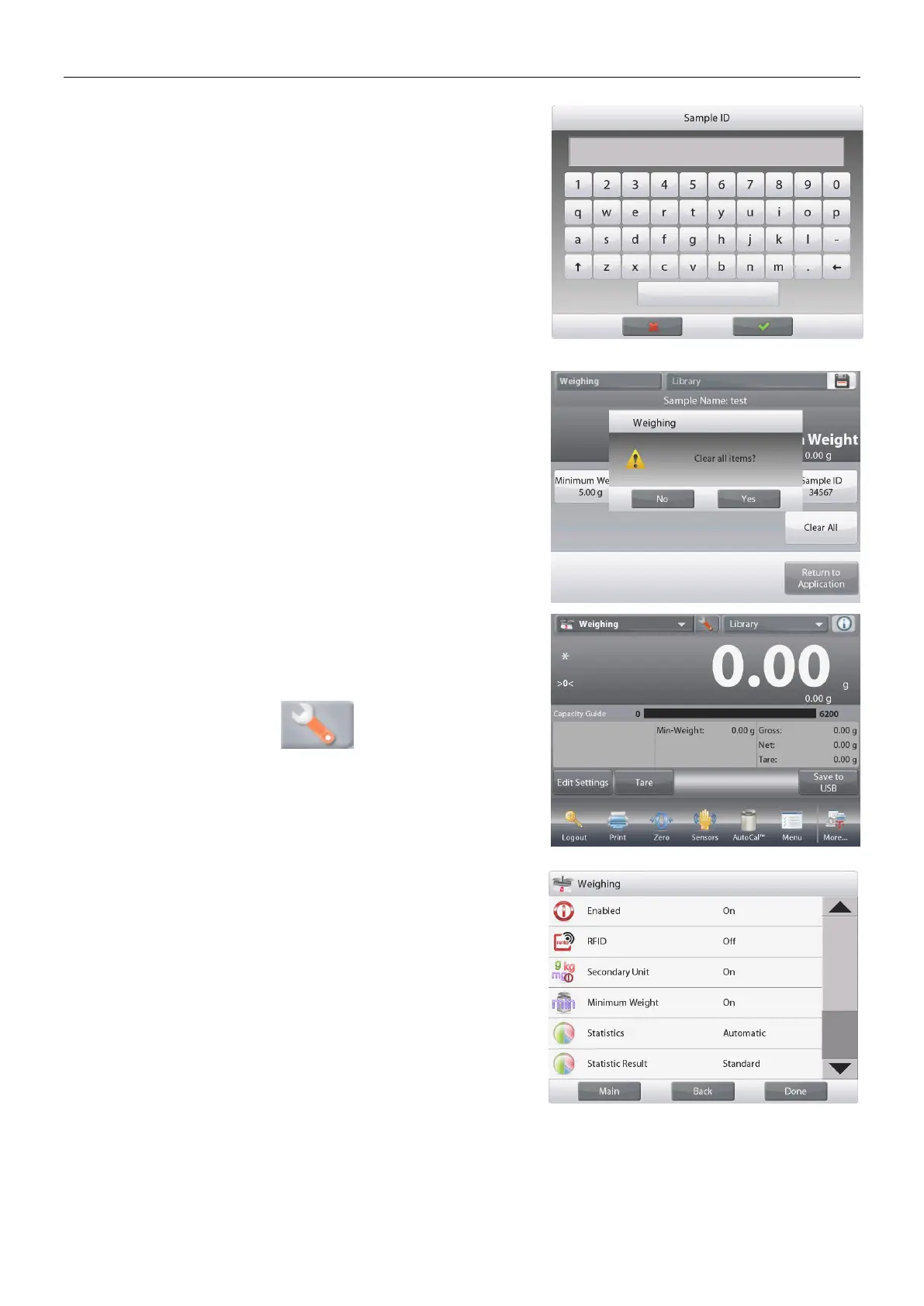
To input a Sample ID, touch the Sample ID button. Enter
the desired ID, and then press.
To clear the Minimum Weight, Sample Name, Batch
ID and Sample ID you set, touch the Clear All button.
Touch Yes to confirm.
4.1.2 Application Setup
The Application can be customized for various user preferences.
Touch the
Setup Icon
(wrench) to enter
Application Setup
.
The Application Setup Menu is now displayed.
Select the list item to view or change the setting as
desired.
To return to the Application home screen, touch Done.













 To Next Page