1
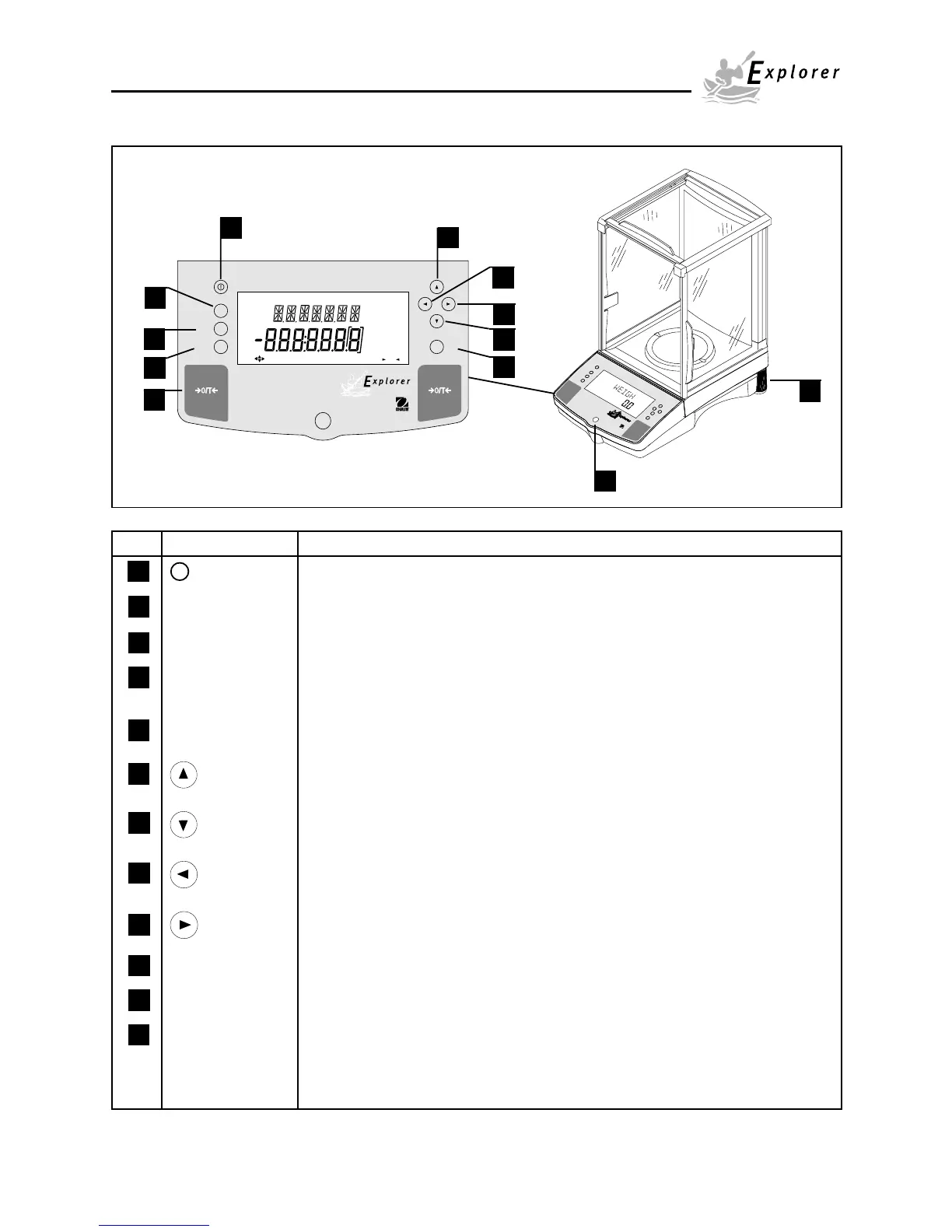
OVERVIEW OF CONTROLS
Mode
Units
Setup Print
Enter
1
3
4
2
5
6
8
9
10
7
Stable
Mode
Units
Setup
Custom
Use keys to change,
B/G
NET
P T
Center
of Zero
press - O/T -
% PG N
lb ozcti
mg
press Enter
kgdwt
Change
>O/T<
>O/T<
OHAUS
®
Stable
g
Print
Setup
Units
Mode
Enter
12
11
No. Designation Function
1 I Power on off button.
2 Mode button Selects standard weighing, percent, parts counting and animal weighing modes.
3 Units button Selects weighing units.
4 Setup button Selects various submenus: calibration, date, time, readout, GLP data, GLP set,
print, RS232, LFT, function, units, global, custom.
5 >O/T< button When pressed, performs tare function and a center of zero function.
6 button When pressed, travels up through submenus.
7 button When pressed, travels down through submenus.
8 button When pressed, travels to the left through menus.
9 button When pressed, travels to the right through menus.
10 Enter/Print button When in menus, selects item on display, otherwise prints data.
11 Leveling feet Used to level the balance.
12 Leveling indicator Indicates leveling position of the balance.













 To Next Page