17
Trooper Scale
DATA
Press G/N/T/
MENU
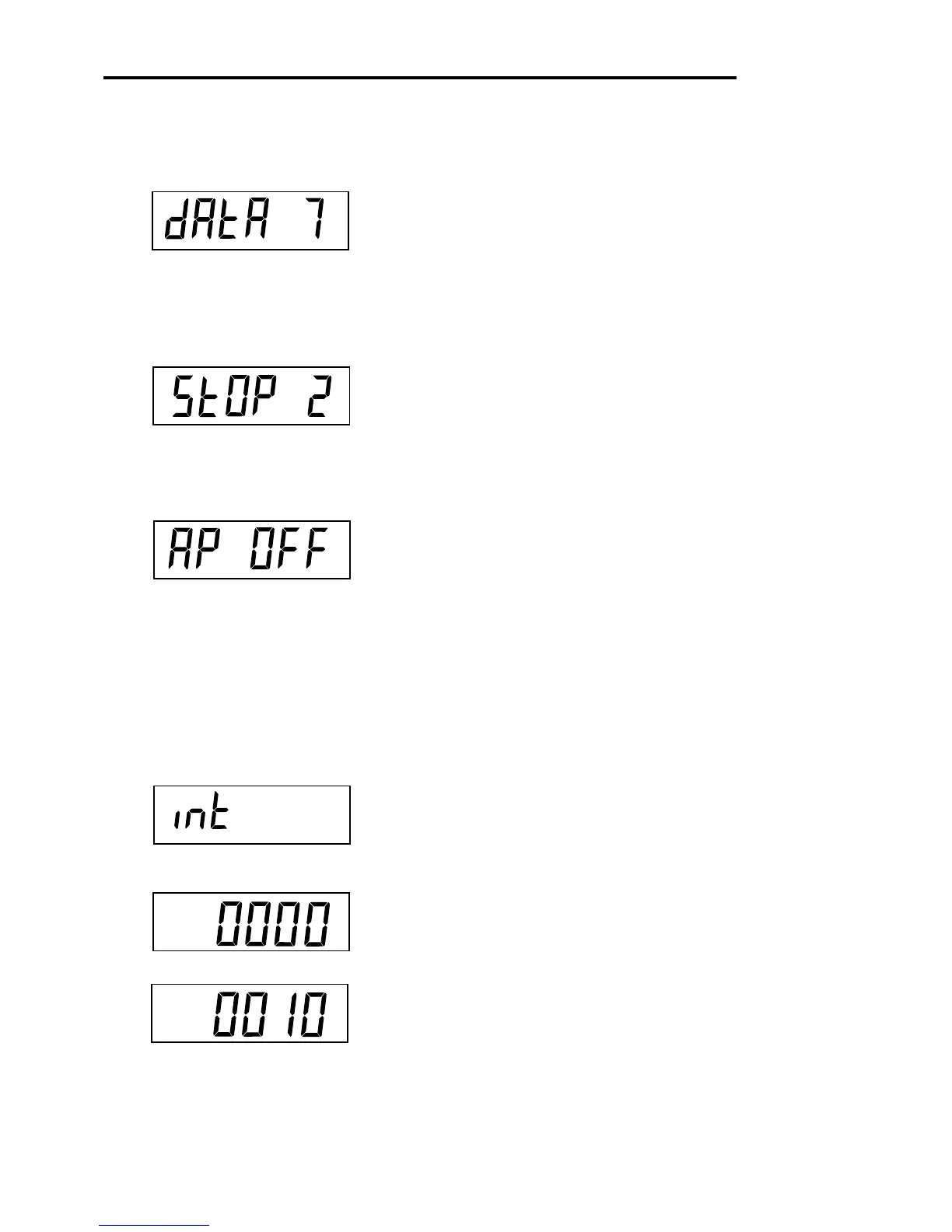
button, dAtA 7 is displayed. This is
the data length.
Press PRINT/
UNITS
button, and select desired data length
of 7 or 8. Default setting is 7.
STOP BITS
Press G/N/T/
MENU
button, StOP 2 is displayed. This is
the stop bit.
Press PRINT/
UNITS
button, and select desired stop bit of
1 or 2. Default setting is 2.
AUTO PRINT
Auto print has settings which enables data to a printer or
PC to be set Off, run continuously, at selected preset inter-
vals or on stability. On stability will print first stable non-
zero value after each change in weighing value.
Press G/N/T/
MENU
button, AP OFF is displayed.
Press PRINT/
UNITS
button, and select either Off,
Continous, Interval or On Stability. Default setting is OFF.
INTERVAL - PRINTING
When interval has been selected in the previous step, you
may now set an interval from 1 to 3600 seconds. If Inter-
val was not selected, ignore these steps.
Press G/N/T/
MENU
button, int is displayed, after a few
seconds, a second display appears which allows you to
set in the time in seconds.
Pressing the PRINT/
UNITS
button advances the zero from
left to right. Sample at left indicates 10 seconds.
NOTE: 0000 not valid.
4.4.5 Print Menu
Procedure (Cont.)








 To Next Page