10
Trooper Scale
4.4.3 Setup Menu
The Setup Menu is used to set up the Scale for the first time.
Procedure
With the Scale ON, press and hold the G/N/T/
MENU
button until MENU is displayed. When you release G/N/
T/
MENU
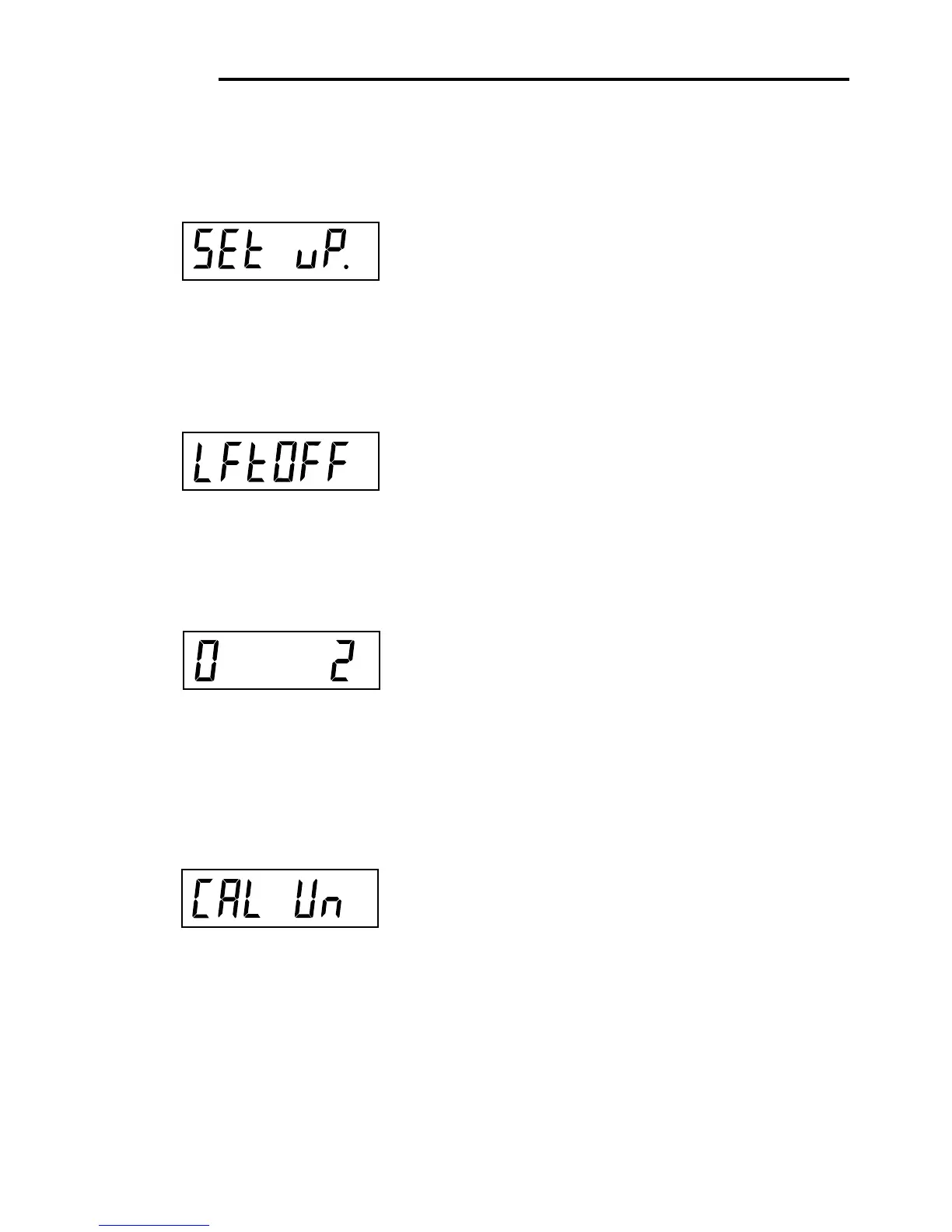
button, SETUP is displayed when the CALIBRA-
TION Lock Switch (software) is in the locked position.
When the CALIBRATION Lock Switch is locked, the Scale
will not permit calibration.
Press PRINT/
UNITS
button, SETuP is displayed.
Press G/N/T/
MENU
button, LFTOFF is displayed. Legal
for trade selections are:
'LFT ON' - LFT is ON
'LFTOFF' - LFT is OFF
'LFTCAn' - LFT is set for Canada
Press PRINT/
UNITS
button and select either ON, OFF or
Canada.
Press G/N/T/
MENU
button, 0 2 is displayed. This is the
Zero 2%, 18% or 100% setting. 2% - zero operation
range is - 2% to + 2%. 18% - zero operating range is -
2% to +18%, 100% - zero operation range is -2% to
+100%.
NOTE: If LFT is ON, only 2% and 18% are available.
Press PRINT/
UNITS
button, and select either 2%, 18%
or 100%.
Press G/N/T/
MENU
button, CAL Un kg is displayed.
This is the calibration unit setting. Selections are:
'lb' - calibration unit is lb
'kg' - calibration unit is kg.
Press PRINT/
UNITS
button, and select either kg or lb.
NOTE: The Scale is factory calibrated. After changing
the calibration unit, the Scale must be recalibrated
befoe using!
kg








 To Next Page