16
Trooper Scale
4.4.5 Print Menu
The Print menu provides data communication settings which can be entered. It contains 9 submenus: Reset, Baud rate,
Parity Bit, Data Length, Stop Bits, Auto Print, Interval, Stable and Save.
Procedure
PRINT
To select any of the items in the Print menu, proceed as
follows: NOTE: If you have entered from the preceeding
menu, disregard the first step.
With the Scale ON, press and hold the G/N/T/
MENU
but-
ton until MENU is displayed. When you release the G/N/
T/
MENU
button, CAL is displayed, then press PRINT/
UNITS
button, until Print is displayed.
RESET
Press G/N/T/
MENU
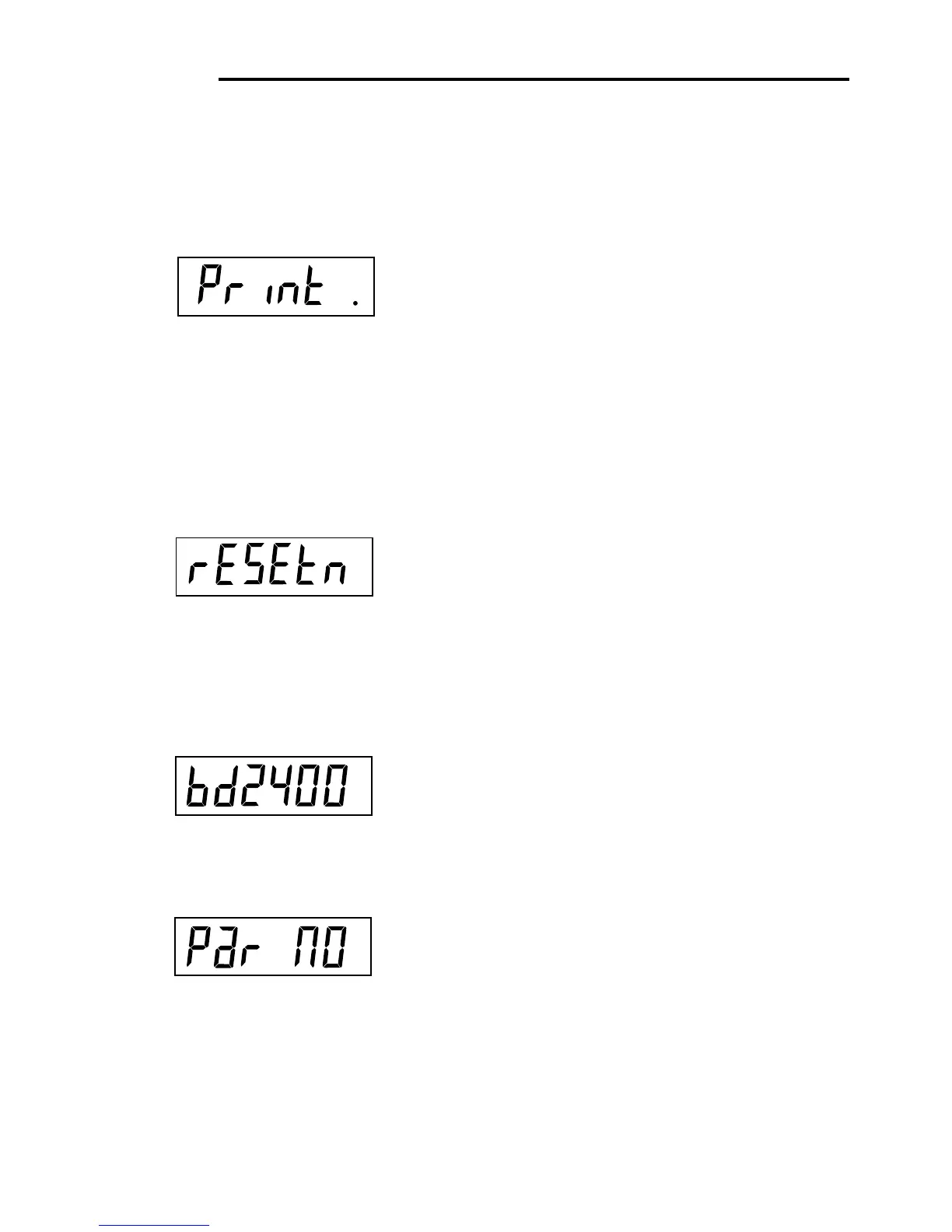
button, rESEtn is displayed. Thisal-
lows resetting the Print menu to factory defaults.
rESETn = no does not reset settings. rESETy = yes will
reset the entire Print menu as follows:
Baud rate =2400, parity =none, data length=7,
stop bit=2.
Press PRINT/
UNITS
button, and select N or Y.
BAUD RATE
Press G/N/T/
MENU
button, bd2400 displayed.
Press PRINT/
UNITS
button, and select desired baud
rate. Baud rate selections are: 1200, 2400, 4800 9600
and 19200. 2400 is the default setting.
PARITY
Press G/N/T/
MENU
button, PAr NO is displayed. This is
the parity bit.
Press PRINT/
UNITS
button, and select desired parity of
NO=none, Odd=odd, E=even. Default setting is none.








 To Next Page