EasyManua.ls Logo

Ohmeda Biox 3700 - Page 76

Default Icon
130 pages
Print Icon
To Next Page IconTo Next Page
To Previous Page IconTo Previous Page
Loading...
1118-301
OHMEDA
SINGLE
OR
DUAL
CHART
RECORDER
CONNECTION
Next,
the
following
Status
Message
appears
on
the
Graphic
Display:
"SA02
& PULSE ANALOG
OUTPUTS = 0 VOLTS
WAVEFORM:NEXT TEST
TREND : QUIT"
IMPORTANT:
If
this
Status
Message
does
not
appear,
turn
the
oximeter
off.
and
repeat
step
#6.
'
7.
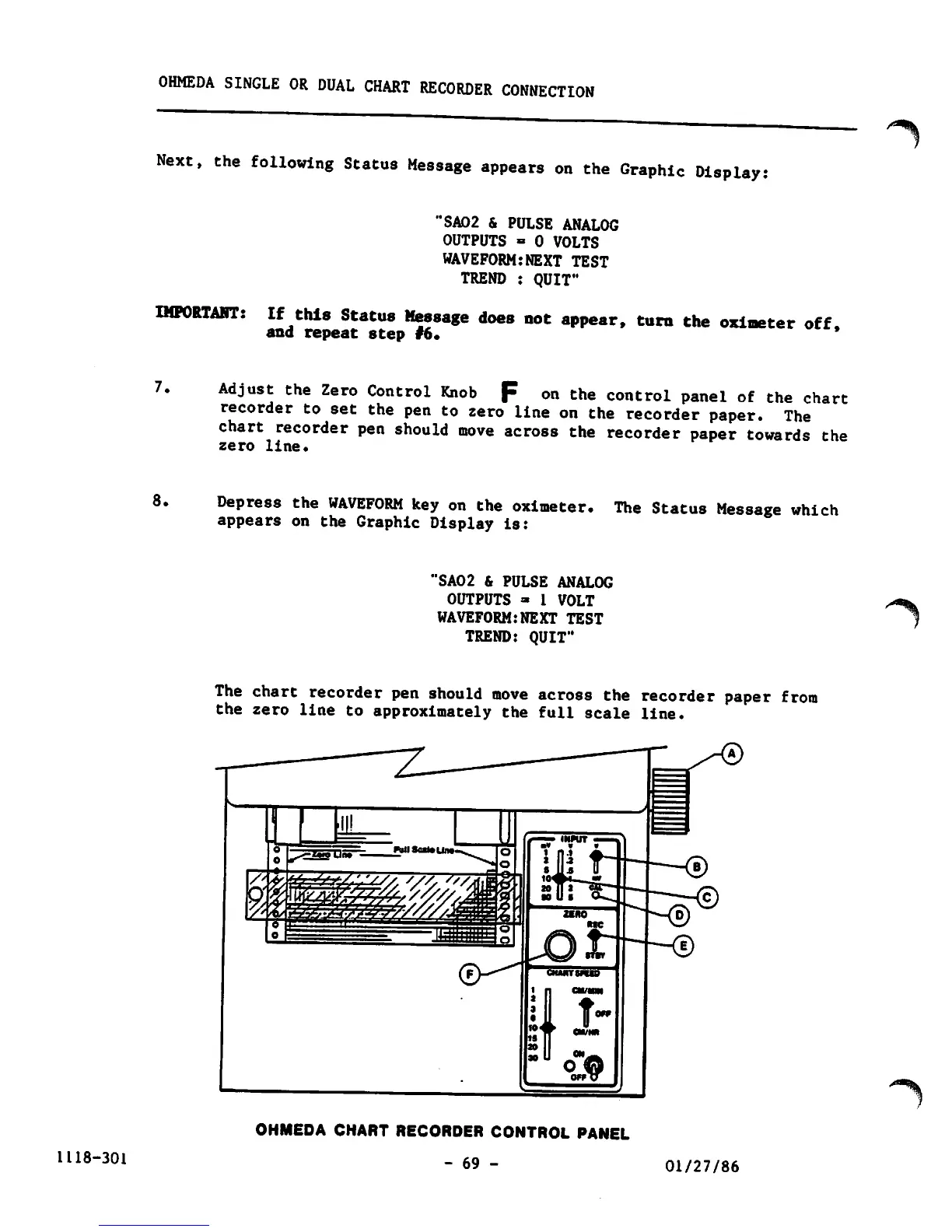
Adjust
the
Zero
Control
Knob
F
on
the
control
panel
of
the
chart
recorder
to
set
the
pen
to
zero
line
on
the
recorder
paper.
The
chart
recorder
pen
should
move
across
the
recorder
paper
towards
the
zero
line.
8.
Depress
the
WAVEFORM
key
on
the
oximeter.
The
Status
Message
which
appears
on
the
Graphic
Display
is:
"SA02 & PULSE
ANALOG
OUTPUTS
» 1
VOLT
WAVEFORM:NEXT
TEST
TREND:
QUIT"
The
chart
recorder
pen
should
move
across
the
recorder
paper
from
the
zero
line
to
approximately
the
full
scale
line.
OHMEDA CHART RECORDER CONTROL PANEL
- 69 -
01/27/86
"*%
^%

Other manuals for Ohmeda Biox 3700

Related product manuals