EasyManua.ls Logo

Ohmeda Biox 3700 - Page 91

Default Icon
130 pages
Print Icon
To Next Page IconTo Next Page
To Previous Page IconTo Previous Page
Loading...
COMPUTER
INTERFACE
PROGRAMMING
Programming
the
IBM
PC
to
Communicate
with
the
Ohmeda
Biox
3700
Oximeter
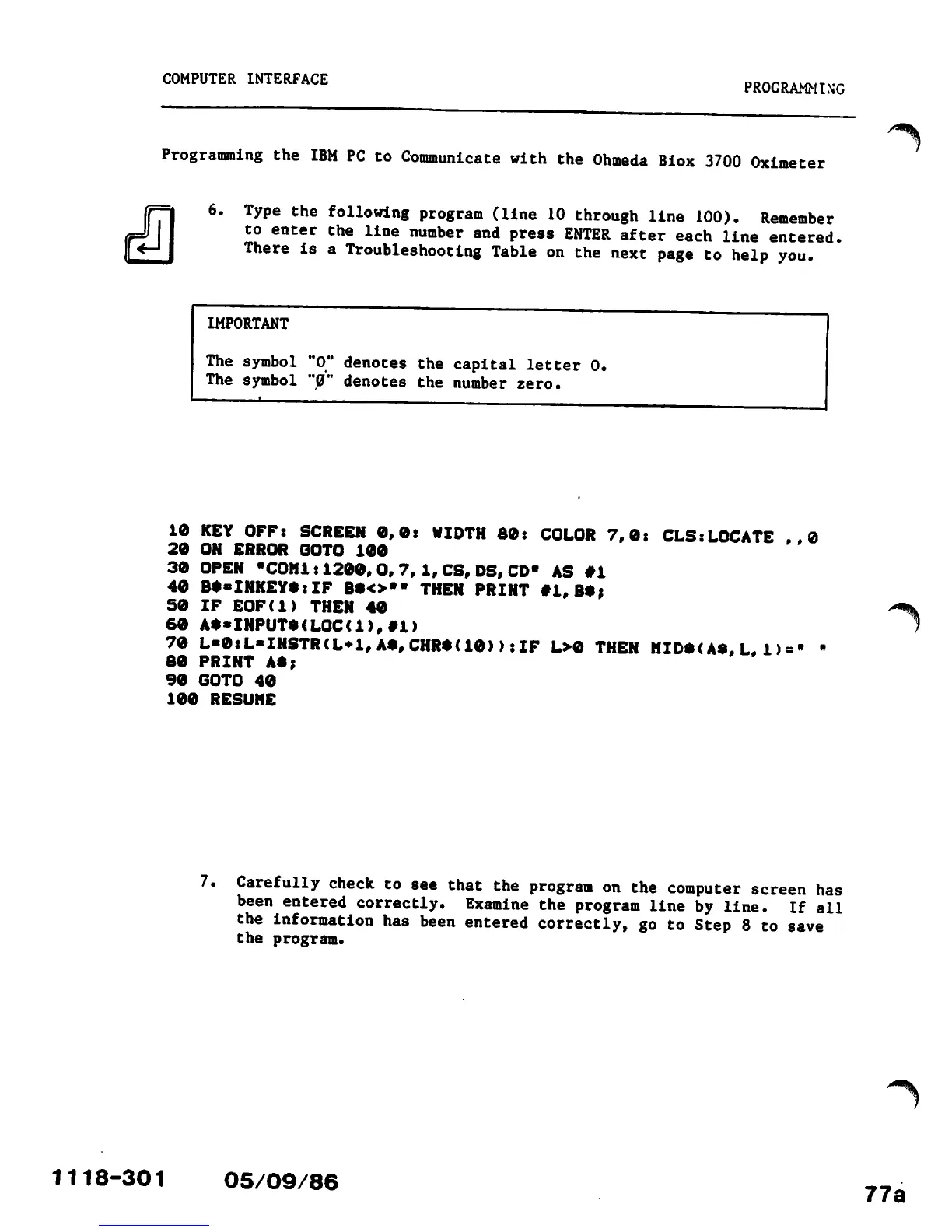
6.
Type
the
following
program
(line
10
through
line
100).
Remember
to
enter
the
line
number
and
press
ENTER
after
each
line
entered.
There
is
a
Troubleshooting
Table
on
the
next
page
to
help
you.
IMPORTANT
The
symbol
The
symbol
'0"
denotes
the
capital
letter
0,
'0"
denotes
the
number
zero.
10
KEY
OFF:
SCREEN
0,0:
WIDTH
80:
COLOR
7,0:
CLS:LOCATE
..0
20
ON
ERROR
GOTO
100
30
OPEN
"COM1:1200,
0,7,1,
CS,
DS, CD" AS
#1
40
B*«INKEY*:IF
B*<>"«
THEN
PRINT
#1,
B*;
50
IF
EOF(l)
THEN
40
60
At*INPUT*<LQC(1),#1)
70
L«0:L«INSTR<L*1,A*,CHR*U0)>:IF
L>0
THEN
HID*<
A*, L. 1) = '
80
PRINT
A*;
90
GOTO
40
100
RESUME
7.
1118-301
Carefully
check
to
see
that
the
program
on
the
computer
screen
has
been
entered
correctly.
Examine
the
program
line
by
line.
If
all
the
information
has
been
entered
correctly,
go
to
Step
8
to
save
the
program.
05/09/86
/^k
/*^\
77a

Other manuals for Ohmeda Biox 3700

Related product manuals