ML182/183
________________________________
__
5.
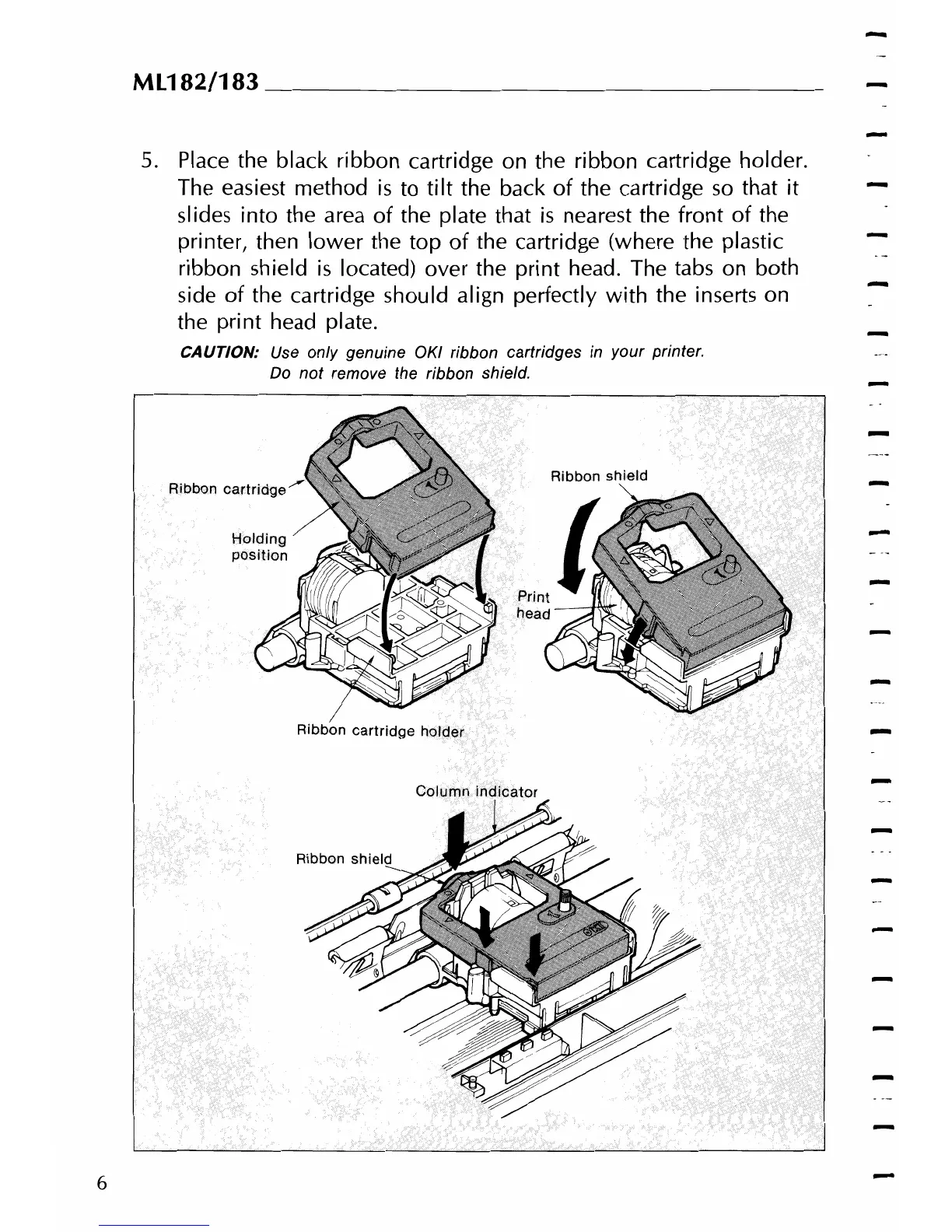
Place the black ribbon cartridge on the ribbon cartridge holder.
The easiest method
is
to
tilt
the back
of
the cartridge
so
that it
slides into the area
of
the plate that
is
nearest the front
of
the
printer, then
lower
the
top
of
the cartridge (where the plastic
ribbon shield
is
located) over the
print
head. The tabs on both
side
of
the cartridge should align perfectly
with
the inserts on
-
the print head plate.
CAUTION:
Use
only genuine OKI ribbon cartridges
in
your printer.
Do
not
remove the ribbon shield.
Ribbon
Ribbon
cartridge
holder
6



 To Next Page