EasyManua.ls Logo

Oki C332dnw - Page 21

Oki C332dnw
82 pages
Print Icon
To Next Page IconTo Next Page
To Previous Page IconTo Previous Page
Loading...
Operator panel > 21
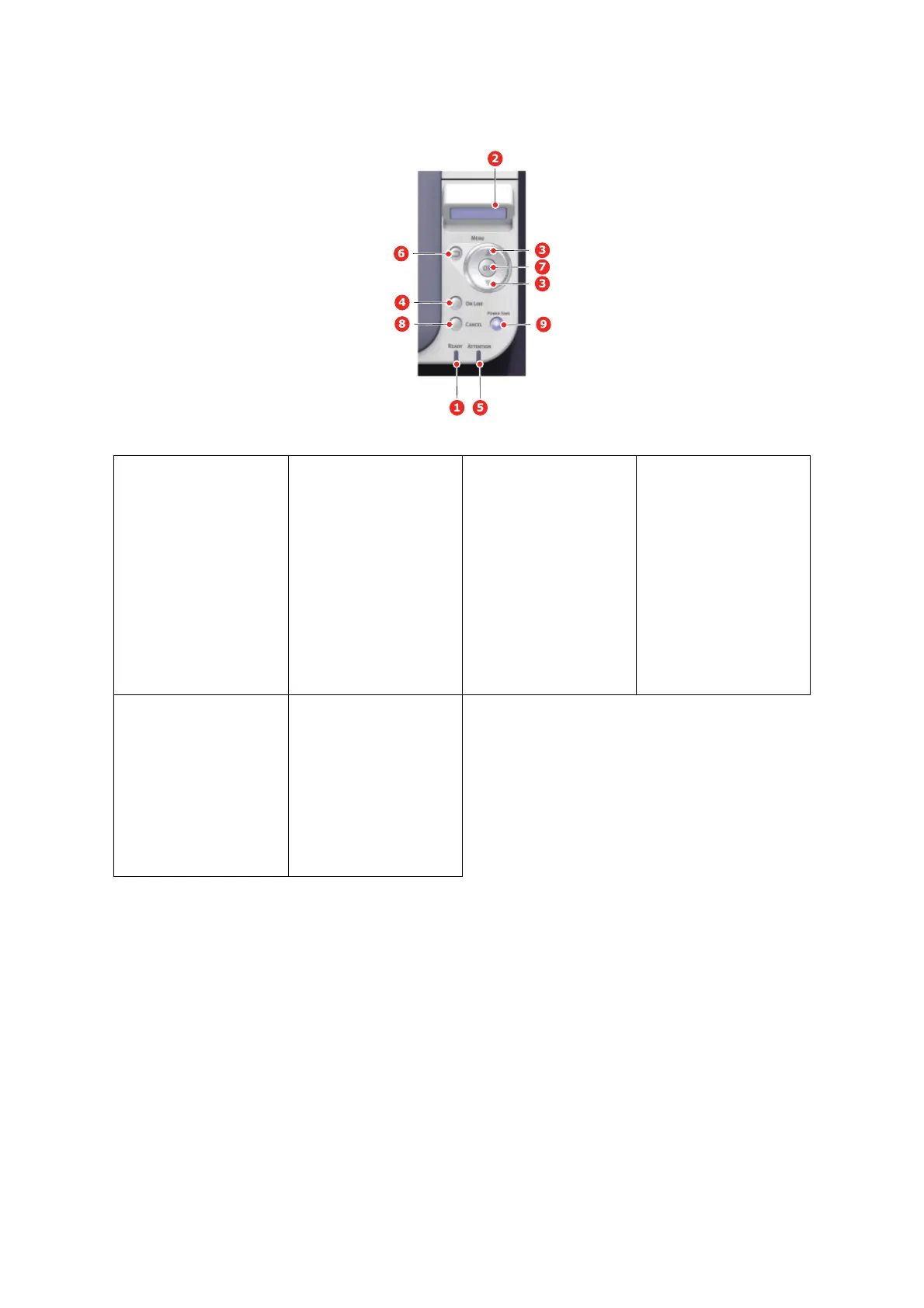
7. OK Button In the Menu mode:
determines
the setting
selected.
8. CANCEL Button Deletes the data being
printed or received when
pressed for two seconds
or longer.
Deletes the data when
pr
essed for two se
conds
or longer with WRONG
PAPER SIZE, RUN OUT
OF PAPER, TRAY 1 IS
OPEN, or TRAY 1 IS NOT
FOUND is displayed.
Exits the menu and goes
O
NLINE when pressed in
the Menu m
ode.
9. POWER SAVE
Button &
LED
Pressing this
button
switches the machine
into power save mode or
wakes the machine up
from power save mode.
ON: P
ower save state.
BLINKIN
G: Sleep st
ate.
OFF: When it is not
sleep or power save,
ei
ther.

Table of Contents

Related product manuals