Menu functions > 20
M
ENU
FUNCTIONS
This section lists the menus accessed via the controls on the printer’s operator panel and
displayed in the LCD window.
O
PERATOR
PANEL
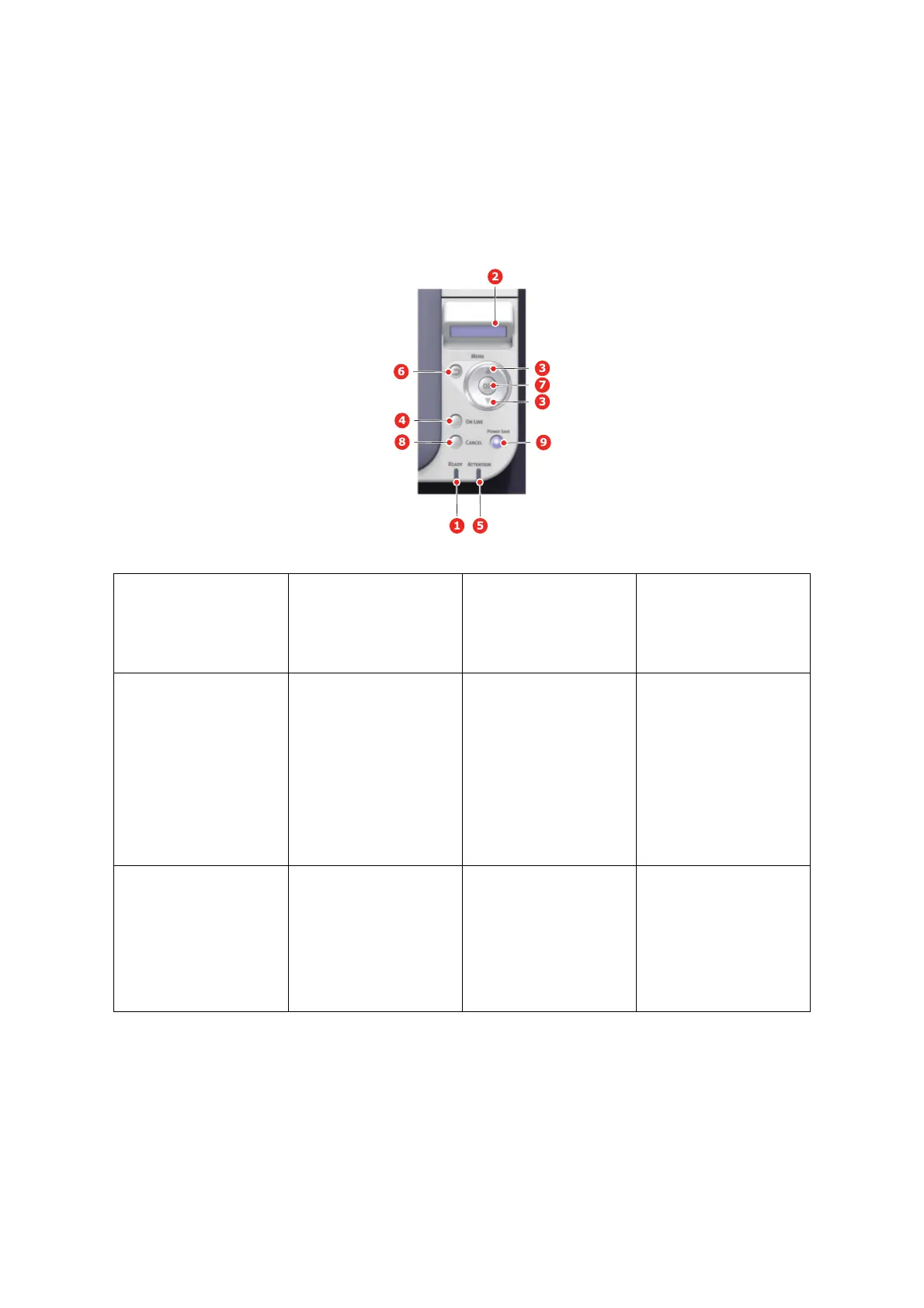
1. READY LED ON: Ready to receive
data.
BLINKING: Process
ing
data.
OFF: Offline.
2. DISP
LAY Displays the printer
status and any error
me
ssages.
3. MENU Buttons In the ONLINE or
OFFLINE mode: enters
the
Menu mode.
In the Me
nu mode:
forw
ards or reverses the
menu item displayed.
Press for 2 secs. or
l
onger to fast forward or
rev
erse.
4. ON LINE Button Switches between
ON
LINE a
nd OFFLINE.
Exits the menu and goes
O
NLINE when pressed in
the Menu m
ode.
Forces printing on the
paper currentl
y loaded
when presse
d with
“WRONG PAPER” or
“WRONG PAPER SIZE”
displayed.
5. ATTENTION LED ON: A w
arning occurs.
Printing may be possible
(e.g l
ow toner).
BLINKING: An error
occu
rs. Prin
ting not
possible (e.g. toner
empty).
OFF: N
ormal condition.
6. BACK Bu
tton Returns to the previous
higher lev
el menu item.



 To Next Page