Troubleshooting > 72
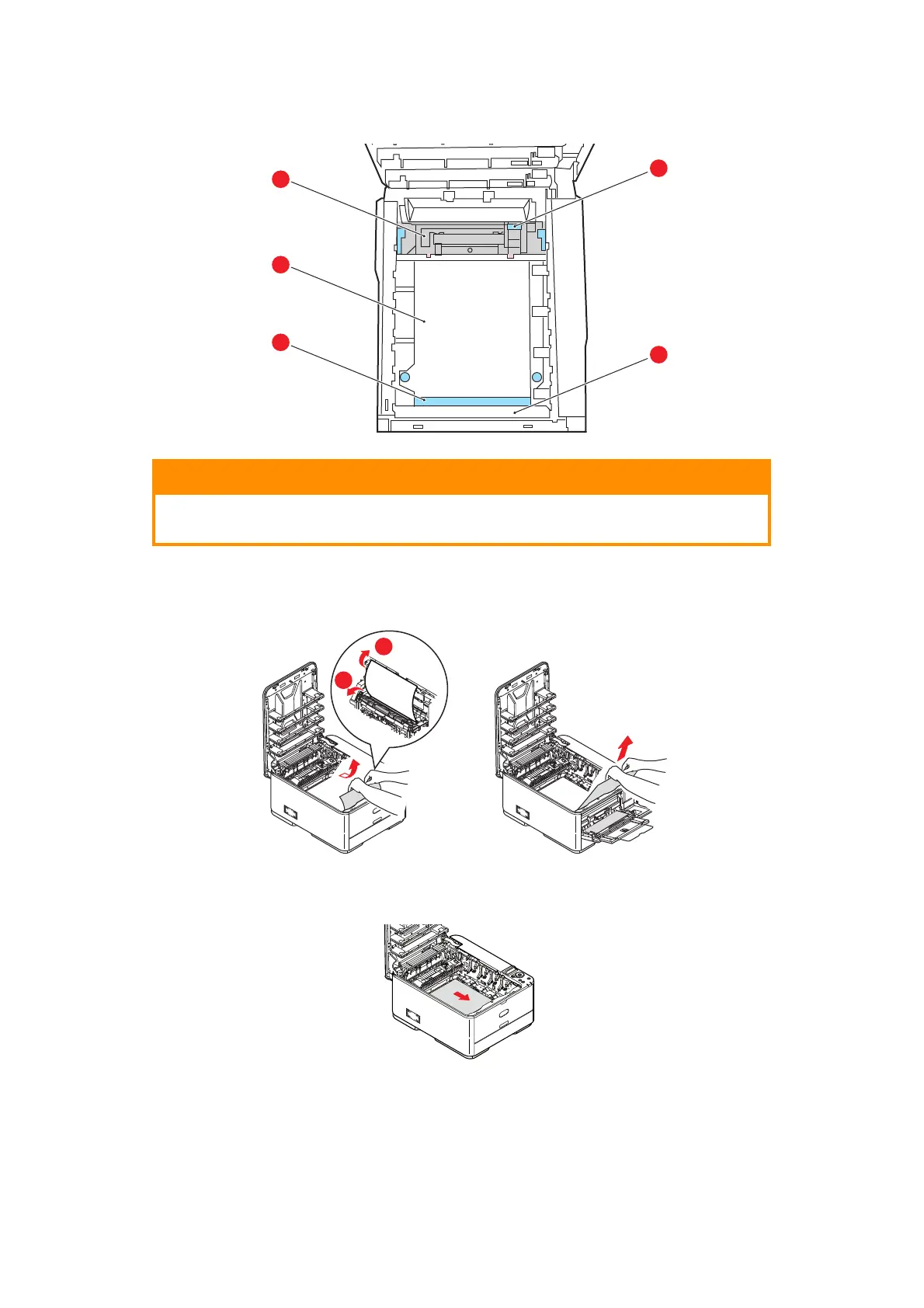
5. Look into the printer to check whether any sheets of paper are visible on any part of
the belt unit.
(a) To remove a sheet with its leading edge at the front of the belt (a), l
ift the
plastic guard (e) at the front of the printer, then carefully lift the sheet from the
belt and pull it forwards into the internal drum cavity and withdraw the sheet.
(b) To remove a sheet from the central area of the belt (b), carefully separate the
shee
t from the belt surface and wi
thdraw the sheet.
(c) To remove a sheet just entering the fuser (c), separate the trailing edge of the
sheet from the belt
, push the fuser pressure release lever (d) towards the front
and down to release th
e fuser’s grip on the sheet, and withdraw the sheet
CAUTION!
Do not use any sharp or abrasive objects to separate sheets from
the belt. This may damage the belt surface.



 To Next Page