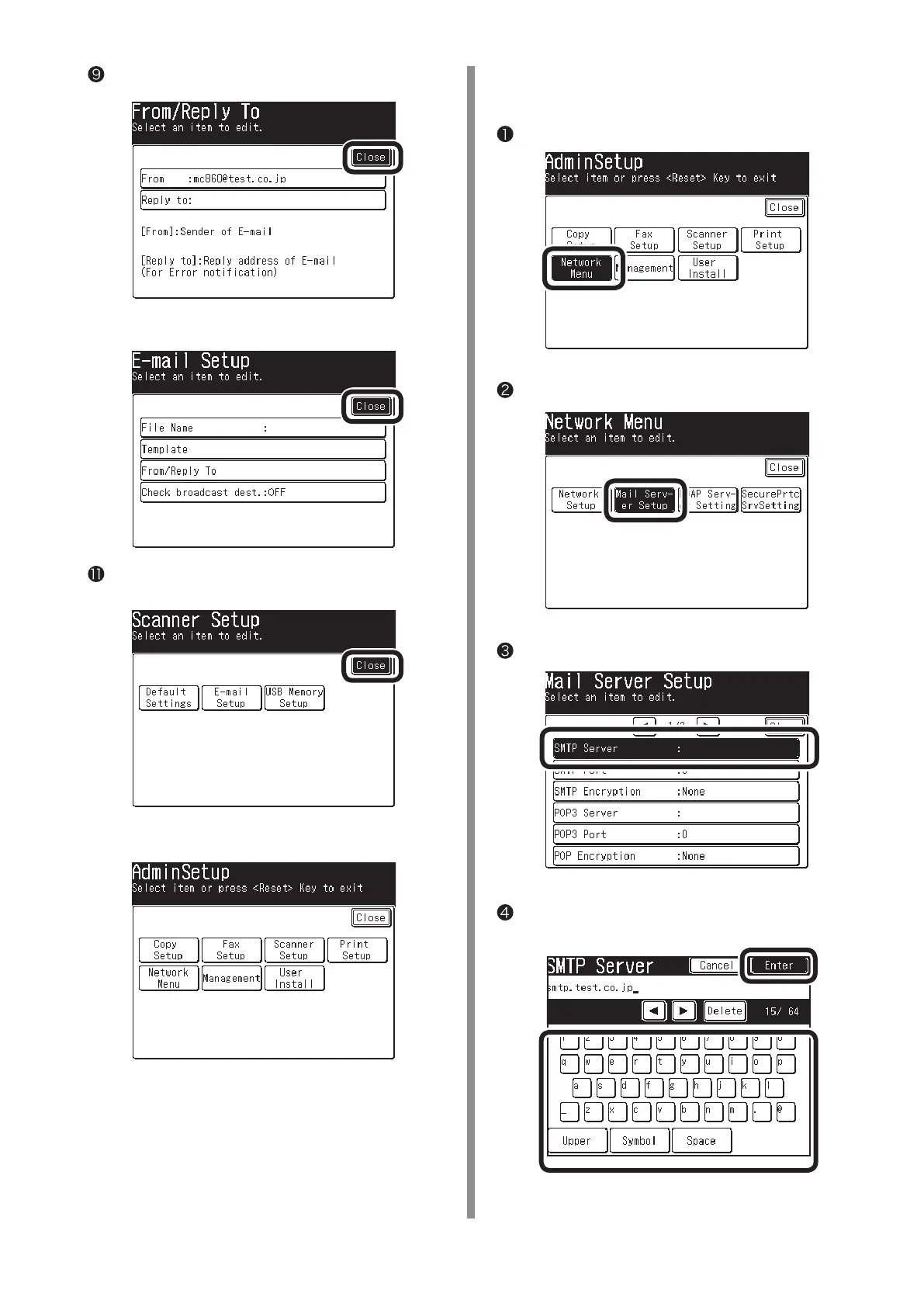
Press [Close] on the [From/ Reply To] screen.
❿
Press [Close] on the [Email Setup] screen.
Press [Close] on the [Scanner Setup] screen.
Check that the screen is [Admin Setup].
[Mail Server] is now set up.
2-2-2 Set up items related to [Mail Server]
in MC860.
Press [Network Menu].
Press [Mail Server Setup].
Press [SMTP Server].
Enter the value of "E-2" on the Setup Information
Form to press [Enter].



 To Next Page