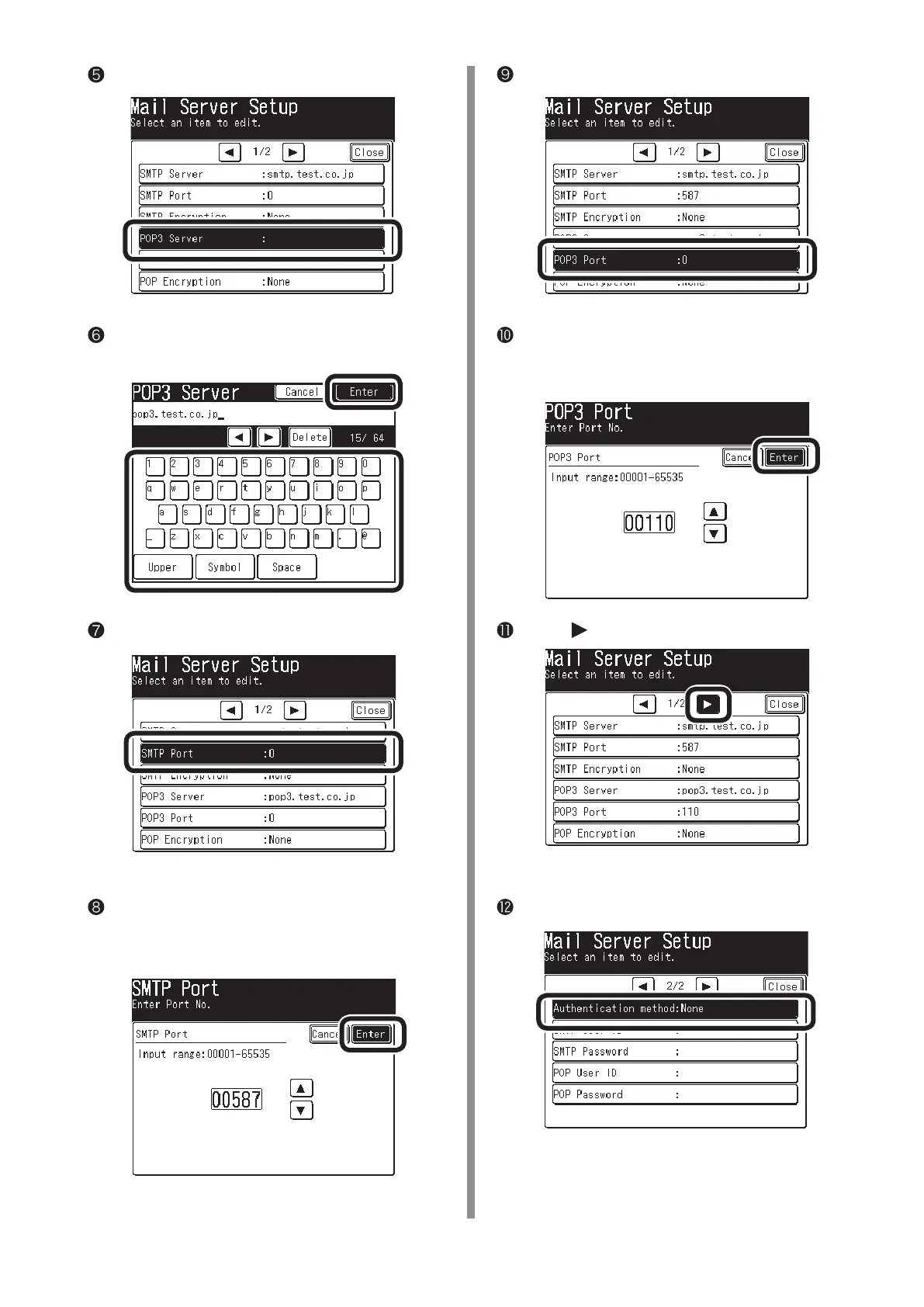
Press [POP3 Server].
Enter the value of "E-3" on the Setup Information
Form, then press [Enter].
Press [SMTP Port].
Use the numeric keypad to enter the value of
"E-4" on the Setup Information Form, then press
[Enter].
Press [POP3 Port].
Use the numeric keypad to enter the value of
"E-5" on the Setup Information Form, then press
[Enter].
Press [
].
Press [Authentication Method].



 To Next Page