10044 Planer OLIVERMACHINERY.NET 19 | Page
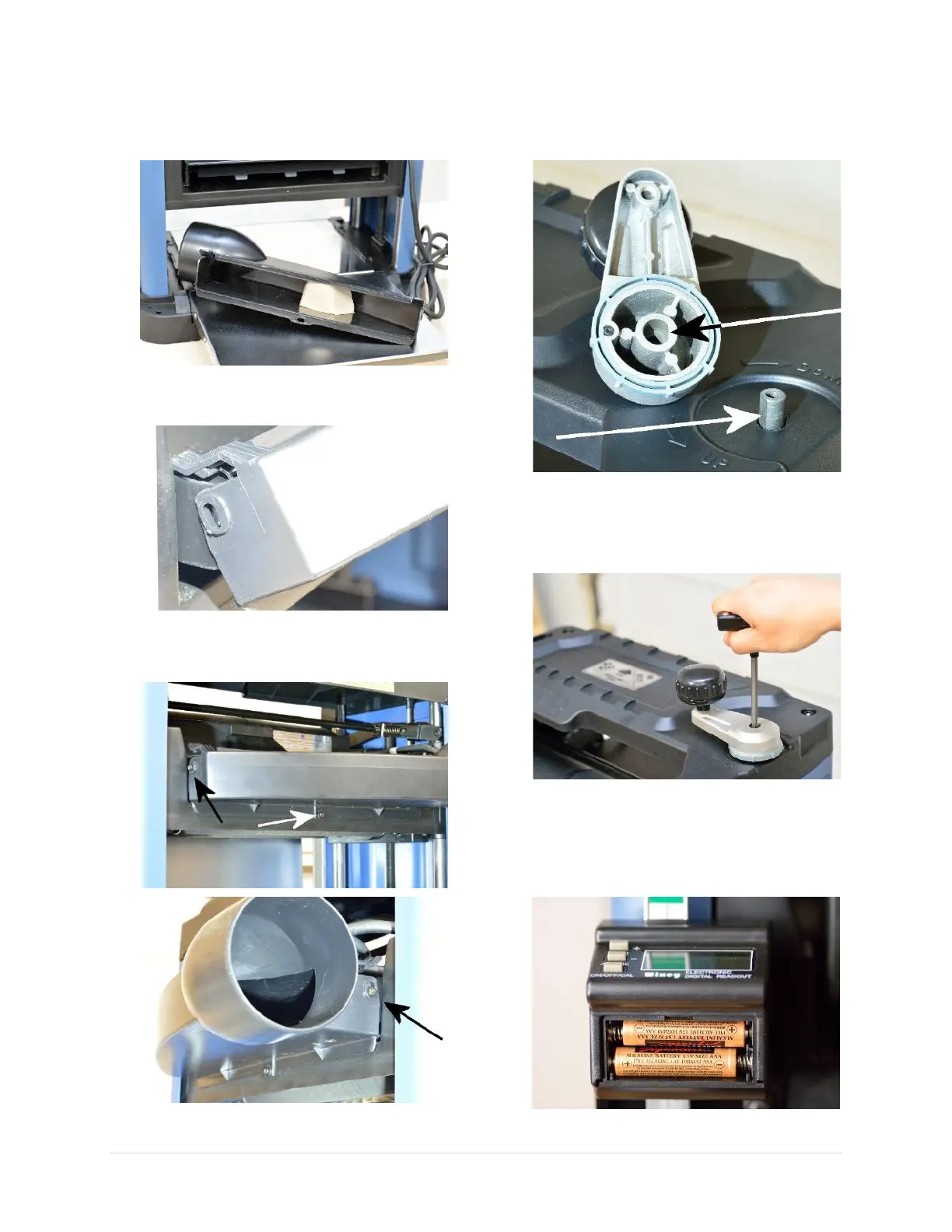
Dust Hood Installation
1. Remove cardboard packaging that supports
dust hood during shipment.
2. Attach dust hood onto the cutterhead cover
plate.
3. Use the provided mounting screws and
washers to secure the dust hood at the
bottom and on each side.
Cutterhead Elevation Crank Installation
1. Install the crank. Make sure flat surfaces on
the crank and the shaft are aligned.
2. Secure the crank with a T-30 Torx screw that
comes with the package. A T-30 Torx wrench
can be pulled out from the top panel for this
task.
DRO Battery Installation
1. Remove the battery cover and install two
AAA sized batteries. Reinstall the cover
when done.


 To Next Page